$215.99
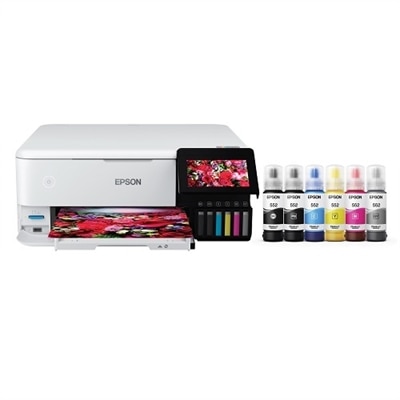
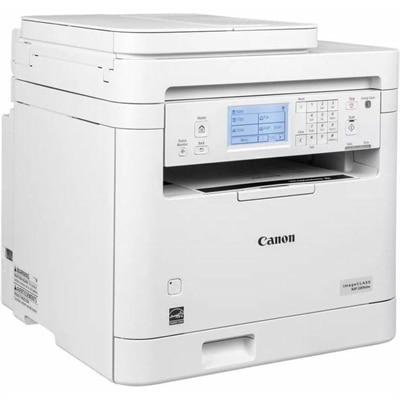
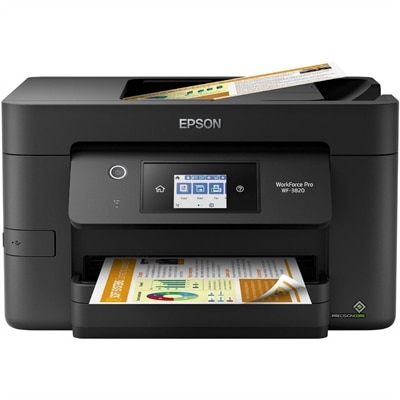
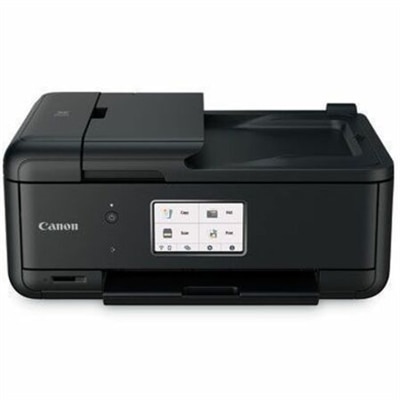
A compact wireless all-in-one inkjet printer with five-ink printing, duplexing, scanning, faxing, and smartphone connectivity.
All in one printers with scanner offer a convenient and efficient solution for both home offices and businesses. Combining multiple functions in a single device, these versatile machines help streamline everyday tasks and save valuable workspace. Whether you need to print important documents or scan high-quality images, all in one printers with scanner are designed to meet a variety of needs. Explore a wide selection to find the perfect fit for your productivity requirements.
A compact wireless all-in-one inkjet printer with five-ink printing, duplexing, scanning, faxing, and smartphone connectivity.
All-in-one printers with scanners bring several everyday tasks together in one compact device: printing pages, scanning documents, and making copies without requiring separate equipment. They can be useful in a home office, a shared family workspace, a student study area, or a small business where desk space matters. A single unit tucked beside a laptop can handle everything from a signed form and a school worksheet to a shipping label, recipe, or treasured photograph. When choosing among all-in-one printers with scanner capabilities, consider the types of pages you expect to produce most often. Inkjet models are generally well suited to colorful documents, graphics, and photo printing, making them a practical choice for households that print a mix of forms and images. If color output and photo detail are priorities, look for an inkjet printer with strong color reproduction, a suitable photo-printing mode, and support for the paper sizes you use. Some inkjet printers use replaceable cartridges, while ink tank models hold larger supplies of liquid ink that can produce many pages before refilling. Tank-style systems may appeal to people with frequent print jobs, such as families managing school projects or home-based businesses preparing invoices and mailing materials. They typically require more attention during the initial setup, but the visible ink levels can make it easier to monitor remaining supplies. A laser all-in-one printer may be a better fit for users who primarily print crisp black-and-white text, especially when speed and regular document production matter. Laser toner is also less likely to dry out during periods of light use, which can be helpful in a home where the printer sits quietly for several weeks between projects. Reviewing estimated page yields and the cost of replacement ink or toner can provide a clearer picture of long-term ownership than looking only at the printer’s initial price. For a broader look at color-focused options, explore Inkjet All In One Printers.
Convenience features can make as much difference as print quality. An automatic document feeder, often called an ADF, lets you place a stack of pages on top of the printer for scanning or copying instead of lifting the lid and positioning every sheet by hand. This is especially useful for multi-page forms, receipts, contracts, and school packets. Some ADFs handle one side of a page at a time, while models with duplex scanning can capture both sides automatically, reducing the need to turn pages manually. Automatic duplex printing is another useful feature because it prints on both sides of compatible paper, helping reduce paper use while giving reports, applications, and handouts a more polished appearance. A flatbed scanner remains valuable for delicate originals, book pages, identification cards, and photographs that should be handled carefully. When comparing scanner specifications, consider optical resolution, color depth, scan speed, and whether the device can save scans as common file types such as PDF or JPEG. Wireless connectivity can simplify placement and everyday use, allowing a laptop, tablet, or phone to send print jobs over a home Wi-Fi network. Wi-Fi Direct can provide another connection method when a device needs to communicate with the printer without joining a shared network. A touchscreen or clearly arranged control panel may be helpful for copying or scanning without turning on a computer, while mobile printing support can be convenient when a document arrives by email or lives on a phone. Keep the printer’s dimensions, paper tray capacity, and noise level in mind as well. A compact model may fit neatly on a shelf, but a larger paper tray can reduce the need to reload pages during a long report. If the printer will share a room with a work area or sleeping space, quieter operation and a sensible standby mode can make it less intrusive.
These printers can serve a wide range of people and can be a thoughtful practical gift for someone settling into a new apartment, building a home office, returning to school, or organizing a small creative workspace. A student may use one to print reading notes, scan signed paperwork, and copy reference pages. A parent or caregiver might rely on it for permission forms, activity schedules, recipes, and children’s artwork. Someone working from home can scan receipts, print shipping labels, prepare client documents, and keep paper records organized without making a trip to a shared office. Creative users may appreciate color printing for mood boards, craft templates, invitations, or photo projects, while users who handle mostly administrative paperwork may place greater value on fast monochrome output and an efficient document feeder. During the warmer seasons and the cooler months that follow, an all-in-one printer can support changing routines at home, from organizing travel documents and household records to preparing school materials and preserving family photos. Before choosing a model, estimate how many pages are printed in a typical week, whether those pages are mostly color or black and white, and whether documents often need to be scanned or copied in batches. Check compatibility with the computers and mobile devices in the household, the available paper sizes, the maximum recommended monthly volume, and the type of replacement supplies required. It is also worth leaving enough clearance around the unit for opening the scanner lid, loading paper, and replacing cartridges or replenishing an ink tank. The best match is one that fits naturally into the way a household already works: quick to reach when a form needs signing, capable enough for a stack of pages, and simple to operate when a last-minute document needs to be printed, scanned, or copied.
Add the products you would like to compare, and quickly determine which is best for your needs.