PowerProtect Data Manager: Unable to Remove Hyper-V VM Asset from the Protection Policy
Summary: This article describes the issue when deleting Hyper-V virtual machines (VM) in the PowerProtect Data Manager UI.
Symptoms
Unable to remove a Hyper‑V VM from a Protection Policy in PowerProtect Data Manager. The following message appears when removing a Hyper-V VM asset from either a Protection Policy or from the Assets tab.
Error
404: Missing document ID XXXXXXXXX-XXXX-XXXX-XXXX-XXXXXXXXXXX
Check to ensure that the resource if exits.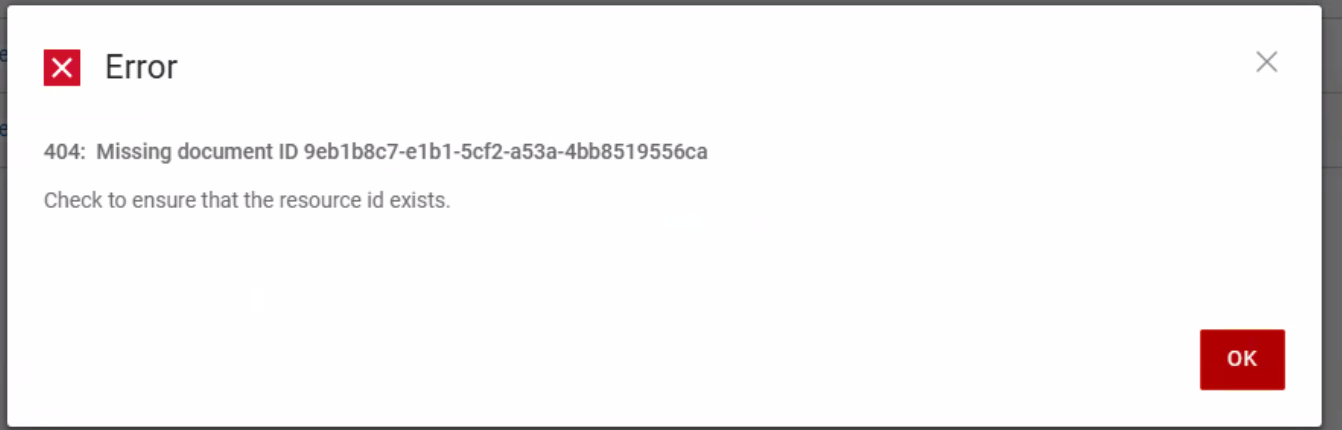
The asset‑storage log shows the following error message:
Caused by: java.lang.IllegalStateException: Duplicate key d4f8654d-9a75-44a2-b248-04653b1DELL-disk-key-100_differencing.vhd (attempted merging values class FtVirtualMachineDisk {
    com.emc.dpsg.ppdm.assetstoragesvc.model.fieldtype.FtVirtualMachineDisk@eaa3c6a3
    name: d4f8654d-9a75-44a2-b248-04653b1DELL-disk-key-100_differencing.vhd
    externalId: C:\Program Files\Dell\PPDM Hyper-V Agent\tmp\97aa99bc-5b0a-45f5-8c1c-3877bbdb61bb\1767810686/d4f8654d-9a75-44a2-b248-04653b1DELL-disk-key-100_differencing.vhd
    containingFolder: C:\Program Files\Dell\PPDM Hyper-V Agent\tmp\97aa99bc-5b0a-45f5-8c1c-3877bbdb61bb\1767810686
    sizeAllocationType: Differencing
    format: VHD
    usedSize: 7.1716864E7
    totalSize: 1.363673088E11
    excluded: false
    storageSources: null
    type: null
    busType: null
    deviceIndex: null
Cause
This is a known issue in PowerProtect Data Manager 19.19.0-15 or later. The Hyper-V VM has multiple virtual hard disk (VHD) files with the same file name.
Resolution
A hotfix has been created to address the issue in PowerProtect Data Manager 20.1.0-17 and 19.22.0-16. If required, contact Dell Support for assistance or any further questions and to request the hotfix.
Additional Information
Impact: Without the hotfix, removing VMs from the Hyper‑V server or cluster does not clean up assets in PowerProtect Data Manager UI, leading to stale entries.