Dell Unity: Setting a custom banner with svc_banner fails with permission error
Summary: Users following the procedure to set a custom banner using the svc_banner command as described in Dell Unity Family Service Commands Technical Notes run into permission errors.
This article applies to
This article does not apply to
This article is not tied to any specific product.
Not all product versions are identified in this article.
Symptoms
Users following the procedure to set a custom banner using the svc_banner command as described in Dell Unity Family Service Commands Technical Notes (pages 6 and 7) run into permission errors.
Per the documentation users are advised to place the custom template text file in the /home/service directory and when attempting to do so they receive a permission denied error.

Cause
This is as designed.
The
The
/home/service directory is only accessible by users who have injected root.Resolution
Users should instead use the
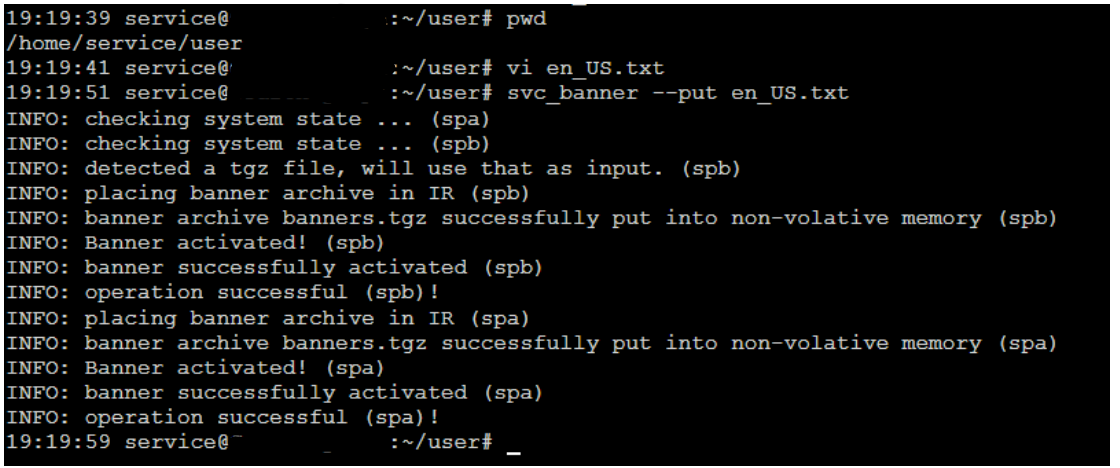
/home/service/user directory that is accessible to the service user and does not require root.
- Create text files in the
/home/service/userdirectory with localized content named:- For English: en_US.txt
- For Belarusian: be_BY.txt
- For Chinese: zh_CN.txt
- To apply these files, run the following command as service user:
svc_banner --put en_US.txt be_BY.txt zh_CN.txt
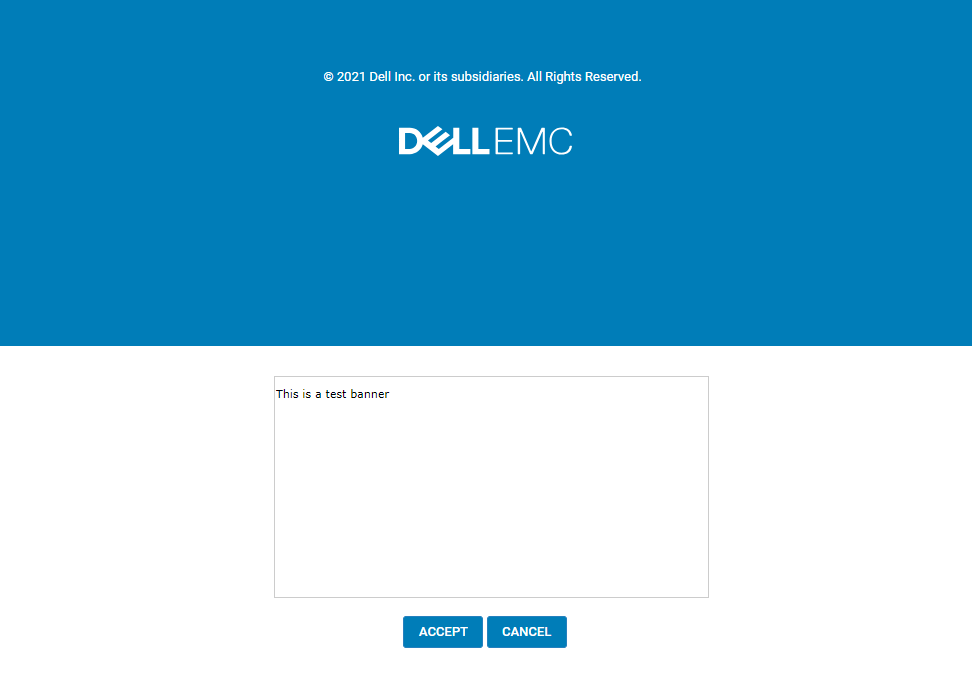
If logged into Unisphere, log out and then log back in. The new banner should be displayed.
Example:
Affected Products
Dell EMC UnityArticle Properties
Article Number: 000219224
Article Type: Solution
Last Modified: 16 Sept 2025
Version: 3
Find answers to your questions from other Dell users
Support Services
Check if your device is covered by Support Services.