On-Screen Error during Upgrade Install to Dell Optimizer 6.1
Summary: The following article provides information about an install error during an update to Dell Optimizer 6.1.
This article applies to
This article does not apply to
This article is not tied to any specific product.
Not all product versions are identified in this article.
Symptoms
InstallShield reports upgrade error when upgrading to Dell Optimizer 6.1
The InstallShield Wizard displays the following on-screen error message while upgrading from Dell Optimizer version 6.0 to 6.1:
Package Purchased Apps Error:
The setup must update files or services that cannot be
updated while the system is running. If you choose to
continue, a reboot will be required to complete the setup.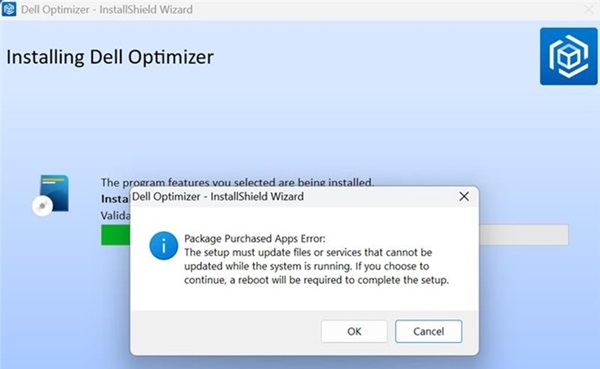
Cause
This is due to an x86 process being unable to access an x64 process, which causes an exception to occur.
Resolution
Note: You must have administrator rights on your device to make any operating system changes or update any software.
Click OK to continue installation when you encounter the error message. The installation finishes, and the update is successful.
Note: Beginning with Dell Optimizer 6.1, anyone upgrading to a newer version from 6.1 does not encounter this issue.
Affected Products
Dell Plus, Dell Optimizer, Dell Pro 14 PC14255, Dell Pro 16 PC16255Article Properties
Article Number: 000318685
Article Type: Solution
Last Modified: 12 May 2025
Version: 1
Find answers to your questions from other Dell users
Support Services
Check if your device is covered by Support Services.