How to Collect Logs for Secureworks Red Cloak Endpoint Agent
Summary: Learn step-by-step instructions about how to collect logs for the Secureworks Red Cloak Endpoint agent for Windows or Linux.
This article applies to
This article does not apply to
This article is not tied to any specific product.
Not all product versions are identified in this article.
Instructions
This article discusses the methods for collecting the Secureworks Red Cloak Endpoint agent logs.
Affected Products:
- Secureworks Red Cloak Endpoint
Affected Operating Systems:
- Windows
- Linux
Click either Windows or Linux for the log collection process.
Windows
A user can troubleshoot the Secureworks Red Cloak Endpoint agent by manually collecting:
- Install logs: Used to troubleshoot installation issues.
- Agent logs: Used to troubleshoot activation, communication, and behavior issues.
Click the appropriate logging type for more information.
Install logs
- Right-click the Windows start menu and then click Run.
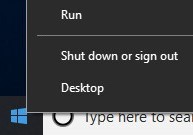
- In the Run UI, type
%temp%and then click OK.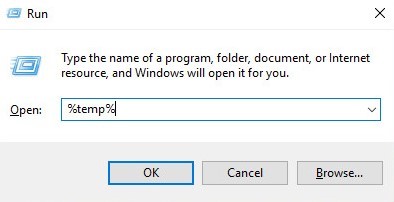 Note:
Note:%temp%is the Windows variable forC:\Users\[USERNAME]\AppData\Local\Temp. - Capture the MSI logs named
MSI<XXXXX>.LOG. Note:
Note:<XXXXX>represents randomly generated letters and numbers.
Agent logs
- Create a temporary log folder that is titled Logs.
- Right-click the Windows start menu and then click Run.
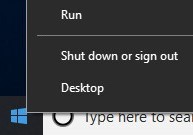
- In the Run UI, type
C:\Program Files (x86)\Dell SecureWorks\Red Cloakand then click OK.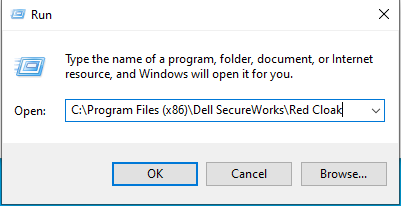
- Sort by type to display all .log files.
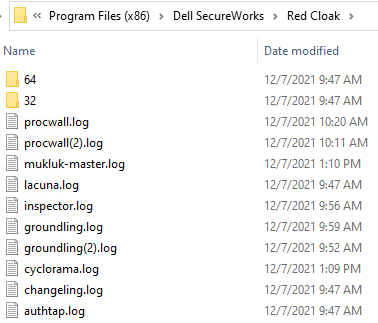
- Copy all .log and .dmp files to the Logs folder (Step 1).
- Right-click the Windows start menu and then click Run.
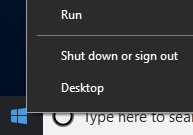
- In the Run UI, type
C:\Program Files (x86)\Dell SecureWorks\Ignition\and then click OK.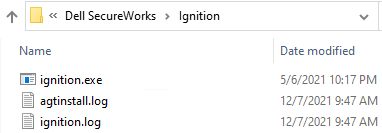
- Copy all .log files to the
Logsfolder (Step 1). - Right-click the
Logsfolder from Step 1, select Send to, and then click Compressed (zipped) folder.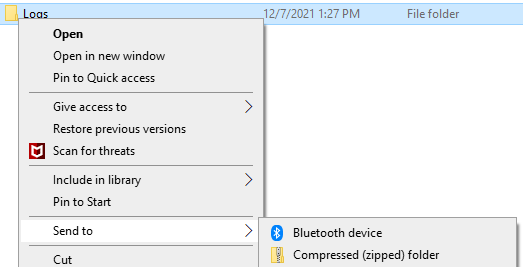
Linux
A user can troubleshoot the Secureworks Red Cloak Endpoint agent by manually collecting:
- Install logs: Used to troubleshoot installation issues.
- Agent logs: Used to troubleshoot activation, communication, and behavior issues.
Click the appropriate logging type for more information.
Install logs
When installation is run on a Linux endpoint, any errors are displayed as text on the screen. There are no log files to be collected.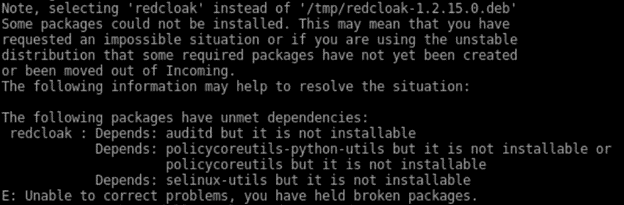
Agent logs
To successfully offload logs, the Secureworks Red Cloak Endpoint agent requires:
- A third-party FTP (file transfer protocol) client
- Examples of an FTP client include (but are not limited to):
- Filezilla
- WinSCP
- CuteFTP
- Examples of an FTP client include (but are not limited to):
- A storage device (outside of the Linux server)
- In the FTP client, log in with an FTP user to the Linux server.

- Go to
/opt/secureworks/redcloak/logand then save all files from that folder locally.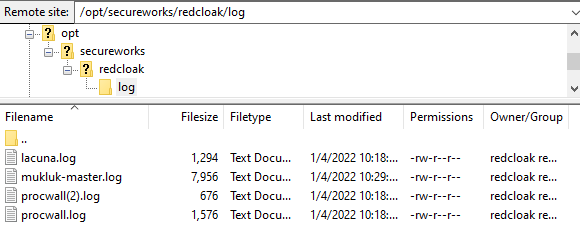
To contact support, reference Dell Data Security International Support Phone Numbers.
Go to TechDirect to generate a technical support request online.
For additional insights and resources, join the Dell Security Community Forum.
Affected Products
SecureworksArticle Properties
Article Number: 000201786
Article Type: How To
Last Modified: 06 Aug 2025
Version: 4
Find answers to your questions from other Dell users
Support Services
Check if your device is covered by Support Services.