SupportAssist for Home PCs Cannot Detect Dock
Summary: Learn what to do when SupportAssist for Home PCs cannot detect a dock in the "I want to check a specific piece of hardware" page.
This article applies to
This article does not apply to
This article is not tied to any specific product.
Not all product versions are identified in this article.
Symptoms
When an affected dock is connected to a Dell Pro 14 Plus PB14255, launch SupportAssist for Home PCs. Go to the Support tab, then under the Test my hardware tile, click the Get Started button. Click I want to troubleshoot my PC, then click I want to check a specific piece of hardware. The dock is not seen in the list of devices.
Affected Platforms:
- Dell Pro 14 Plus PB14255
Affected Docks:
- Dell Pro Dock WD25
- Dell Pro Dock WD25Z
- Dell Pro Smart Dock SD25
- Dell Pro Thunderbolt 4 Dock WD25TB4
- Dell Pro Thunderbolt 4 Smart Dock SD25TB4
Affected Software:
- SupportAssist for Home PCs (version 4.6.5)
Cause
When the TouchPad test is run for the second time, the test progress is not handled correctly. This has been corrected.
Resolution
Updating to SupportAssist for Business PCs version 4.8.1 or later on the computer resolves the issue. To download and install the SupportAssist for Business PCs update, connect to the Internet. Once the Ready to update SupportAssist prompt appears, click Yes, continue.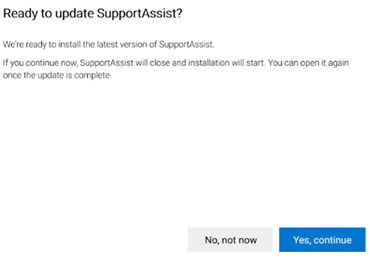
Note: Confirm the installed version of SupportAssist for Business PCs by going to Control Panel, Programs, Programs and Features, Settings, Apps, then Installed apps (Apps & features).
Affected Products
Dell Pro 14 Plus PB14255, SupportAssist for Home PCsArticle Properties
Article Number: 000303890
Article Type: Solution
Last Modified: 13 May 2025
Version: 2
Find answers to your questions from other Dell users
Support Services
Check if your device is covered by Support Services.