Windows Camera Application Shows Black Screen After Turning On for First Time
Summary: This article provides information about completing the Out of Box Experience (OOBE) and then opening the Windows camera application and only shows a black screen.
This article applies to
This article does not apply to
This article is not tied to any specific product.
Not all product versions are identified in this article.
Symptoms
Affected Platforms:
- Inspiron 14 5441
- Inspiron 14 Plus 7441
- Latitude 5455
- Latitude 7455
To reproduce:
- Complete the OOBE and reach the desktop
- Open the Windows Inbox Camera application (the camera application displays a black screen and does not function properly).
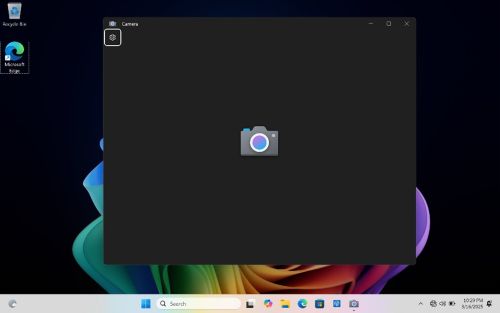
Note:
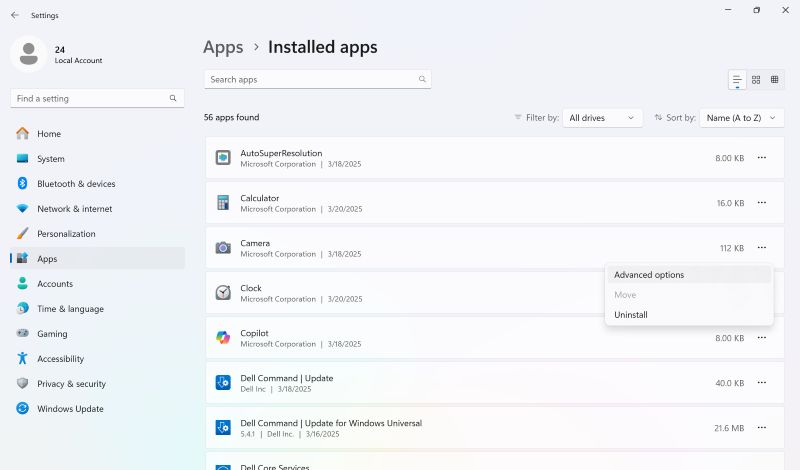
- The issue only occurs with Camera app Version 2023.2312.3.0.
- Check in Settings > Apps > Installed apps > Camera > Advanced options
Cause
There is an issue with the Windows Inbox camera application.
Resolution
There are two ways to resolve this issue:
- Reopen the Windows Inbox camera application.
- Update Windows Inbox Camera in Microsoft Store to the latest version:
- Open Microsoft Store by start menu.
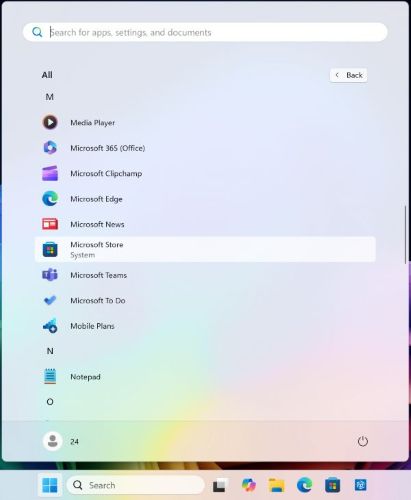
- In Microsoft Store, search for cam and select Windows Camera.
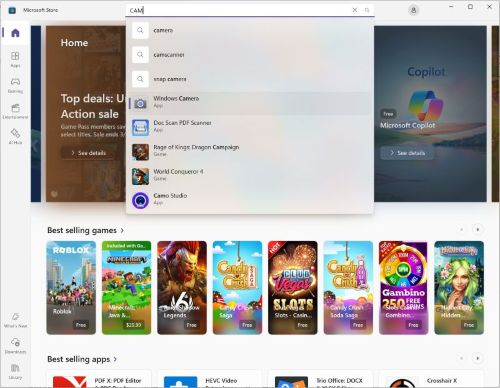
- Click Update.
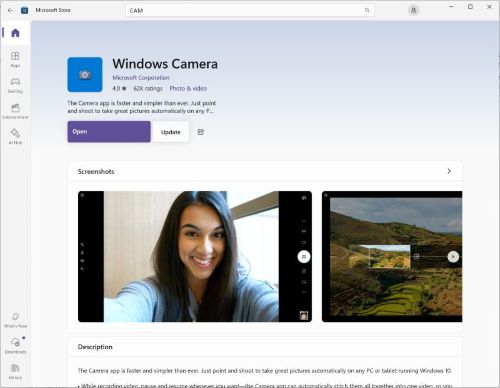
- Once the application has finished updating, click Open.
- Open Microsoft Store by start menu.
To verify the version of the Camera application:
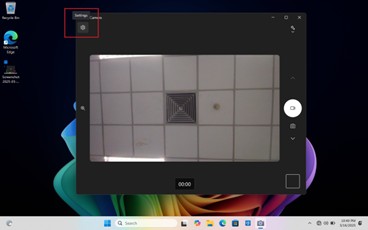
- Open Windows camera application
- Click Settings in the upper left corner
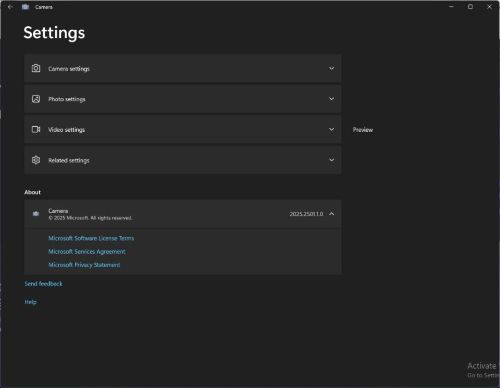
- Windows Inbox Camera version has been updated to 2025.2501.1.0 or above.
Affected Products
Inspiron 14 5441, Inspiron 14 Plus 7441, Latitude 5455, Latitude 7455Article Properties
Article Number: 000299966
Article Type: Solution
Last Modified: 22 May 2026
Version: 3
Find answers to your questions from other Dell users
Support Services
Check if your device is covered by Support Services.