Dell Unity: Unable to delete system snapshot (Dell Correctable)
Summary: Error Code: 0x716d80b0 when deleting a system snapshot
This article applies to
This article does not apply to
This article is not tied to any specific product.
Not all product versions are identified in this article.
Symptoms
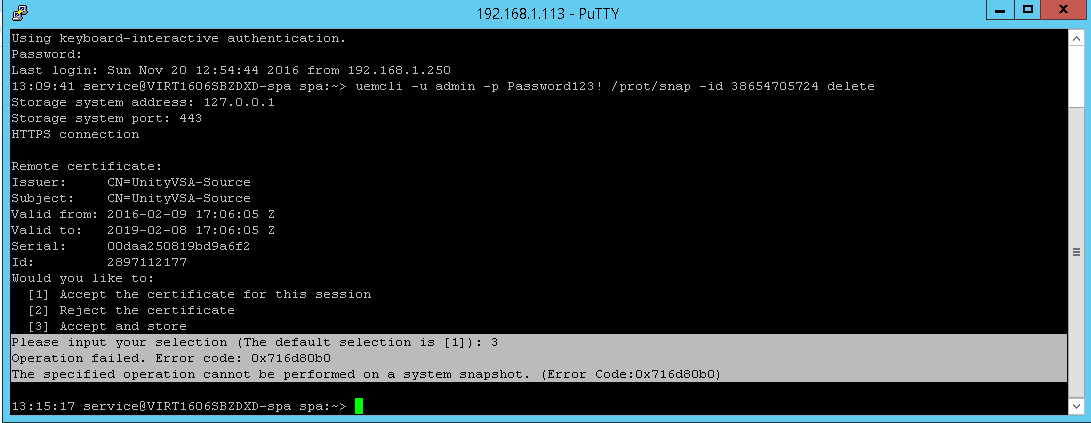
Error trying to delete the snapshot from the source after deleting the replication session from the destination side.
CLI
service@(none) spb:~> uemcli -u admin -p Password /prot/snap -id delete
Operation failed. Error code: 0x716d80b0
The specified operation cannot be performed on a system snapshot. (Error Code:0x716d80b0)
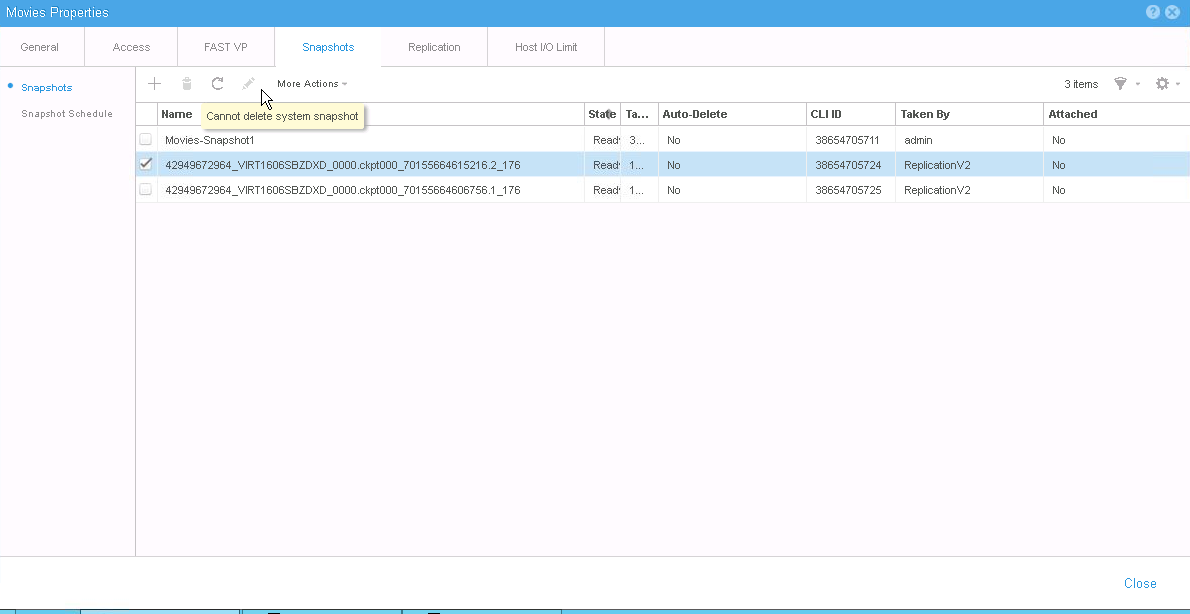
Unisphere
The delete button is disabled with the following error message "
Cannot delete system snapshot":
Cause
System snapshots are used for internal purposes like replication. Ideally, deleting replication should auto delete the system snapshots.
Resolution
The system snapshot cannot be destroyed using standard commands or the Unisphere UI.
Contact Dell Technical Support or your Authorized Service Representative, and quote this Dell Knowledge Base article ID.
Contact Dell Technical Support or your Authorized Service Representative, and quote this Dell Knowledge Base article ID.
Affected Products
Dell EMC Unity FamilyProducts
Dell Unity 300, Dell EMC Unity 300F, Dell EMC Unity 400F, Dell EMC Unity 500, Dell EMC Unity 500F, Dell EMC Unity 600, Dell EMC Unity 600F, Dell EMC Unity Family |Dell EMC Unity All Flash, Dell EMC Unity Family, Dell EMC Unity HybridArticle Properties
Article Number: 000052824
Article Type: Solution
Last Modified: 11 Apr 2025
Version: 4
Find answers to your questions from other Dell users
Support Services
Check if your device is covered by Support Services.