PowerEdge: Adding and Removing the VMNic Uplink in ESXI
Summary: Adding and removing VMNICS to the VSS(Standard Switch) and VDS(Distributed Switch)
This article applies to
This article does not apply to
This article is not tied to any specific product.
Not all product versions are identified in this article.
Instructions
- View the current
vSwitchconfiguration andvmkernelinterface configuration using these commands:esxcli network vswitch standard list # list current vswitch configuration esxcli network vswitch dvs vmware list # list Distributed Switch configuration esxcli network ip interface list # list vmkernel interfaces and their configuration esxcli network nic list # display listing of physical adapters and their link state
- Add or remove network cards (known as vmnics) to or from a Standard vSwitch using these commands:
esxcli network vswitch standard uplink remove --uplink-name=vmnic --vswitch-name=vSwitch # unlink an uplink
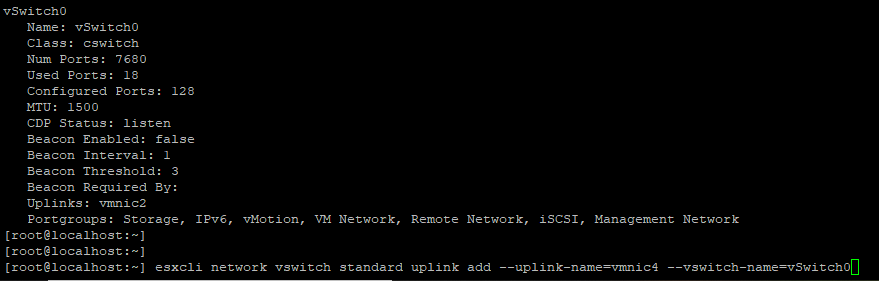
esxcli network vswitch standard uplink add --uplink-name=vmnic --vswitch-name=vSwitch # add an uplink
- Add or remove network cards (known as vmnics) to or from a vNetwork Distributed Switch (vDS) using these commands:
esxcfg-vswitch -Q vmnic -V dvPort_ID_of_vmnic dvSwitch # unlink/remove a vDS uplink
esxcfg-vswitch -P vmnic -V unused_dvPort_ID dvSwitch # add a vDS uplink
Note: If connectivity is lost when migrating management networking to a Distributed Switch, it may be necessary to remove or disable the existing management VMkernel interface and re-create it in a Standard vSwitch port group with the same IP configuration.
Example:-
Adding Vmnci4 to
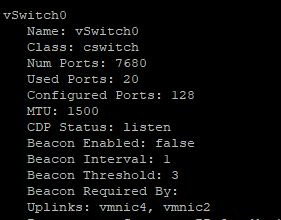
Verify the
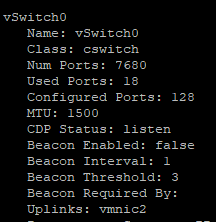
Removing the VMNIC from uplink

Adding
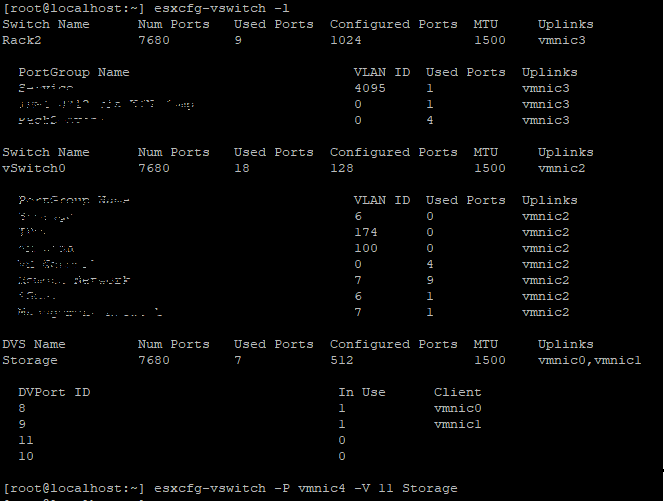
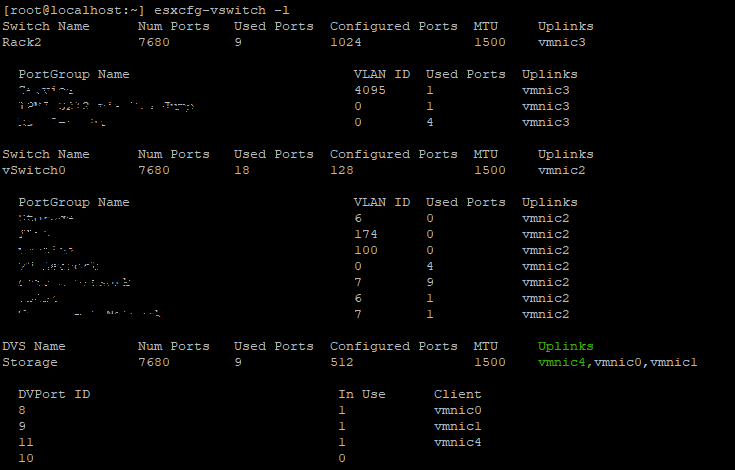
Before adding the uplink port, make sure of the DVS Name and
Verify whether VMNIC is add to
Remove
Adding Vmnci4 to
vSwitch (Standard)
Verify the
vswitch now the vmnic 4 is add to uplink.
Removing the VMNIC from uplink
vSwitch 0
Adding
VMNIC4 uplink to VDS(Distributed Switch), Before adding the uplink port, make sure of the DVS Name and
DVPort ID should be free port's in this example port no 11 was not in use.
Verify whether VMNIC is add to
DVS uplink.
Remove
VMNIC Uplink from VDS,

Affected Products
VMware ESXi 6.7.X, VMware ESXi 6.x, VMware ESXi 7.xArticle Properties
Article Number: 000198710
Article Type: How To
Last Modified: 02 Apr 2025
Version: 2
Find answers to your questions from other Dell users
Support Services
Check if your device is covered by Support Services.