PowerProtect: PPDM Mount failure on Windows Server using 19.12
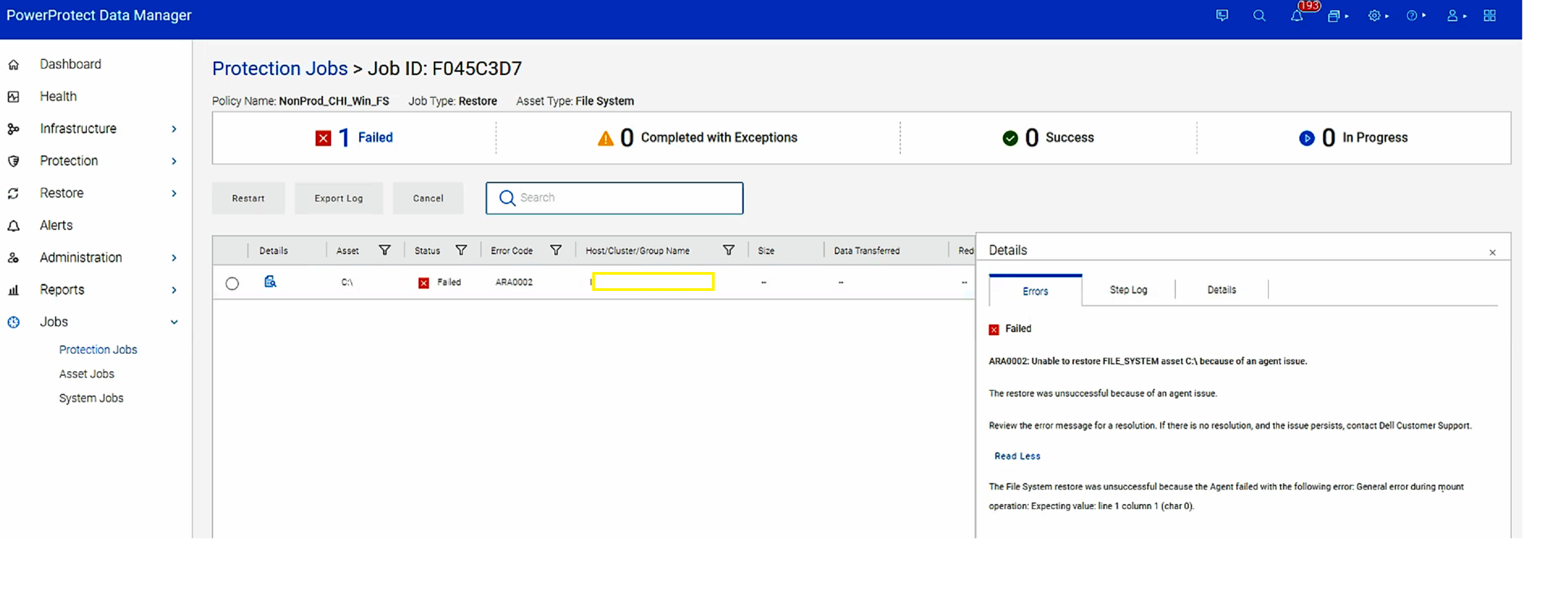
Summary: All attempts to perform FLR to this Windows 2016 server fails. The mount job is initiated and eventually fails after about 15 minutes due to port in use on the system.
This article applies to
This article does not apply to
This article is not tied to any specific product.
Not all product versions are identified in this article.
Symptoms
Error reported in "ARA0002" Unable to restore FILE_SYSTEM asset C:\ because of an agent issue.
Cause
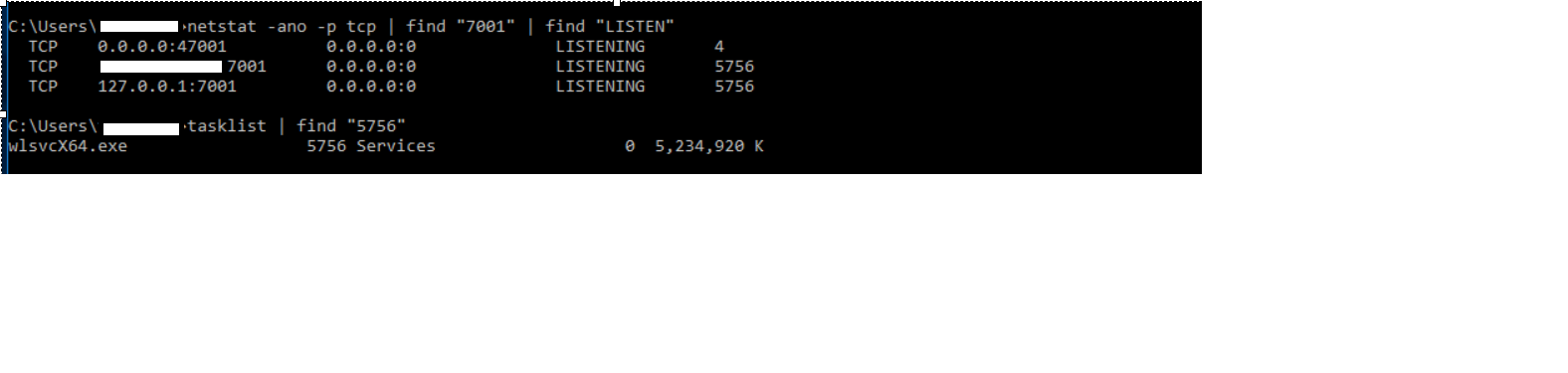
Port 7001 is busy and In use on the host. This port is required by RestServer for FLR.
Resolution
Workaround - perform FLR to another host where port 7001 is not in Use or disable or change the Service which is running on port 7001.
In backlog for New features for PPDM is to make this port customer configurable.
In backlog for New features for PPDM is to make this port customer configurable.
Affected Products
PowerProtect SoftwareArticle Properties
Article Number: 000209800
Article Type: Solution
Last Modified: 23 Oct 2024
Version: 3
Find answers to your questions from other Dell users
Support Services
Check if your device is covered by Support Services.