PowerProtect Data Manager (PPDM) - 使用 19.12 在 Windows Server 上掛載失敗
Summary: 所有對此 Windows 2016 伺服器執行 FLR 的嘗試均失敗。由於系統上使用的埠,掛接工作隨即啟動,並在約 15 分鐘後失敗。
This article applies to
This article does not apply to
This article is not tied to any specific product.
Not all product versions are identified in this article.
Symptoms
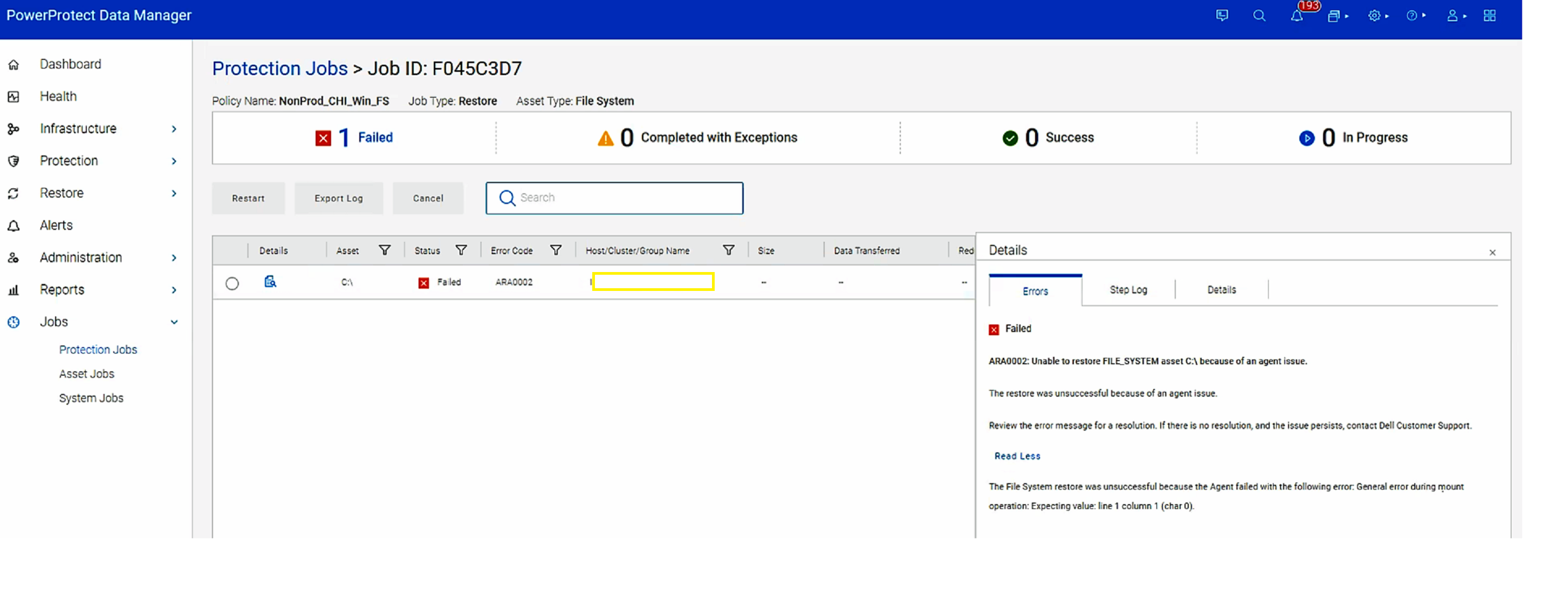
「ARA0002」中報告的錯誤無法還原FILE_SYSTEM資產 C:\因為代理程式問題。
Cause
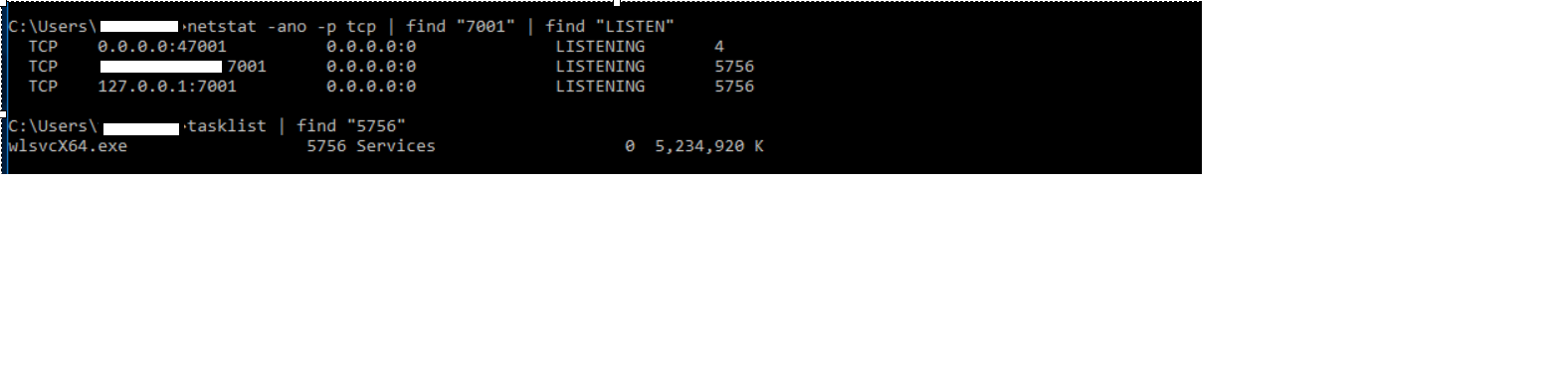
埠 7001 處於忙碌狀態,且主機上正在使用中。RestServer 需要此埠以供 FLR 使用。
Resolution
因應措施是將 FLR 執行到埠 7001 未在使用中的另一個主機,或停用或變更在埠 7001 上執行的服務。
在 PPDM 新功能的待辦事項中,可讓此埠客戶進行設定。
在 PPDM 新功能的待辦事項中,可讓此埠客戶進行設定。
Affected Products
Data Protection, Data Backup & Protection Software, PowerProtect SoftwareArticle Properties
Article Number: 000209800
Article Type: Solution
Last Modified: 23 Oct 2024
Version: 3
Find answers to your questions from other Dell users
Support Services
Check if your device is covered by Support Services.