Dell VxRail: 如何在 NSX-T Manager 節點關閉且叢集中無法復原時重新部署 |NSX-T 3.2
Summary: 此知識庫文章可用來在 NSX-T 管理員節點關閉且叢集中無法復原時重新部署 |NSX-T 3.2。
This article applies to
This article does not apply to
This article is not tied to any specific product.
Not all product versions are identified in this article.
Instructions
使用此 KB 之前,請確定目前的 NSX-T Manager 節點無法復原,且 NSX-T 叢集中的其他節點仍在提供服務。
1.登入 NSX-T Manager,並從現有的叢集中分離問題節點。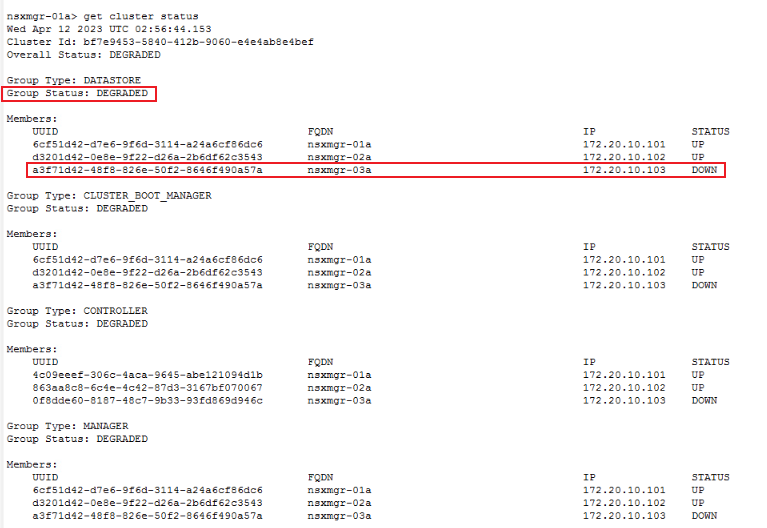
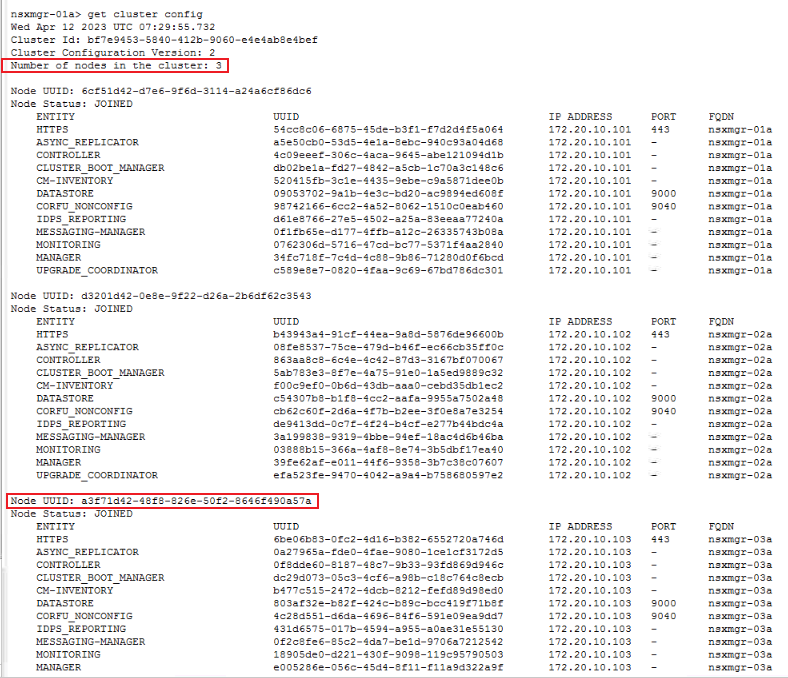
2.從 NSX Manager 叢集移除問題節點。
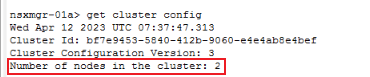
B。使用命令「detach node 」,從叢集中移除問題節點,其中 uuid 是上述識別的 UUID。

3.重新部署新的 NSX-T 節點。請參閱官方的 VMware 檔,以部署新的 NSX-T 管理員。
HTTPs://docs.vmware.com/en/VMware-Validated-Design/6.0.1/sddc-backup-and-restore/GUID-9D125AA7-202E-442E-874D-77D303389A11.html4.將新的 NSX-T 節點新增至現有的叢集。
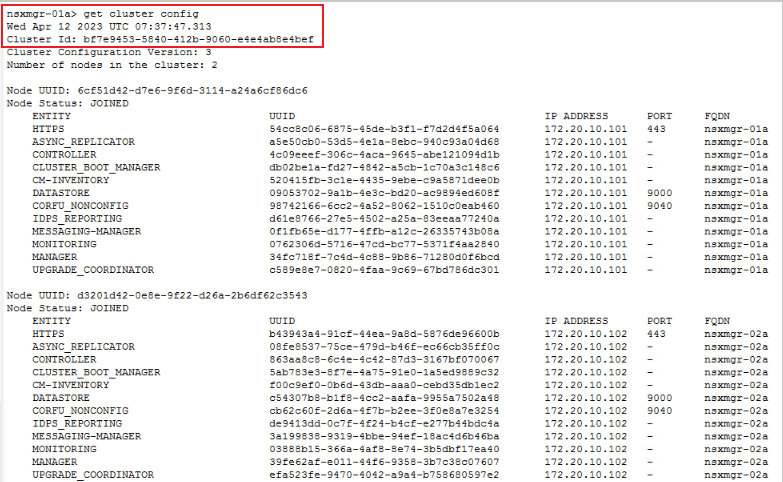

B。將節點新增至現有叢集。

c. 檢查叢集狀態。讓所有服務啟動約 10 分鐘。
1.登入 NSX-T Manager,並從現有的叢集中分離問題節點。
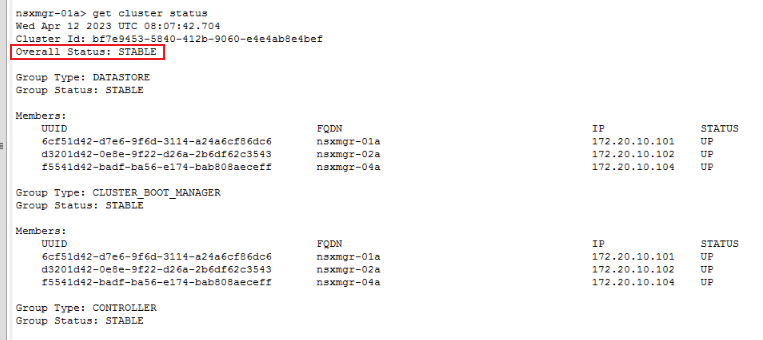
a.登入 SSH 並執行命令「get cluster status」。
get cluster status
B。識別已關閉或故障的節點。
2.從 NSX Manager 叢集移除問題節點。
a.以「get cluster config」查詢問題節點 UUID。
get cluster config
B。使用命令「detach node 」,從叢集中移除問題節點,其中 uuid 是上述識別的 UUID。
detach node
3.重新部署新的 NSX-T 節點。請參閱官方的 VMware 檔,以部署新的 NSX-T 管理員。
HTTPs://docs.vmware.com/en/VMware-Validated-Design/6.0.1/sddc-backup-and-restore/GUID-9D125AA7-202E-442E-874D-77D303389A11.html4.將新的 NSX-T 節點新增至現有的叢集。
a.請先準備現有的 NSX-T 叢集資訊,再將新的 NSX-T 管理器節點新增至現有的叢集。
get cluster config | find cluster id
get certificate api thumbprint | NSX-T Manager API certificate
B。將節點新增至現有叢集。
ssh to new NSX-T manager
join existing_manager_node_ip cluster-id cluster_id thumbprint api_thumbprint username admin
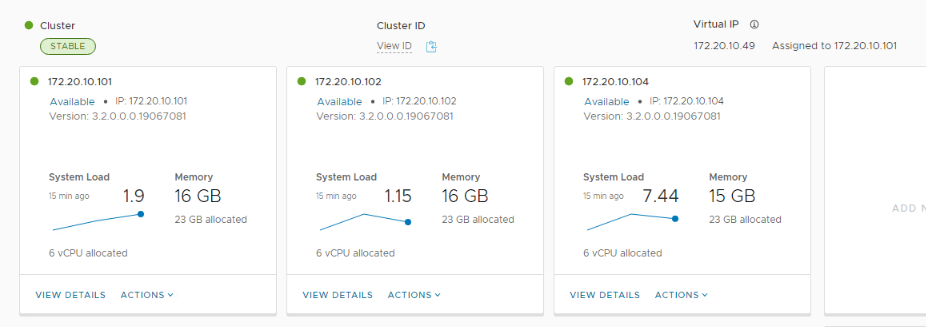
c. 檢查叢集狀態。讓所有服務啟動約 10 分鐘。
get cluster status
Affected Products
VxRailArticle Properties
Article Number: 000209841
Article Type: How To
Last Modified: 12 Apr 2023
Version: 1
Find answers to your questions from other Dell users
Support Services
Check if your device is covered by Support Services.