PowerProtect Data Manager: DM5500 Management Network Gateway Inaccessible
Summary:
Data Manager Appliance ERROR code CONN0097 - Management network gateway is not accessible.
This article applies to
This article does not apply to
This article is not tied to any specific product.
Not all product versions are identified in this article.
Symptoms
Error message:
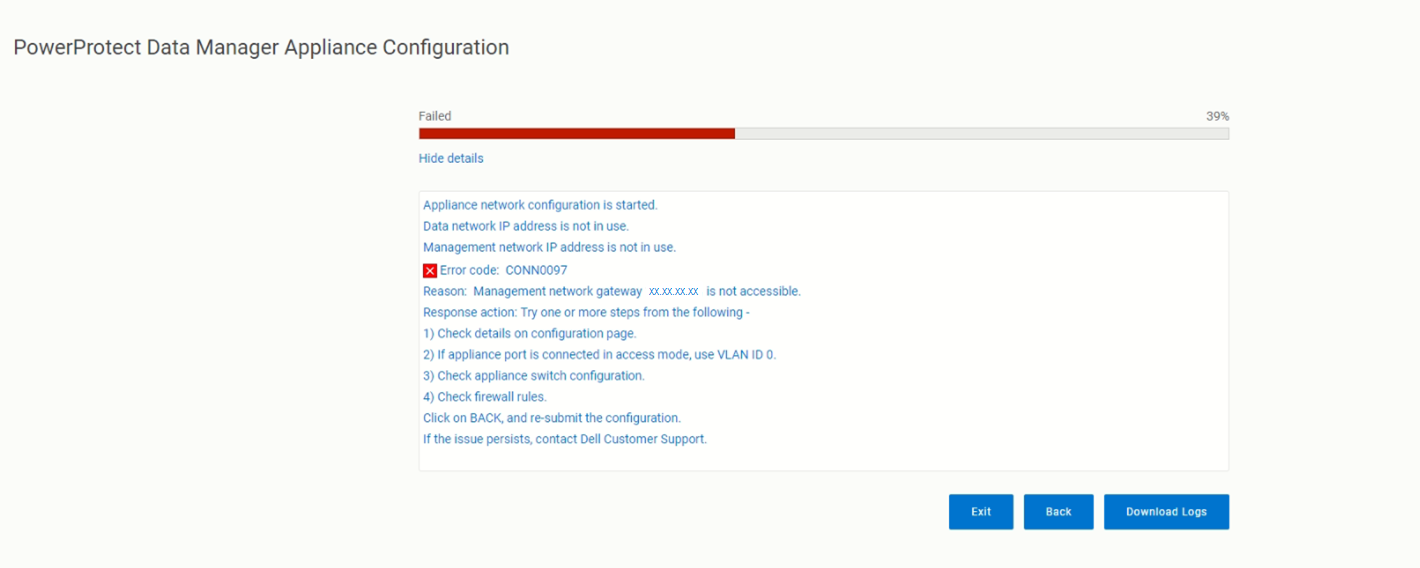
messageType:"ERROR",
    errorCause:{
        code:CONN0097
        reason: Management network gateway <ip address> is not accessible.
Cause
During Deployment of DM5500 Appliance, after compiling the networking configuration proceeding on validation phase, the ERROR message code CONN0097 appears, that means the provided IP is unreachable.
Resolution
Logs showed that the configuration failed with both VLAN ID 0 because it is not able to reach the network gateway.
If the appliance is connected with the switch in access mode or trunk mode, the ports must be configured in the correct VLAN or connected to correct network.
Check if this network gateway is reachable by using other equipment on the same switch port. Try one or more steps from the following:
- Check details on the Configuration page.
- If the appliance port is connected in access mode, use
VLAN ID 0. - Check appliance switch configuration.
- Check firewall rules.
Click BACK, and resubmit the configuration. If the issue persists, contact Dell Support.
Affected Products
PowerProtect Data Manager Appliance, PowerProtect Data Manager Software, PowerProtect DM5500Article Properties
Article Number: 000215648
Article Type: Solution
Last Modified: 31 Mar 2026
Version: 3
Find answers to your questions from other Dell users
Support Services
Check if your device is covered by Support Services.