PowerProtect: Make sure that the original Data Manager Hostname and admin passwords are correct.
Summary: This article explains a situation when the ServerDR backup fails, and a popup shows up "424: Make sure that the original Data Manager Hostname and admin passwords are correct."
This article applies to
This article does not apply to
This article is not tied to any specific product.
Not all product versions are identified in this article.
Symptoms
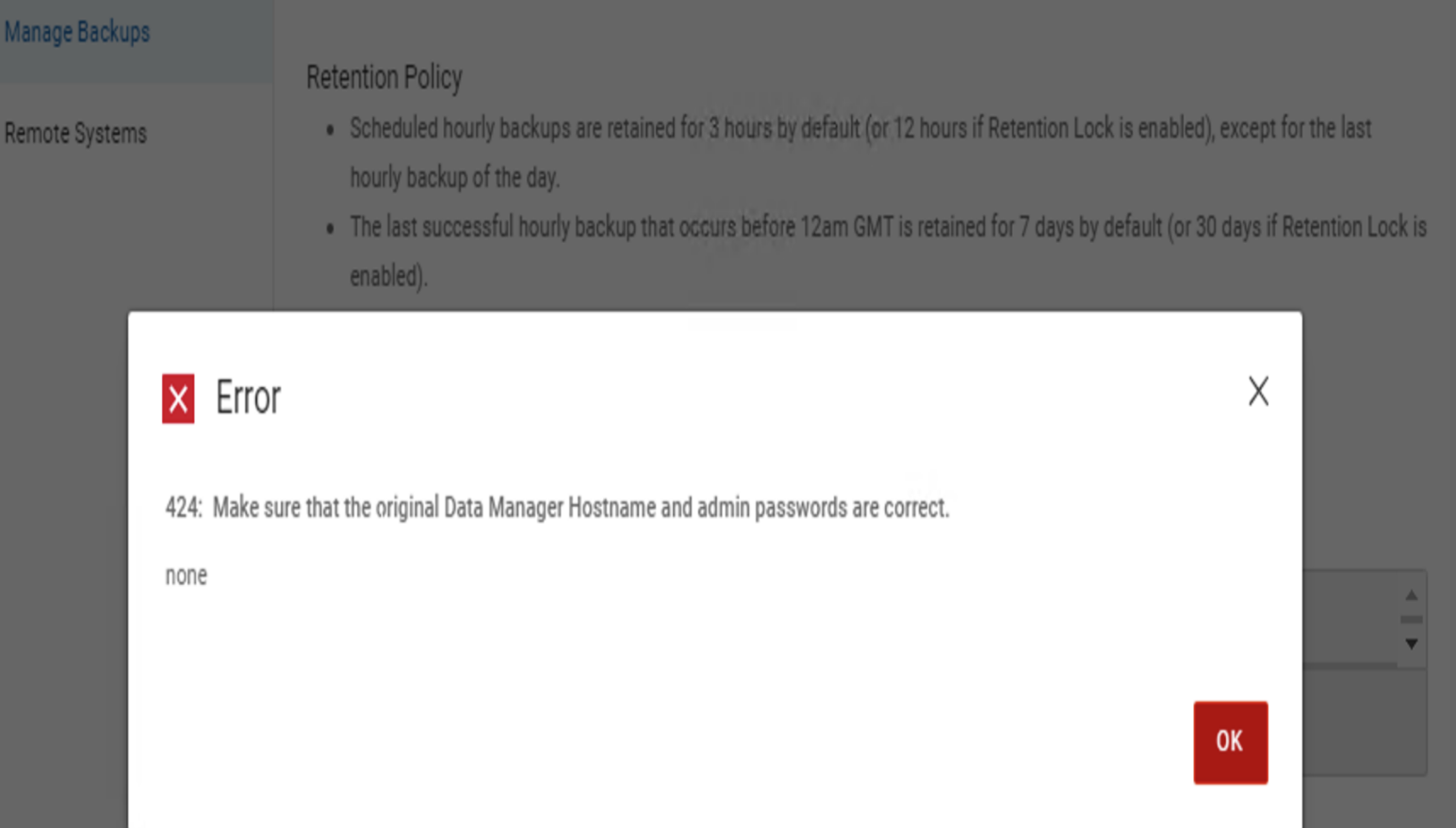
When running a ServerDR backup, we get a pop up with the message:
In the serverdr.log:
424: Make sure that the original Data Manager Hostname and admin passwords are correct.
In the serverdr.log:
2024-05-28T21:40:19.481Z INFO [] [createBackupAsync-1] [][][][TRACE_ID:b63d156d5dedc196;JOB_ID:a372faf8ddd9a08d][] [c.e.d.e.c.s.c.d.r.BackupRepositoryDao.executeCommand(508)] -  executeCommand start cmd=[/opt/emc/boostfs/bin/boostfs, mount, -d, DataDomainIP, -s, SysDR_ppdm, -o, allow-others=true, /data01/server_backups, -l, /opt/emc/boostfs/lockbox/boostfs-serverdr.lockbox]
2024-05-28T21:40:19.612Z WARN [] [createBackupAsync-1] [][][][TRACE_ID:b63d156d5dedc196;JOB_ID:a372faf8ddd9a08d][] [c.e.d.e.c.s.c.u.ExecuteCommand.exec(143)] -
Cannot initialize lockbox


2024-05-28T21:40:19.612Z INFO [] [createBackupAsync-1] [][][][TRACE_ID:b63d156d5dedc196;JOB_ID:a372faf8ddd9a08d][] [c.e.d.e.c.s.c.d.r.BackupRepositoryDao.executeCommand(515)] -  executeCommand end elapsedMilliSecs=131
2024-05-28T21:40:19.612Z ERROR [] [createBackupAsync-1] [][][][TRACE_ID:b63d156d5dedc196;JOB_ID:a372faf8ddd9a08d][] [c.e.d.e.c.s.c.d.r.BackupRepositoryDao.mountFilesystem(1273)] -  SdrException during mounting process removing new mount path and rethrowing exception
2024-05-28T21:40:19.612Z INFO [] [createBackupAsync-1] [][][][TRACE_ID:b63d156d5dedc196;JOB_ID:a372faf8ddd9a08d][] [c.e.d.e.c.s.c.d.r.BackupRepositoryDao.getRepositoryHost(398)] -  Entered getRepositoryHost(String host): host=10.134.110.249
2024-05-28T21:40:19.612Z INFO [] [createBackupAsync-1] [][][][TRACE_ID:b63d156d5dedc196;JOB_ID:a372faf8ddd9a08d][] [c.e.d.e.c.s.c.d.r.BackupRepositoryDao.getRepositoryHost(403)] -  Entered getRepositoryHost(String host, String storageUnitName): host=10.134.110.249, storageUnitName=null
2024-05-28T21:40:19.612Z INFO [] [createBackupAsync-1] [][][][TRACE_ID:b63d156d5dedc196;JOB_ID:a372faf8ddd9a08d][] [c.e.d.e.c.s.c.d.r.BackupRepositoryDao.getRepositoryHost(420)] -  DataDomainIP is NOT a valid UUID, so it must be a host already.
2024-05-28T21:40:19.612Z INFO [] [createBackupAsync-1] [][][][TRACE_ID:b63d156d5dedc196;JOB_ID:a372faf8ddd9a08d][] [c.e.d.e.c.s.c.d.r.BackupRepositoryDao.getRepositoryHost(421)] -  Returning host: DataDomainIP
2024-05-28T21:40:19.612Z ERROR [] [createBackupAsync-1] [][][][TRACE_ID:b63d156d5dedc196;JOB_ID:a372faf8ddd9a08d][] [c.e.d.e.c.s.c.s.i.BackupServiceImpl.createBackup(648)] -  Exception Triggered
com.emc.dpsg.ecdm.cs.serverdr.core.exception.SdrException: SDR_MOUNT_FAILED_WITH_ERROR code=424 reason="Make sure that the original Data Manager Hostname and admin passwords are correct." remediation="none"
	at com.emc.dpsg.ecdm.cs.serverdr.core.exception.SdrExceptionUtils.throwAlways(SdrExceptionUtils.java:85)
	at com.emc.dpsg.ecdm.cs.serverdr.core.dao.repository.BackupRepositoryDao.checkCommandResultsException(BackupRepositoryDao.java:503)
	at com.emc.dpsg.ecdm.cs.serverdr.core.dao.repository.BackupRepositoryDao.executeCommand(BackupRepositoryDao.java:524)
	at com.emc.dpsg.ecdm.cs.serverdr.core.dao.repository.BackupRepositoryDao.mountBoostfs(BackupRepositoryDao.java:1634)
	at com.emc.dpsg.ecdm.cs.serverdr.core.dao.repository.BackupRepositoryDao.mountFilesystem(BackupRepositoryDao.java:1261)
	at com.emc.dpsg.ecdm.cs.serverdr.core.dao.repository.BackupRepositoryDao.mountCorrection(BackupRepositoryDao.java:953)
	at com.emc.dpsg.ecdm.cs.serverdr.core.dao.repository.BackupRepositoryDao.checkMountPoint(BackupRepositoryDao.java:927)
	at com.emc.dpsg.ecdm.cs.serverdr.core.dao.repository.BackupRepositoryDao.checkMountPoint(BackupRepositoryDao.java:554)
	at com.emc.dpsg.ecdm.cs.serverdr.core.service.impl.BackupServiceImpl.initializeDirectoryPaths(BackupServiceImpl.java:719)
	at com.emc.dpsg.ecdm.cs.serverdr.core.service.impl.BackupServiceImpl.createBackup(BackupServiceImpl.java:585)
	at jdk.internal.reflect.GeneratedMethodAccessor643.invoke(Unknown Source)
	at java.base/jdk.internal.reflect.DelegatingMethodAccessorImpl.invoke(DelegatingMethodAccessorImpl.java:43)
	at java.base/java.lang.reflect.Method.invoke(Method.java:568)
	at org.springframework.aop.support.AopUtils.invokeJoinpointUsingReflection(AopUtils.java:344)
	at org.springframework.aop.framework.ReflectiveMethodInvocation.invokeJoinpoint(ReflectiveMethodInvocation.java:198)
	at org.springframework.aop.framework.ReflectiveMethodInvocation.proceed(ReflectiveMethodInvocation.java:163)
	at org.springframework.aop.interceptor.AsyncExecutionInterceptor.lambda$invoke$0(AsyncExecutionInterceptor.java:115)
	at java.base/java.util.concurrent.FutureTask.run(FutureTask.java:264)
	at java.base/java.util.concurrent.ThreadPoolExecutor.runWorker(ThreadPoolExecutor.java:1136)
	at java.base/java.util.concurrent.ThreadPoolExecutor$Worker.run(ThreadPoolExecutor.java:635)
	at java.base/java.lang.Thread.run(Thread.java:840)
Cause
This error may be caused by the Boostfs Lockbox being corrupted or invalidated after PowerProtect Data Manager name is changed.
The change could be on the name itself or the domain.
The error may also be caused if the DR MTree is not on the Data Domain.
The change could be on the name itself or the domain.
The error may also be caused if the DR MTree is not on the Data Domain.
Resolution
1. Go to PowerProtect Data Manager UI and Settings // Disaster Recovery and disable it:

2. If the "Cannot initialize lockbox" error is present on PowerProtect Data Manager server in /var/log/brs/serverdr/serverdr.log,rename all files under Lockbox path on PowerProtect Data Manager server.
Lockbox path: /opt/emc/boostfs/lockbox
2. If the "Cannot initialize lockbox" error is present on PowerProtect Data Manager server in /var/log/brs/serverdr/serverdr.log,rename all files under Lockbox path on PowerProtect Data Manager server.
Lockbox path: /opt/emc/boostfs/lockbox
##su -
##cd /opt/emc/boostfs/lockbox
##mkdir BOOSTBCKP
##mv boost* BOOSTBCKP
3. If the error cited in step 2 is not relevant, check the DR configuration, making note of the storage unit name.
Log in to the DD terminal using SSH
Run the command.
mtree list
If the mtree shows status 'D', it was deleted.
Go to the DD web UI under Data Management -> MTree -> More Tasks -> Undelete.
Select the mtree to undelete.
That should restore the storage unit as well.
4. Go back to PowerProtect Data Manager UI, and enable the Server Recovery again:
Article Properties
Article Number: 000225679
Article Type: Solution
Last Modified: 02 Aug 2024
Version: 2
Find answers to your questions from other Dell users
Support Services
Check if your device is covered by Support Services.