iDRAC9: Unable to Log In with Smart Card and no Error Message is Provided
Summary: Under some conditions, the iDRAC9 smart card login fails without displaying an error message.
This article applies to
This article does not apply to
This article is not tied to any specific product.
Not all product versions are identified in this article.
Symptoms
A user selects Log in with Smart Card, then selects a certificate and provides a PIN.
After providing the PIN, the user is not logged in, and no error message is displayed.
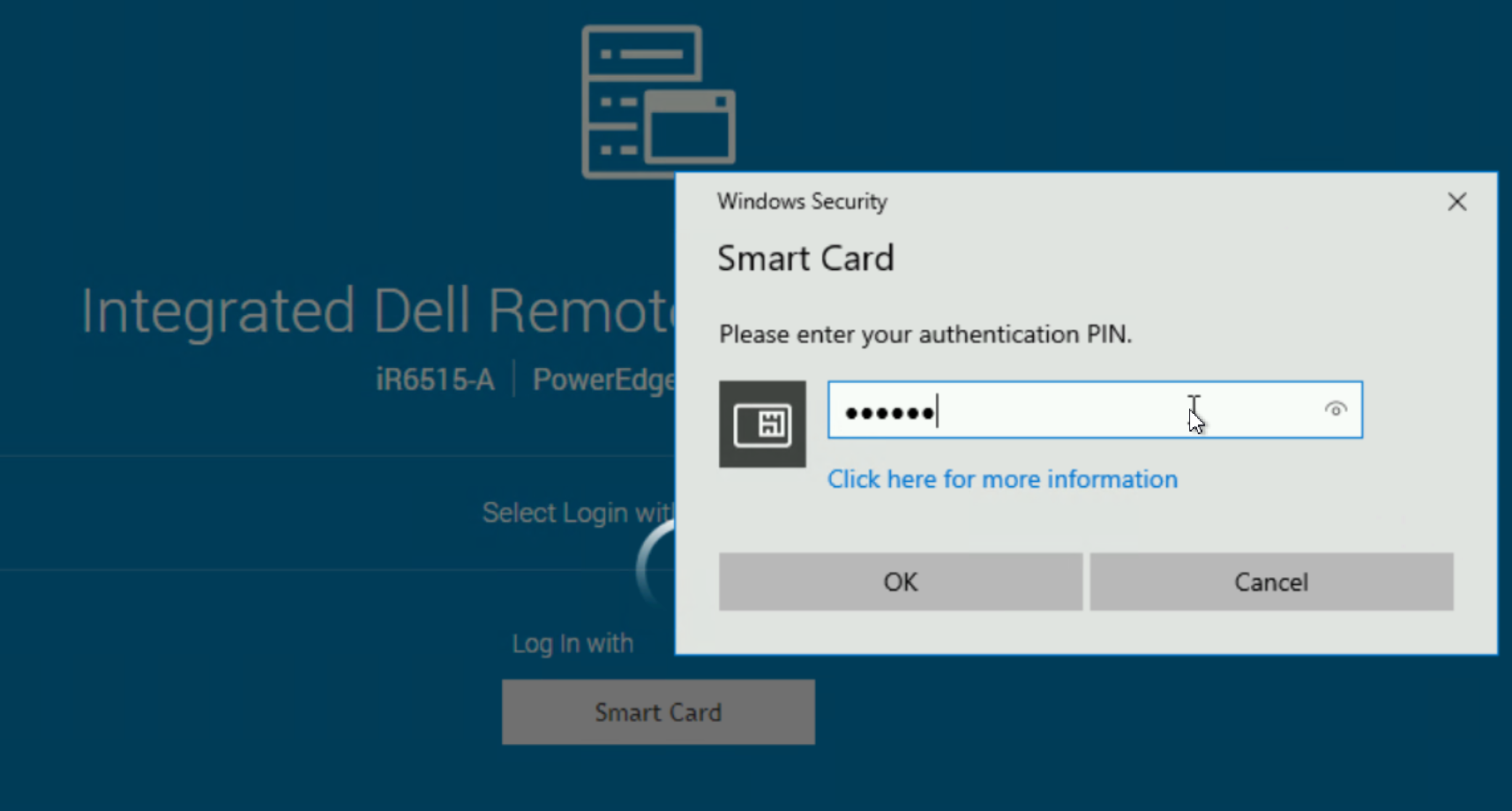
After providing the PIN, the user is not logged in, and no error message is displayed.
Cause
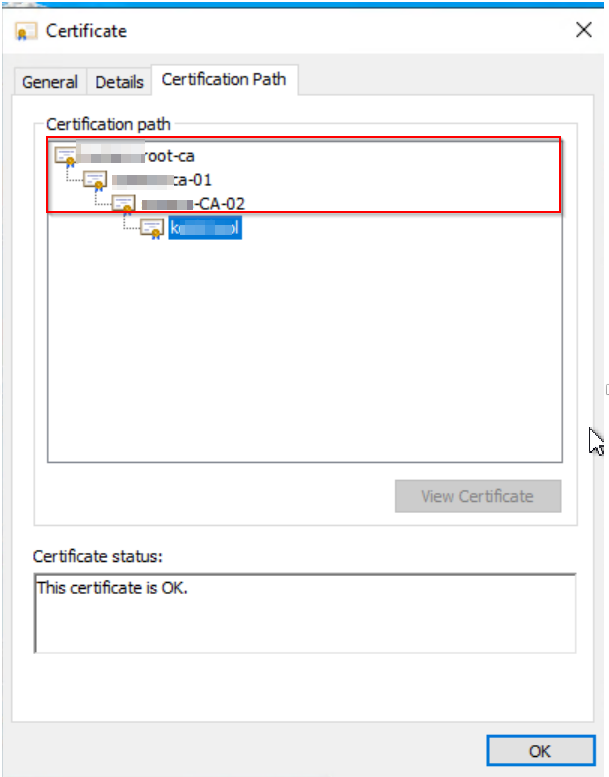
The smart card certificate's certification path contains more than two certificate authorities (CAs). In the example below, the certification path contains three CAs:
Resolution
There is no workaround available. The behavior is addressed in the following upcoming releases.
- 14th generation servers: 7.00.00.172
- 15th and 16th generation servers: 7.10.70.00
Affected Products
iDRAC9 - 7.xx SeriesArticle Properties
Article Number: 000226268
Article Type: Solution
Last Modified: 23 Jan 2025
Version: 3
Find answers to your questions from other Dell users
Support Services
Check if your device is covered by Support Services.