PowerFlex Gateway: UI error ERR_SSL_PROTOCOL_ERROR after GW reinstall
Summary: UI error ERR_SSL_PROTOCOL_ERROR after GW reinstall
This article applies to
This article does not apply to
This article is not tied to any specific product.
Not all product versions are identified in this article.
Symptoms
Scenario
The PowerFlex Gateway (GW) was upgraded from version 3.6.0.6 to 3.6.2. After, version 3.6.2 was uninstalled, and version 3.6.0.6 was reinstalled.
The PowerFlex GW UI shows ERR_SSL_PROTOCOL_ERROR after reinstalling the older version, 3.6.0.6.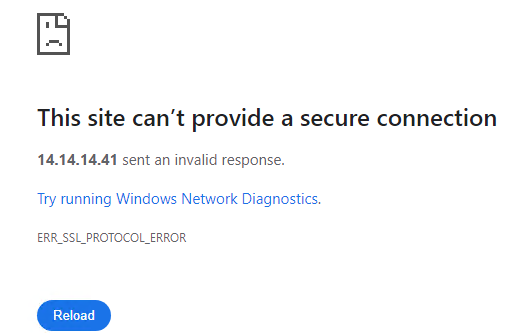
The Java version was not a factor in this scenario.
Impact
Unable to log in to the PowerFlex GW UI.
Cause
PowerFlex Gateway version 3.6.2 introduces new cryptoj libraries that are not compatible with versions earlier than 3.6.2.
Resolution
SSH to the PowerFlex GW
-
Uninstall the GW rpm
rpm -e $(rpm -qa |grep -i emc|grep gateway)
-
Move new
cryptojlibraries to the /tmp directory.find "$(dirname "$(readlink -f "$(which java)")")/../lib/ext" -type f \( -exec rpm -qf {} \; -o -print \) | grep "^/" | xargs -I {} mv {} /tmp/ -
Validate the jar files have been moved to the /tmp directory
ll /tmp/ | grep jar
-rwxr-xr-x 1 root root  494856 Sep 23 17:40 commons-lang3-3.6.jar
-rwxr-xr-x 1 root root 2291434 Sep 23 17:40 cryptoj-6.2.3.jar
-rwxr-xr-x 1 root root   72292 Sep 23 17:32 cryptojce-6.2.6.2.jar
-rwxr-xr-x 1 root root 1583411 Sep 23 17:32 cryptojcommon-6.2.6.2.jar
-rwxr-xr-x 1 root root  528171 Sep 23 17:32 jcm-6.2.5.jar
-rwxr-xr-x 1 root root  501115 Sep 23 17:32 sslj-6.5.jar
-
Reinstall the GW
GATEWAY_ADMIN_PASSWORD='<password>' rpm -ivh /path_to_rpm/EMC-ScaleIO-gateway-3.6-600.113.x86_64.rpm
-
Validate you can access the UI
Additional Information
Impacted Version
PowerFlex Gateway version 3.6.1.x and lower
Fixed In Version
TDB
Article Properties
Article Number: 000230777
Article Type: Solution
Last Modified: 01 Oct 2024
Version: 1
Find answers to your questions from other Dell users
Support Services
Check if your device is covered by Support Services.