How to Deploy Dell Command Update Using Dell Management Portal
Summary: Learn how to publish Dell Command Update to Microsoft Intune with the Dell Management Portal (DMP).
Acest articol se aplică pentru
Acest articol nu se aplică pentru
Acest articol nu este legat de un produs specific.
Acest articol nu acoperă toate versiunile de produs existente.
Instructions
An IT administrator may publish Dell Command Update to Microsoft Intune by using the Dell Management Portal.
Affected Software:
- Dell Command Update
- Dell Management Portal
- Microsoft Intune
- In a web browser, go to the Dell Management Portal.
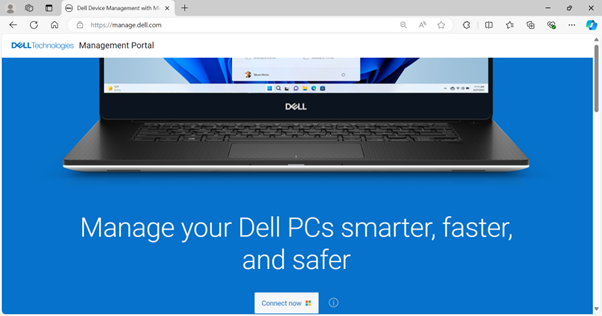
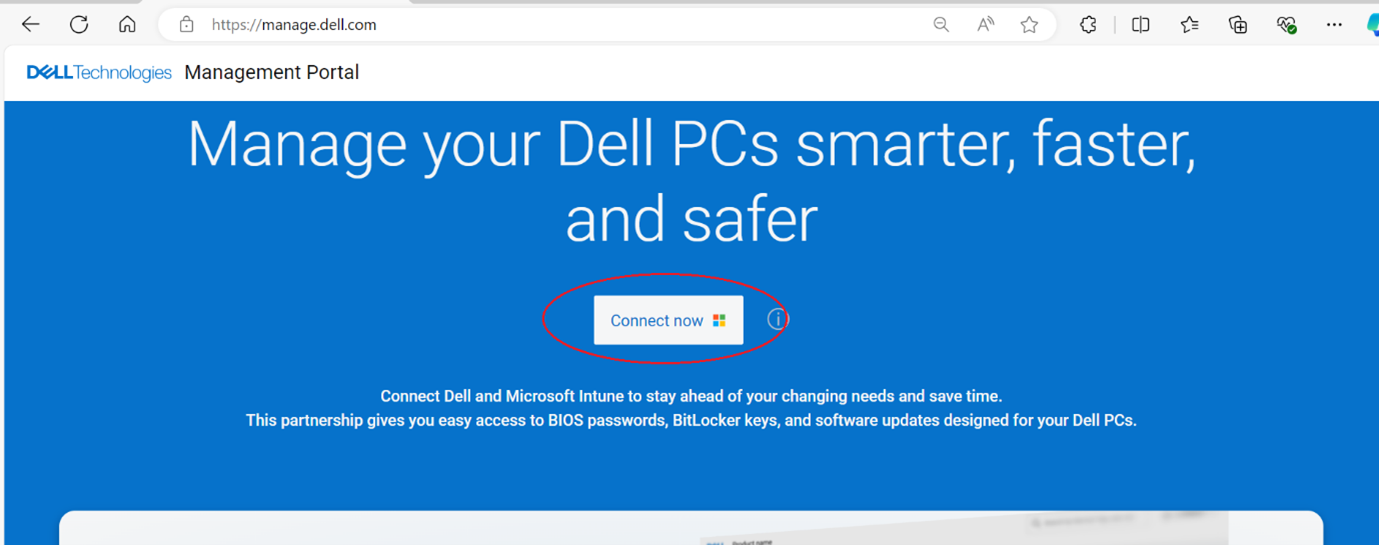
- Click the Connect Now button.
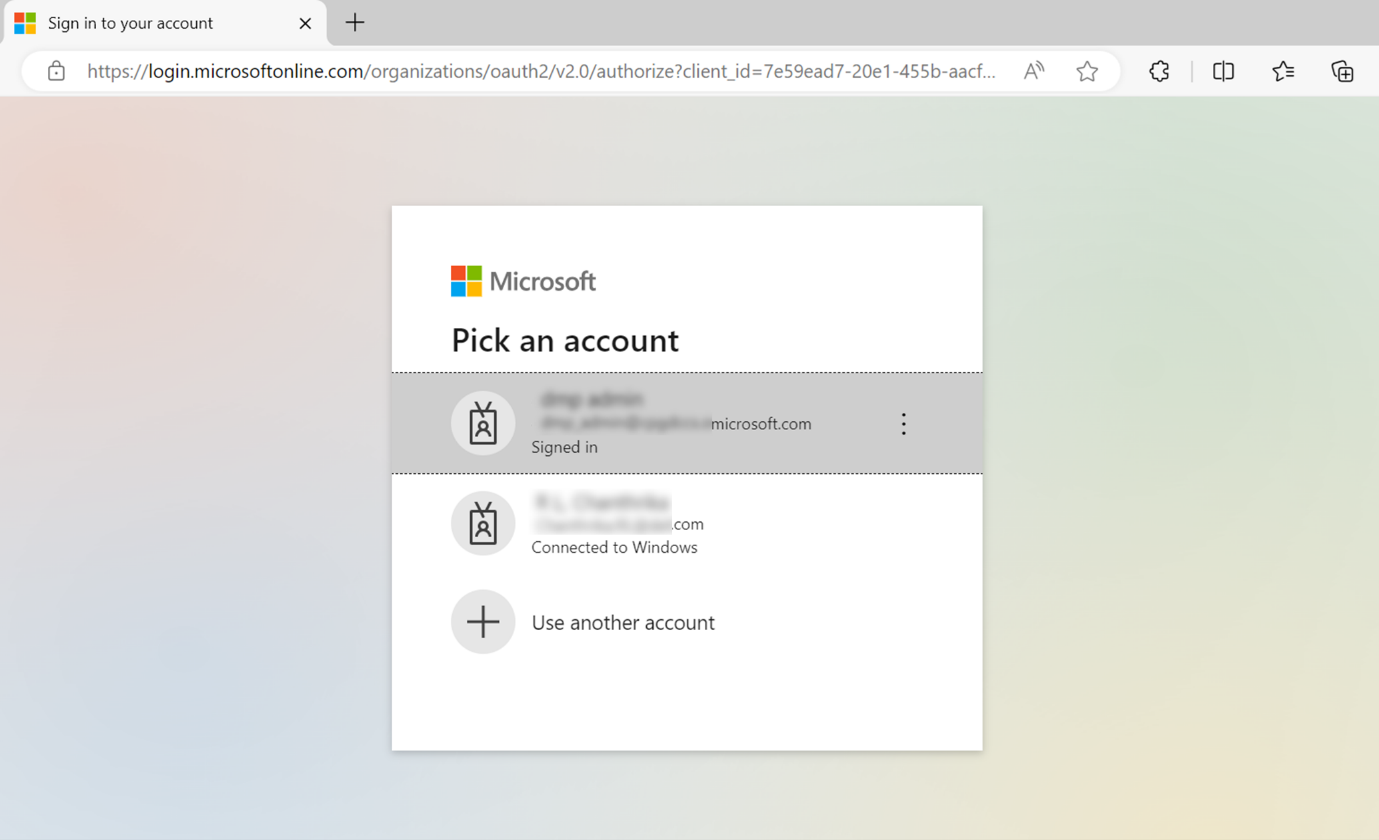
- Sign in with your Microsoft 365 account.
Note:- A valid Microsoft 365 subscription with Intune licensing is required to activate Dell Management Portal. For more information on subscriptions and licensing for Microsoft Intune, refer to Microsoft Intune licensing
.
- If this is your first time using the Dell Management Portal, you are prompted to accept permission for your organization. For more information about permissions and the process to activate Dell Management Portal, refer to How to Connect Dell Management Portal to Microsoft Intune.
- A valid Microsoft 365 subscription with Intune licensing is required to activate Dell Management Portal. For more information on subscriptions and licensing for Microsoft Intune, refer to Microsoft Intune licensing
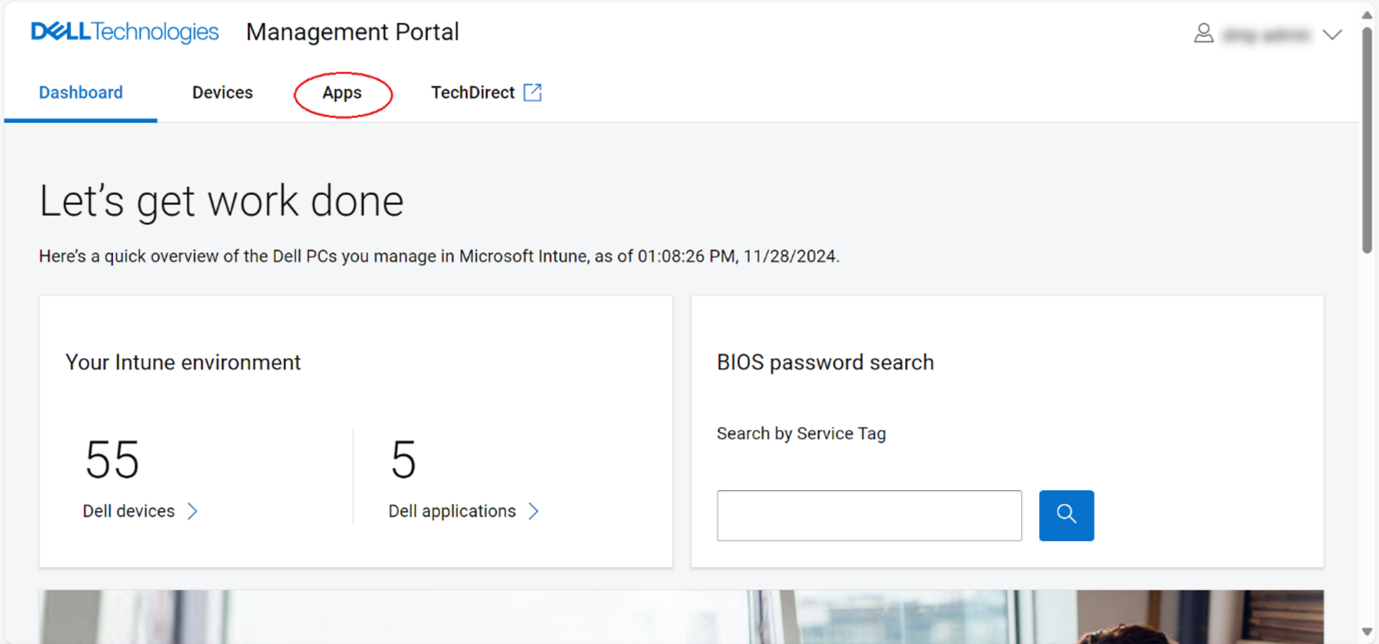
- The Dashboard page is displayed upon signing in. Click the Apps tab.
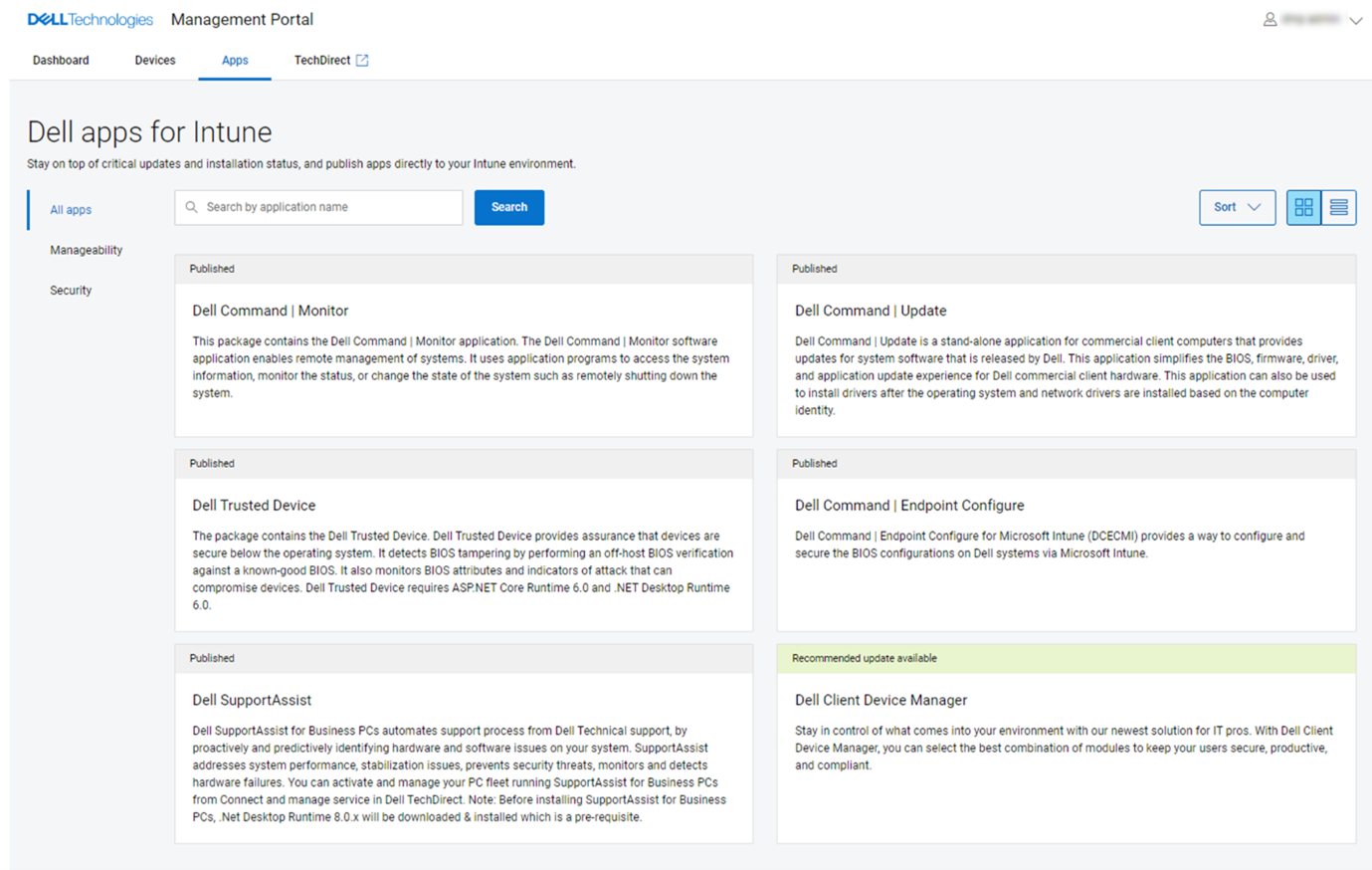
- From the Apps page, click Dell Command | Update from the list of available applications.
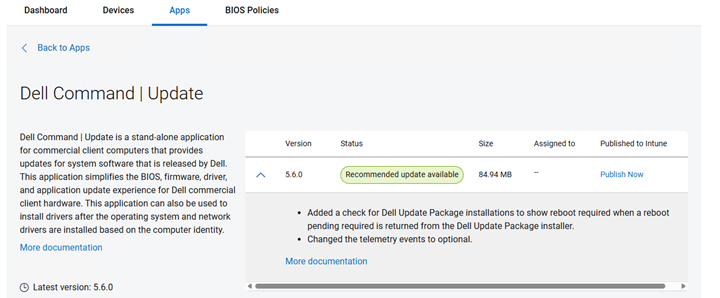
- Click Publish Now.
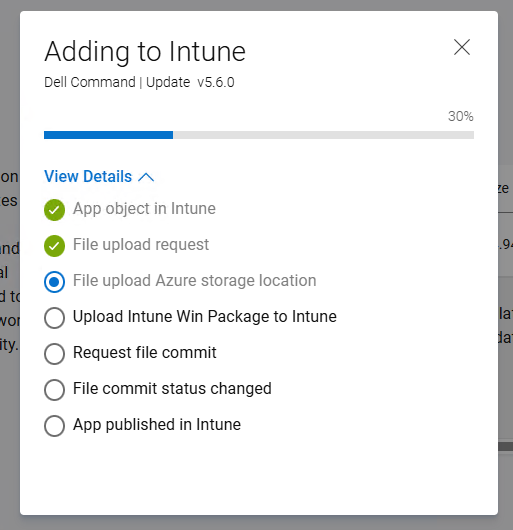
- The Dell Command Update application publishing process is initiated. Optionally, check the progress by clicking View Details.
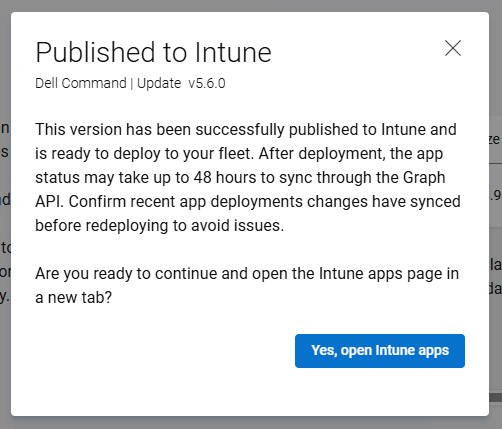
- The summary is displayed once the Dell Command Update application is published successfully to Microsoft Intune. Click Yes, open Intune apps to go to the Intune page and view the published application.
- The details of the published Dell Command Update application in Intune are displayed.
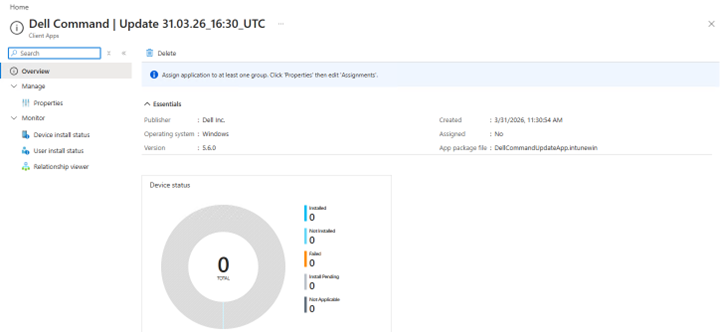
- Click Properties to view more information.
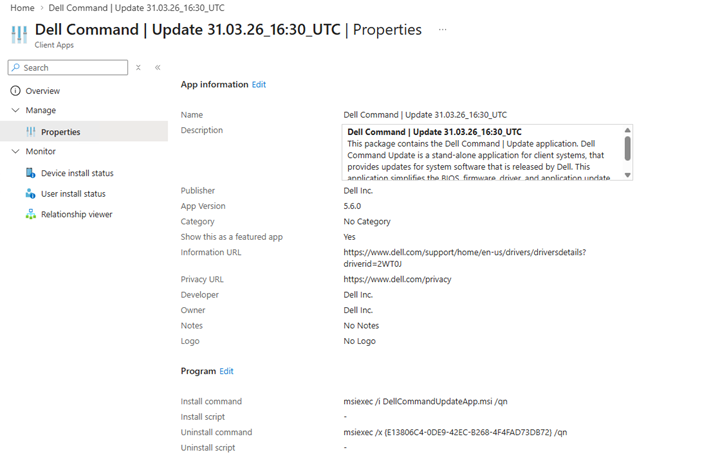
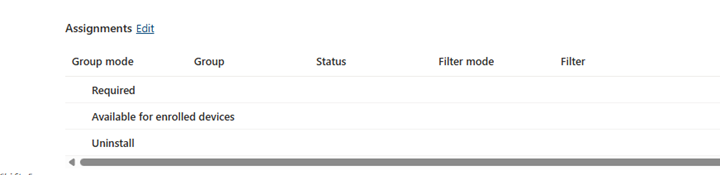
- Click the Edit option in the Assignments section at the bottom of the Properties page to edit device or user assignments.
- Click the Add group option to select a device or user group to assign the Dell Command Update application to. The device or user groups available are determined by Required or Available options and by IT administrator requirements.
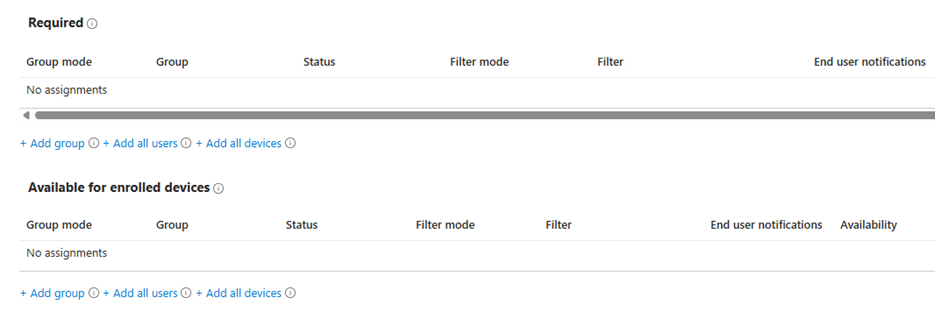
Note: For more information about assigning apps, refer to Assign Apps to Groups With Microsoft Intune
Produse afectate
Dell Command | UpdateProprietăți articol
Article Number: 000447089
Article Type: How To
Ultima modificare: 24 May 2026
Version: 2
Găsiți răspunsuri la întrebările dvs. de la alți utilizatori Dell
Servicii de asistență
Verificați dacă dispozitivul dvs. este acoperit de serviciile de asistență.