Best Tech Gifts of 2026 For Artists

According To Customer Reviews

For artists who are tech-savvy, finding the perfect gift that combines creativity and innovation can be a game-changer. Whether they're into digital art, photography, or design, the best tech gifts for artists are those that enhance their creative process and inspire new ideas. From high-performance computers and graphic tablets to professional-grade cameras and editing software, this curated list of top-rated products is designed to help you find the perfect gift for the artist in your life. Each item has been carefully selected based on user review ratings, ensuring that you're getting the best of the best when it comes to tech gifts for artists.

What to Look for in Tech Gifts for Artists

Choosing the right tech gift can inspire creativity and enhance an artist’s workflow. Here are key factors to consider when shopping for tech gifts for artists.

1. Compatibility

Citrus catapult arrow

Make sure the device or accessory is compatible with the artist’s existing hardware and software, such as their computer, tablet, or preferred creative programs.

2. Creative Features

Citrus catapult arrow

Look for features that support artistic work, like pressure-sensitive styluses, high-resolution displays, customizable shortcut keys, and multi-touch capabilities.

3. Portability

Citrus catapult arrow

Artists who travel or work outside a studio will appreciate lightweight and portable devices, such as compact drawing tablets or foldable easels.

4. Budget

Citrus catapult arrow

Tech gifts for artists come in a wide range of prices. Consider your budget and look for products that offer the best value without sacrificing essential features.

  1. 1

    Dell UltraSharp 49 Curved USB-C Hub Monitor - U4924DW

    An immersive 49-inch dual QHD monitor with IPS Black panel and eco-friendly, arsenic-free glass.
    What customers like
    • Ergonomic design
    • Versatile connectivity options
    • Excellent picture quality
    • Immersive display
    • Ample screen space
    $1499.99
  2. 2

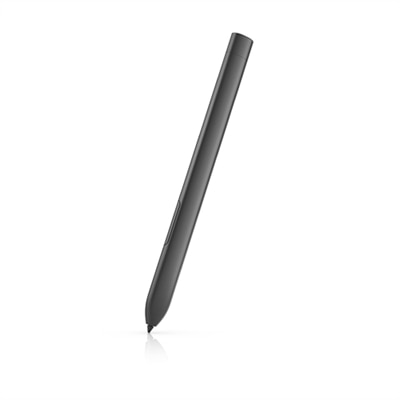
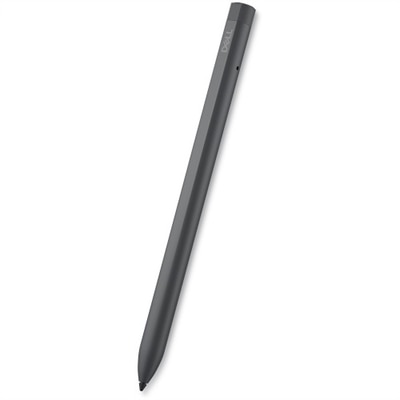
    Dell Pro Premium Active Pen - PN7522W

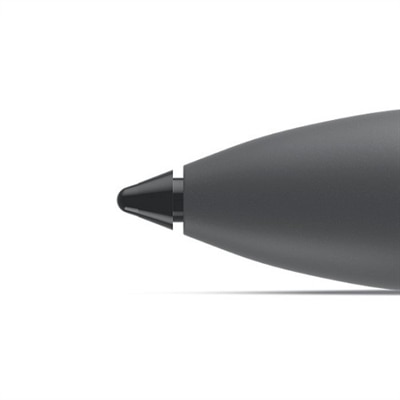
    A rechargeable active pen with pressure sensitivity, tilt function, and a convenient find my pen feature.

    What customers like
    • Convenient magnetic attachment
    • Long battery life
    • Excellent functionality
    • High precision
    • Smooth writing experience
    $84.99
  3. 3

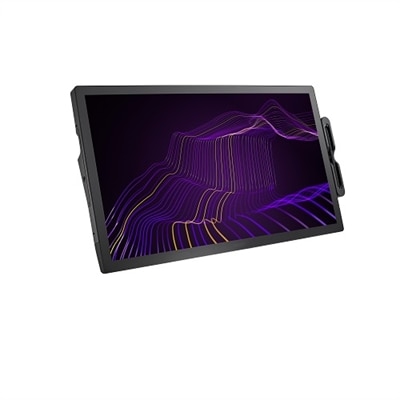
    Dell Pro 24 Plus Touch USB-C Hub Monitor - P2424HT

    A 23.8-inch touch screen monitor with superior connectivity and an articulating stand for productivity.
    What customers like
    • Versatile connectivity options
    • Easy and seamless setup
    • Ergonomic and adjustable stand
    • Excellent touch responsiveness
    • High image and color quality
    $424.99
  4. 4

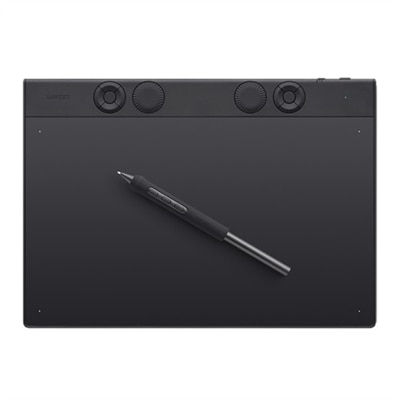
    Wacom Graphic Tablet Intuos Pro Medium

    A professional-grade magnesium drawing tablet with customizable Pro Pen 3, Bluetooth connectivity, and ergonomic ExpressKeys.
    $379.95
  5. 5

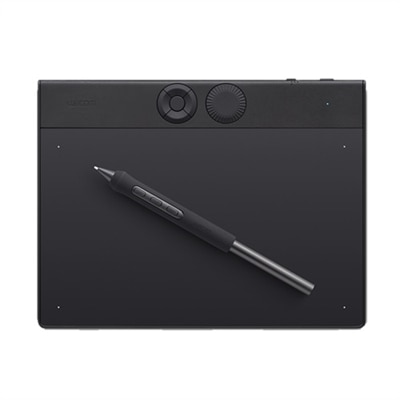
    Wacom Intuos Pro Small

    A professional-grade drawing tablet in durable magnesium with customizable Pro Pen 3, Bluetooth, and ergonomic ExpressKeys.
    $249.95
  6. 6

    Wacom Cintiq Pro 27 Interactive Pen Display

    A 27" 4K pen display with 120Hz refresh rate, customizable pen, and 99% Adobe RGB coverage.
    $3499.95
  7. 7

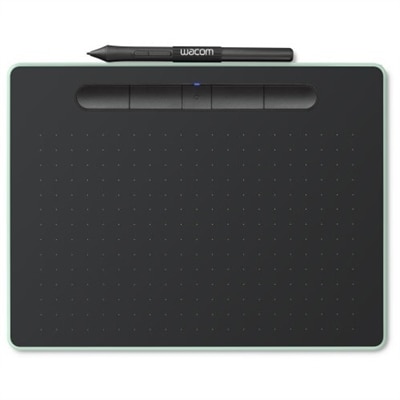
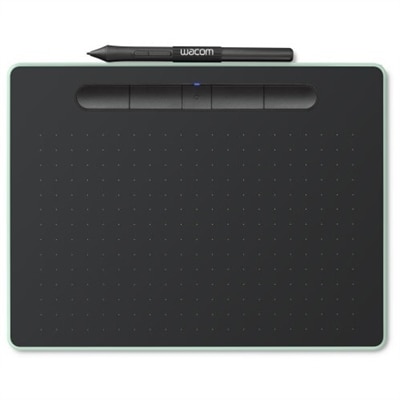
    Wacom Intuos Wireless Graphics Drawing Tablet for Mac, PC, Chromebook & Android (small) with Software Included - Black with Pistachio accent

    A pistachio green wireless drawing tablet perfect for beginners in digital art and photo editing.
    $59.95
  8. 8

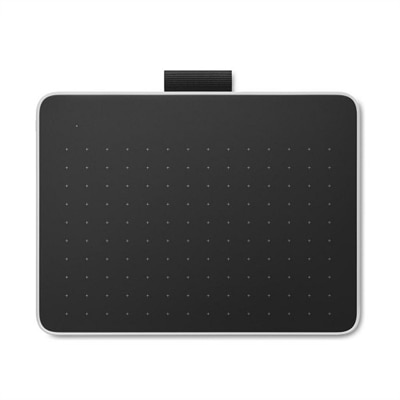
    Wacom One Graphics Tablet

    A black and red graphics tablet with a pressure-sensitive pen for seamless digital learning and creativity.
    $99.95
  9. 9

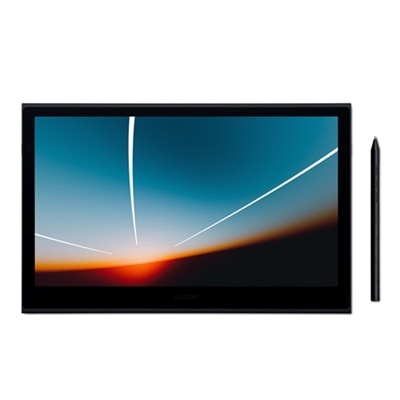
    Wacom Movink 13" OLED Tablet

    A lightweight, ultra-slim OLED pen display offering exceptional color accuracy, fast pen performance, and universal compatibility.
    $749.95
  10. 10

    SteelSeries QcK Gaming Mouse Pad - Black

    A slim mouse pad with a non-slip rubber base for precise and accurate control.

    What customers like
    • Great value
    • High quality
    • Ideal for gaming
    • Perfect size
    • Smooth surface
    $11.99

Best Tech Gifts For Artists

FAQs:

Popular tech gifts for artists include drawing tablets, high-resolution monitors, digital styluses, creative software subscriptions, and portable storage devices. These tools help artists create, edit, and store their digital artwork efficiently.

A drawing tablet allows artists to sketch, paint, and design directly onto a digital canvas with precision. It offers pressure sensitivity and customizable controls, making it easier to create detailed and expressive artwork.

A high-resolution monitor provides accurate color representation and sharp details, which are essential for digital artists. It helps ensure that the artwork looks consistent across different devices and when printed.

Artists should look for laptops or computers with powerful processors, ample RAM, dedicated graphics cards, and high-quality displays. These features support demanding creative software and allow for smooth multitasking.

Yes, accessories like ergonomic mice, adjustable stands, external hard drives, and color calibration tools can greatly enhance an artist's workflow by improving comfort, organization, and color accuracy.
Best Sellers

Wacom Movink 13" OLED Tablet
Wacom Movink is our lightest, slimmest, and most portable professional-level creative pen display ever. With its innovative OLED display, unprecedented compatibility and connectivity, and enhanced functionality in a truly portable package, Wacom Movink empowers you to bring your studio along no matter where your creative journey takes you. The OLED display means the color accuracy and contrast are top-notch, pen performance is faster and more flexible than ever, and there's no light leakage. It comes with a special version of Pro Pen 3, features Dual Pen technology for expanded pen options, and with a simple USB-C cable and universal OS compatibility, keeping your creative journey moving is practically seamless.Wacom's lightest and thinnest pen display everEnjoy the freedom of working wherever you feel creatively inspired with Wacom Movink, our lightest and thinnest pen display yet. As little as 4mm thick* and weighing just 420g, Wacom Movink is 55% lighter than Wacom One 13 touch and 66% thinner. Connect it to your Mac or PC, and you'll have all the processing power you need for your professional work.
$749.95
Wacom Intuos Pro Small
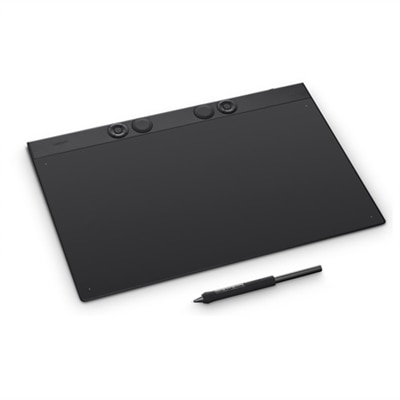
The Intuos Pro drawing tablet, Wacom's flagship tablet, combines cutting-edge pen technology with unmatched precision, comfort, and versatility to help creators achieve the perfect harmony between work and flow. Designed with professional needs in mind, it's the only Wacom graphic tablet featuring the customizable Pro Pen 3, which allows you to adjust the grip, weight, and button configuration for a personalized experience with Wacom's most sensitive and accurate pen technology. This art tablet's ergonomic layout includes intuitive dials and ExpressKeys, located at the top of the tablet and easily accessible for both left- and right-handed users. At its thinnest, Intuos Pro is only 4mm, and is built with durable magnesium, it's portable yet rugged, ideal for studio or on-the-go use. With three sizes to suit any style-whether for detailed editing or expressive art forms - Intuos Pro integrates seamlessly with creative software and supports Bluetooth connectivity. It's also compatible with previous generation Wacom Pro Pens and EMR styluses from brands like LAMY and STAEDTLER.Create with unmatched quality and experience a seamless flow with Intuos Pro-the professional's choice in drawing tablets. Harness the power of decades of industry expertise with Intuos Pro-a tool designed to meet your creative needs with exceptional durability, precision, and efficiency, so you can create professional-grade results. Ergonomically crafted for long hours and trusted by top artists worldwide, Intuos Pro's redesigned features minimize interruptions, letting you fully immerse in your workflow. This is more than a drawing tablet; it's the definitive tool for creators who seek the best in quality, consistency, and control.FeaturesPro Pen 3 offers amazing precision, 8192 pressure levels, tilt support & lag-free tracking for smooth, precise strokes; choose slim, straight or flared grip, adjust balance & button layout for precision and comfortSpeed up and stay in the creative flow with 5 customizable tablet ExpressKeys & a mechanical dial conveniently located at the top of the tablet and close to your keyboard for efficiencyWith a versatile 16:9 format perfect for multiple monitors and wide displays; small size has a large active area with a small footprint 8.4" x 6.4" / 215 x 163 mmMeasuring 4mm at its thinnest this professional-grade drawing tablet feels like pen-on-paper on your desk, combined with the robust durability of magnesium making it equally suited for your office or life on the goUse Intuos Pro with USB or pair wirelessly via Bluetooth to multiple computers with a simple switchSystem Requirements: USB-A or USB-C port, Windows 10 or later/Mac OS 13 or later, Bluetooth for wireless connection to computer/s
$249.95
Wacom One Graphics Tablet
Learning made easyFrom learning to draw and edit photos to collaborating in online classes or completing academic assignments with natural handwriting, One by Wacom brings an easy to use digital pen to PC, Mac and most Chromebooks. Digital learning and creativity couldn't be easier.The natural pen experienceOne by Wacom's pressure sensitive and battery free pen is the perfect tool for learning. It brings a familiar, pen-on-paper feel to drawing and writing and is simple to set up and use.A versatile choice for students and beginning artistsAvailable in two sizes, One by Wacom can be used with most pen-enabled creative software as well as many online learning applications and platforms on PC, Mac and most Chromebooks. Whatever and wherever you are learning, One by Wacom can help.Take your creativity to a new levelSketch and paint with more precision. Our advanced electro-magnetic pen technology gives you excellent control and accuracy. One by Wacom helps your art projects come out the way you've always wanted, by perfectly matching the movement of your pen. Editing photos? Everything from complicated cut-outs to delicate color adjustments are so much easier. Get ready for a load more 'Likes'.One by Wacom now also works with Chromebook. Bringing the pen tablet into the digital classroomWacom takes digital learning to the next level. The realistic digital pen recreates the classroom experience from anywhere. It gives you the freedom to write, annotate, create, collaborate, study or teach in ways like never before.Great bundled apps for educationGain 3 months complimentary access to great bundled apps specially tailored for education. The apps enable teachers and students to collaborate and share ideas just as easily as in the classroom.So simple to set upWhatever you want to create or learn, it's easy with One by Wacom. The tablet has everything you need, and nothing that you don't, so it is easy to get started on your next creative project, homework or course preparation. Just connect the USB cable to your Mac, PC, or Chromebook*, download and install the driver** and you're ready to go.
$149.95
Wacom Graphic Tablet Intuos Pro Medium
The Intuos Pro drawing tablet, Wacom's flagship tablet, combines cutting-edge pen technology with unmatched precision, comfort, and versatility to help creators achieve the perfect harmony between work and flow. Designed with professional needs in mind, it's the only Wacom graphic tablet featuring the customizable Pro Pen 3, which allows you to adjust the grip, weight, and button configuration for a personalized experience with Wacom's most sensitive and accurate pen technology. This art tablet's ergonomic layout includes intuitive dials and ExpressKeys, located at the top of the tablet and easily accessible for both left- and right-handed users. At its thinnest, Intuos Pro is only 4mm, and is built with durable magnesium, it's portable yet rugged, ideal for studio or on-the-go use. With three sizes to suit any style-whether for detailed editing or expressive art forms - Intuos Pro integrates seamlessly with creative software and supports Bluetooth connectivity. It's also compatible with previous generation Wacom Pro Pens and EMR styluses from brands like LAMY and STAEDTLER.Create with unmatched quality and experience a seamless flow with Intuos Pro-the professional's choice in drawing tablets. Harness the power of decades of industry expertise with Intuos Pro-a tool designed to meet your creative needs with exceptional durability, precision, and efficiency, so you can create professional-grade results. Ergonomically crafted for long hours and trusted by top artists worldwide, Intuos Pro's redesigned features minimize interruptions, letting you fully immerse in your workflow. This is more than a drawing tablet; it's the definitive tool for creators who seek the best in quality, consistency, and control.FeaturesPro Pen 3 offers amazing precision, 8192 pressure levels, tilt support & lag-free tracking for smooth, precise strokes; choose slim, straight or flared grip, adjust balance & button layout for precision and comfortSpeed up and stay in the creative flow with 10 customizable tablet ExpressKeys & 2 mechanical dials conveniently located at the top of the tablet and close to your keyboard for efficiencyWith a versatile 16:9 format perfect for multiple monitors and wide displays; medium size has a large active area with a small footprint 11.4 x 8.1" / 291 x 206 mmMeasuring 4mm at its thinnest this professional-grade drawing tablet feels like pen-on-paper on your desk, combined with the robust durability of magnesium making it equally suited for your office or life on the goUse Intuos Pro with USB or pair wirelessly via Bluetooth to multiple computers with a simple switchSystem Requirements: USB-A or USB-C port, Windows 10 or later/Mac OS 13 or later, Bluetooth for wireless connection to computer/s
$379.95
Wacom One Graphics Tablet
Learning made easyFrom learning to draw and edit photos to collaborating in online classes or completing academic assignments with natural handwriting, One by Wacom brings an easy to use digital pen to PC, Mac and most Chromebooks. Digital learning and creativity couldn't be easier.The natural pen experienceOne by Wacom's pressure sensitive and battery free pen is the perfect tool for learning. It brings a familiar, pen-on-paper feel to drawing and writing and is simple to set up and use.A versatile choice for students and beginning artistsAvailable in two sizes, One by Wacom can be used with most pen-enabled creative software as well as many online learning applications and platforms on PC, Mac and most Chromebooks. Whatever and wherever you are learning, One by Wacom can help.Take your creativity to a new levelSketch and paint with more precision. Our advanced electro-magnetic pen technology gives you excellent control and accuracy. One by Wacom helps your art projects come out the way you've always wanted, by perfectly matching the movement of your pen. Editing photos? Everything from complicated cut-outs to delicate color adjustments are so much easier. Get ready for a load more 'Likes'.One by Wacom now also works with Chromebook. Bringing the pen tablet into the digital classroomWacom takes digital learning to the next level. The realistic digital pen recreates the classroom experience from anywhere. It gives you the freedom to write, annotate, create, collaborate, study or teach in ways like never before.Great bundled apps for educationGain 3 months complimentary access to great bundled apps specially tailored for education. The apps enable teachers and students to collaborate and share ideas just as easily as in the classroom.So simple to set upWhatever you want to create or learn, it's easy with One by Wacom. The tablet has everything you need, and nothing that you don't, so it is easy to get started on your next creative project, homework or course preparation. Just connect the USB cable to your Mac, PC, or Chromebook*, download and install the driver** and you're ready to go.
$99.95
Wacom Intuos Pro Large
The Intuos Pro drawing tablet, Wacom's flagship tablet, combines cutting-edge pen technology with unmatched precision, comfort, and versatility to help creators achieve the perfect harmony between work and flow. Designed with professional needs in mind, it's the only Wacom graphic tablet featuring the customizable Pro Pen 3, which allows you to adjust the grip, weight, and button configuration for a personalized experience with Wacom's most sensitive and accurate pen technology. This art tablet's ergonomic layout includes intuitive dials and ExpressKeys, located at the top of the tablet and easily accessible for both left- and right-handed users. At its thinnest, Intuos Pro is only 4mm, and is built with durable magnesium, it's portable yet rugged, ideal for studio or on-the-go use. With three sizes to suit any style-whether for detailed editing or expressive art forms - Intuos Pro integrates seamlessly with creative software and supports Bluetooth connectivity. It's also compatible with previous generation Wacom Pro Pens and EMR styluses from brands like LAMY and STAEDTLER.Create with unmatched quality and experience a seamless flow with Intuos Pro-the professional's choice in drawing tablets. Harness the power of decades of industry expertise with Intuos Pro-a tool designed to meet your creative needs with exceptional durability, precision, and efficiency, so you can create professional-grade results. Ergonomically crafted for long hours and trusted by top artists worldwide, Intuos Pro's redesigned features minimize interruptions, letting you fully immerse in your workflow. This is more than a drawing tablet; it's the definitive tool for creators who seek the best in quality, consistency, and control.FeaturesPro Pen 3 offers amazing precision, 8192 pressure levels, tilt support & lag-free tracking for smooth, precise strokes; choose slim, straight or flared grip, adjust balance & button layout for precision and comfortSpeed up and stay in the creative flow with 10 customizable tablet ExpressKeys & 2 mechanical dials conveniently located at the top of the tablet and close to your keyboard for efficiencyWith a versatile 16:9 format perfect for multiple monitors and wide displays; large size has a large active area with a small footprint 14.8 x 9.9" / 377 x 253 mm Measuring 4mm at its thinnest this professional-grade drawing tablet feels like pen-on-paper on your desk, combined with the robust durability of magnesium making it equally suited for your office or life on the goUse Intuos Pro with USB or pair wirelessly via Bluetooth to multiple computers with a simple switchSystem Requirements: USB-A or USB-C port, Windows 10 or later/Mac OS 13 or later, Bluetooth for wireless connection to computer/s
$499.95
Wacom Cintiq Pro 17
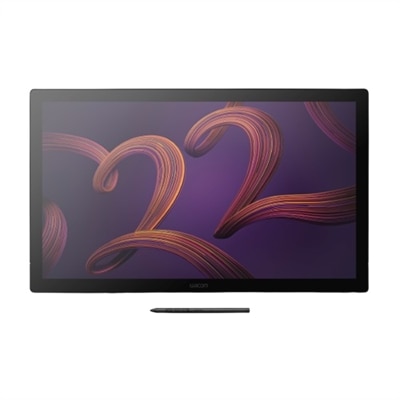
Wacom Cintiq Pro 17 interactive pen display is designed and engineered for professionals to create a harmonious creative process between artists and their work. Featuring a professional quality Ultra HD/4K display, along with Wacom's Pro Pen 3 and multi-touch control which matches performance with customizable comfort, every detail of Wacom Cintiq Pro 17 has been engineered for effortless harmony between creator and tool. In a world where clarity and motion unite seamlessly, our cutting-edge 120Hz screen refresh rate and fast response rate enable a near-zero pen and screen latency. Imagine creating film, game design and visual effects that make you feel like you're in the scene. Witness breathtakingly smooth transitions, crystal-clear details, and a level of realism that transports you to the heart of the action. Amazing color performance: This 17.3", 4K (3840 x 2160 pixels) touchscreen display boasts 1.07 billion colors, including 100% Rec. 709, and 99% DCI-P3 coverage, and easy-to-use built-in hardware presets for Adobe RGB, sRGB, DCI-P3 and Rec709, EBU, Rec2020, PQ and HLG. It also features a refresh rate of 120Hz allowing for near-zero latency. Wacom Pro Pen 3: Featuring 8192 levels of pressure sensitivity, three side switches, and the ability to customize the pen by swapping the included grips or adjusting the weight and center of balance, the Wacom Pro Pen 3 is Wacom's most advanced pen. More screen, less space: With the conveniently placed 8 customizable ExpressKeys, easy-to-adjust on-screen menus, and improved multi-touch and pen gestures, you can tailor your setup to precisely match your preferences. Choice of stand: Includes Wacom Cintiq Pro 17 Easy Stand offering a fixed angle height that's easy to set up and install. A specially designed Cintiq Pro 17 stand with enhanced functionality for a completely integrated experience is also available as an accessory purchase. Bonus Software Pack: Register your Cintiq Pro & receive 3-month trials of Clip Studio Paint EX, Toon Boom Harmony & Storyboard Pro, Shapr3D; and MASV file transfer service; Offer available for customers located in the Americas
$2499.95
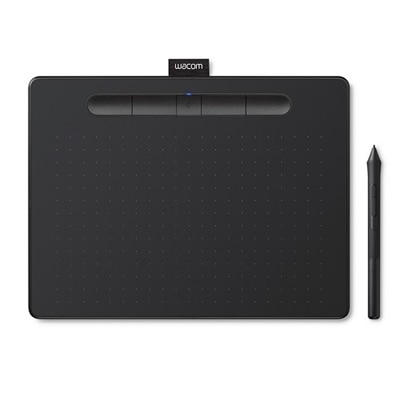
Wacom Intuos Wireless Graphics Drawing Tablet for Mac, PC, Chromebook & Android (medium) with Software Included - Black (CTL6100WLK0
Wacom Intuos wireless pen tablet has been designed for those who are getting started drawing, painting or photo editing with their Mac, PC, Chromebook or select Android smartphones/tablets. Enjoy the convenience of wireless creating with built in Bluetooth - or connect the graphics tablet directly to your computer with the included USB cable. Whether it's the pressure-sensitive pen, the stylish design, the included software or online tutorials, Wacom Intuos is all you need to get creative digitally. Wacom Intuos can also be used to easily write, edit or convey ideas to in education or remote work settings. This product works with devices capable of running the latest version of Chrome OS. Google is not responsible for the operation of this product or its compliance with safety requirements. Chromebook is a trademark of Google LLC.
$199.95

Add the products you would like to compare, and quickly determine which is best for your needs.
Add the products you would like to compare, and quickly determine which is best for your needs.