$629.99
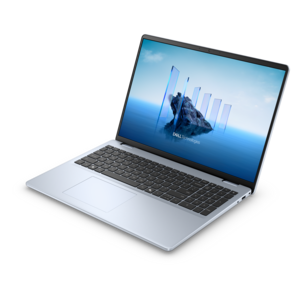
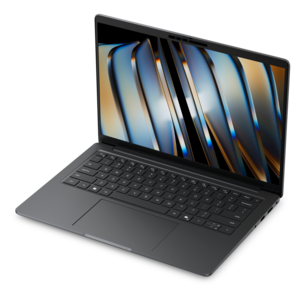
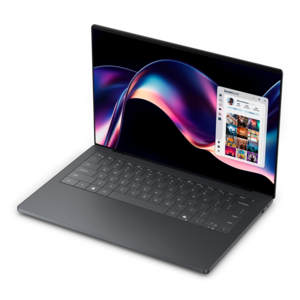
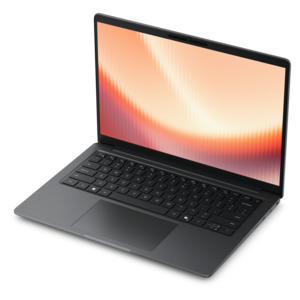
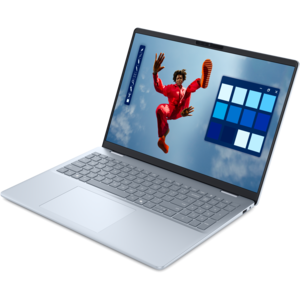
A laptop featuring an FHD camera, enlarged ergonomic keyboard, and AMD Ryzen™ processing.
Laptops for digital artists offer the versatility and performance needed to bring creative visions to life, whether sketching, illustrating, or editing on the go. With a focus on responsive displays and smooth multitasking, these laptops cater to the unique demands of artistic workflows. Explore a curated selection designed to support creativity, productivity, and seamless integration with your favorite design software. Find the perfect match for your artistic journey among top-rated laptops for digital artists.
A laptop featuring an FHD camera, enlarged ergonomic keyboard, and AMD Ryzen™ processing.
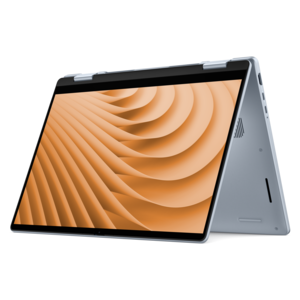
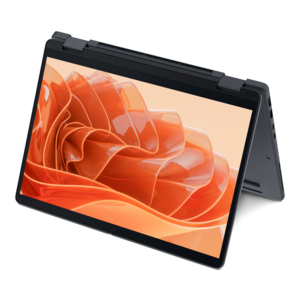
A versatile 2-in-1 laptop with Intel Core processors, DDR5 memory, and multiple modes for creative work.
A laptop featuring an FHD camera, enlarged ergonomic keyboard, and Intel 13th Gen processors.
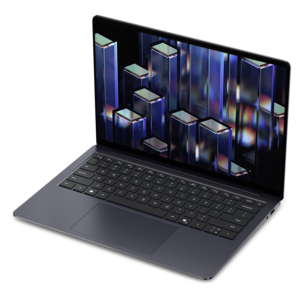
A remarkably thin, lightweight laptop designed for ultimate mobility.
A modern laptop with AMD Ryzen™ processors delivers effortless productivity and captivating entertainment.
A modern laptop with Intel® Core™ processors and graphics for effortless productivity and captivating entertainment.
A lightweight AI-powered laptop designed for creative professionals and small businesses.
A sleek laptop with a stylish design, delivering powerful performance for modern multitasking.
A sleek laptop powered by the latest AMD Ryzen™ AI 400 Series processors for demanding users.
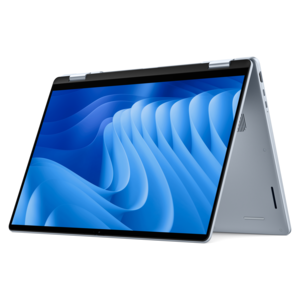
A versatile 2-in-1 laptop designed for AI experiences and seamless multitasking on the go.
A sleek laptop powered by AMD Ryzen AI 400, designed for smooth, capable multitasking.
A versatile 2-in-1 laptop with AI experiences, all-day battery life, and seamless multitasking.
A lightweight AI-powered laptop with Intel Arc graphics, ideal for creative professionals and small businesses.
An AI-ready laptop with a spacious display, designed for creators and developers seeking high performance.
A sleek laptop delivering smooth AI experiences and accelerated creative workflows for demanding high-performance users.
A versatile 2-in-1 laptop with built-in AI and a spacious display for creative work.
A remarkably thin laptop powered by AMD Ryzen AI PRO 400 Series processors for professional performance.
A thin, durable laptop powered by AMD Ryzen™ AI PRO 400 Series processors for professional work.
A sleek laptop built for mobile creation with exceptional battery life and an ultra-thin design.
A remarkably thin laptop powered by AMD Ryzen AI PRO 400 Series processors for professional performance.
A remarkably thin 2-in-1 laptop powered by AMD Ryzen AI PRO 400 Series processors for performance.
A creator-focused laptop with built-in AI, a spacious display, and Intel Arc graphics for demanding workflows.
A premium laptop delivering powerful on-device AI, game-changing unplugged performance, and outstanding battery life.
A portable performance laptop with AMD Ryzen processing, extended battery life, and seamless on-device AI capabilities.
Choosing a laptop for digital art starts with understanding how you work when an idea takes shape. Some artists begin with loose pencil-like strokes, building a character one layer at a time; others move between photo editing, illustration, animation, 3D modeling, and layout work throughout the day. The right laptop should feel ready for each part of that process, from the first rough sketch to a finished file with a large canvas, numerous layers, textured brushes, lighting effects, and high-resolution assets. A responsive touchscreen can make a 2-in-1 laptop feel much like a traditional sketchbook, especially when the display folds into a comfortable easel position or rotates into a tablet-like format. Look for support for pressure-sensitive pen input, low drawing latency, and a hinge that feels stable when your hand is resting on the screen. A traditional laptop can also be an excellent choice when paired with an external drawing tablet, giving you a familiar keyboard, a generous trackpad, and the freedom to choose the size and surface of your preferred pen display. Screen quality matters just as much as speed. OLED panels can provide rich contrast, deep blacks, and vivid color, while IPS panels are known for consistent viewing angles and dependable image quality. For artwork intended to appear in print, on social platforms, or across multiple screens, prioritize strong color accuracy and broad coverage of a color space such as sRGB, DCI-P3, or AdobeRGB. A high-resolution display can make fine linework and subtle shading easier to inspect, while a refresh rate of 120Hz or more may make scrolling, zooming, and pen movement feel especially fluid. Matte or low-reflection finishes can be helpful near a bright window, although some artists prefer the luminous appearance of a glossy screen. Think about the size of your working area, too: a compact display is easier to carry between a studio, classroom, café, or client meeting, while a larger screen offers more room for a canvas, toolbars, references, and layers at the same time. To explore more guidance around selecting a creative laptop, visit What Is the Best Laptop for Artists?.
Performance should match the kind of artwork you create and the way you prefer to work. For everyday illustration, photo adjustments, lettering, and vector projects, a modern multi-core processor with at least 16GB of memory can provide a smooth foundation. Artists who keep enormous canvases open, use many layered files, work with animation timelines, or move between creative applications may appreciate 32GB or more, particularly when projects include high-resolution textures or complex effects. Memory affects how comfortably you can keep references, brushes, browser tabs, and creative software open together, while the processor handles tasks such as applying filters, exporting files, rendering previews, and managing large documents. A dedicated graphics processor can be valuable for 3D scenes, motion graphics, real-time effects, and applications that use hardware acceleration; it may also help when working with elaborate brushes and large canvases. Integrated graphics can still be suitable for many 2D workflows, especially when portability and battery life are higher priorities. Fast solid-state storage helps applications launch quickly and makes large project files easier to open, save, and duplicate. A capacity of 512GB may be sufficient for a focused workflow, but 1TB or more can be worthwhile for artists who keep reference libraries, raw images, video clips, fonts, brush collections, and archived work on the laptop. External storage or cloud backup can protect finished pieces from an unexpected hardware problem, and a reliable backup habit is especially important when a project represents weeks of careful work. Cooling is another consideration that is easy to overlook. Rendering, exporting, and running demanding creative tools can warm a thin laptop, so look for a design with effective ventilation and a comfortable keyboard area. Battery life varies with screen brightness, pen use, graphics demands, and connected accessories, so a portable model with a capable battery can be useful for sketching away from an outlet, while a performance-focused laptop may be better suited to a desk where power is always available.
Laptops for digital artists can serve a wide range of people, including students building a portfolio, illustrators taking on freelance commissions, photographers refining images, architects presenting concepts, animators creating short sequences, and hobbyists who simply enjoy turning a blank canvas into something personal. They can also be thoughtful gifts for someone beginning an art program, developing a new creative practice, or replacing an older computer that struggles with modern software. When choosing one for another person, consider whether they draw directly on a screen or prefer a separate tablet, whether they travel often, and whether their work leans toward simple sketches or demanding 3D and animation projects. Connectivity can make a major difference in daily use: USB ports are useful for storage and drawing accessories, while video output can connect the laptop to a larger monitor for a more expansive workspace. A comfortable keyboard is valuable for shortcuts, and a precise trackpad helps when selecting tools, moving objects, or navigating a timeline. Weight, thickness, and charger size may matter just as much as raw performance for a student carrying a laptop between classes or an artist moving from a home studio to a shared workspace. Security features, a sturdy chassis, and a dependable webcam can support school, collaboration, and client communication without interrupting the creative flow. Before choosing, make a short list of the software you use most, the largest canvas or project you expect to handle, your preferred drawing method, and the places where you normally work. The most satisfying laptop is not necessarily the one with the highest specifications; it is the one that keeps your hand moving naturally, shows color with confidence, responds quickly when your project grows more ambitious, and fits comfortably into the rhythm of your creative life.
Add the products you would like to compare, and quickly determine which is best for your needs.