Color Coded Network Cables
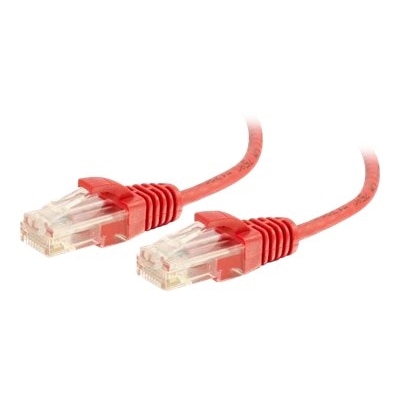
Color coded network cables make it easy to organize and manage your connections, whether you're setting up a home office or configuring a larger network. With distinct colors for each cable, identifying and troubleshooting lines becomes more efficient, helping to streamline your workflow and reduce downtime. Explore a wide selection of color coded network cables designed to support various networking needs while keeping your setup neat and visually organized.
This product is not available
Check out the following recommendations.




Color Coded Network Cables
Color coded network cables make it easier to bring order to a collection of wired connections, whether they are used with a home office, a classroom, a small business, or a room filled with computers and connected accessories. A consistent color plan lets you identify the purpose of a cable at a glance instead of tracing each cord by hand behind a desk. Blue is often used for standard Ethernet connections to computers, printers, displays, and other everyday devices. Yellow may be assigned to connections that carry Power over Ethernet (PoE), such as compatible security cameras or voice phones, while red is frequently reserved for isolated guest access, alarms, or other connections that deserve extra attention. Orange can identify an internet-facing connection or an important link between network equipment, and green, white, or gray may be used for specialized connections or links between rooms. These are practical conventions rather than universal rules, so the most useful color scheme is the one that your household or workplace can remember and apply consistently. When browsing color coded network cables, consider creating a simple plan before choosing lengths and quantities. For example, you might use blue for computers and printers, yellow for PoE devices, red for restricted connections, and gray for equipment located in another room. A small label at each end can add even more clarity, especially when several cables of the same color run together. Color can also make troubleshooting less disruptive: if a printer stops responding, you can follow the blue cable assigned to general devices; if a camera loses power, the yellow connections can be checked first. This kind of visual organization is helpful during routine changes, too. When rearranging a workspace as the weather cools and more activities move indoors, a clear cable layout can keep new equipment from becoming tangled in a drawer or hidden behind furniture.
Cable performance depends on more than jacket color, so review the technical details alongside the appearance. Ethernet categories such as Cat5e, Cat6, and Cat6a indicate different levels of performance and capability, with the right choice depending on the speed of the internet service, connected equipment, cable length, and the environment where the cable will be installed. A shorter cable may be ideal for connecting a computer to nearby equipment, while a longer cable can help place a printer, camera, or workstation where it is most convenient. Avoid choosing an excessively long cable when a shorter option will do; extra length can create loops that collect dust, catch on chair legs, or make a tidy desk feel cluttered. At the same time, leave enough slack to move a laptop or adjust a monitor without pulling on the connector. Slim cables can be useful in crowded spaces, while standard round cables may offer a more familiar feel for general use. Look for securely molded connectors, strain relief near the plug, and a design that resists sharp bends. Shielded construction can be worth considering in areas with noticeable electrical interference, such as near power strips, appliances, or dense groups of cables, although many home and office setups work well with unshielded cable. Pay attention to conductor quality as well. Solid copper conductors are commonly preferred for dependable permanent runs, while flexible stranded cables are convenient for short connections that are moved regularly. If a cable will carry PoE, check that its specifications are appropriate for the connected device and expected power requirements. Color coding identifies a cable’s role; it does not automatically indicate speed, durability, shielding, or electrical capability. Matching those specifications to your equipment is the best way to build a reliable setup.
These cables can be useful for anyone who values a cleaner workspace and faster access to connected devices. A remote worker may use one color for a computer connection and another for a printer or phone, making it easier to disconnect the right item at the end of the day. A family can assign colors to different areas of the home, such as a blue cable for a study desk, gray for a living room connection, and green for a hobby area. Small businesses can use a written color key to help employees identify connections without needing to memorize every device, while teachers, makers, and technology enthusiasts may appreciate the quick visual reference when adding or testing equipment. They can also be a practical addition to a home office refresh or a thoughtful gift for someone setting up a first workstation, gaming space, creative studio, or connected entertainment area. For more options across different lengths, categories, colors, and connector styles, browse Network Cables. Before placing an order, count the connections you need, measure the route each cable will follow, and consider keeping one or two spare lengths in a commonly used color. Confirm that every device accepts an Ethernet connection and that any required adapter is available. Inside the connector, the individual copper wires must follow an established T568A or T568B wiring pattern so signals travel correctly; ready-made cables are generally terminated for immediate use, but matching the same standard is important when making or repairing cables yourself. With a simple color key, suitable cable category, practical lengths, and well-built connectors, a collection of Ethernet cables can become a useful visual map rather than a knot of anonymous cords.
FAQs:
Color coded network cables make it easier to identify, trace, and manage different connections, reducing confusion and simplifying troubleshooting. By assigning specific colors to certain devices or functions, such as using blue for general LAN connections or yellow for PoE devices, users can quickly make changes or upgrades without disrupting the entire network.
No, the outer color of an ethernet cable does not affect its technical performance. The cable’s color is primarily for organizational and identification purposes, while the internal wiring and specifications (such as Cat5e, Cat6, etc.) determine data transmission capabilities.
IT professionals, network administrators, home office users, educators, and anyone managing multiple networked devices benefit from colored ethernet cables. They are also helpful for students, gamers, and remote workers who want to keep their setups organized and easily upgradable.
Yes, you can create a custom color coding scheme that fits your unique environment. While some common conventions exist, there is no universal standard, so it’s important to document your chosen scheme to ensure clarity for anyone who may work with your network.
Yellow ethernet cables are not technically different from cables of other colors; they simply have a yellow outer jacket for identification. In many setups, yellow is often used to indicate Power over Ethernet (PoE) connections, but their technical specifications are the same as cables of the same category in other colors.