$10.99
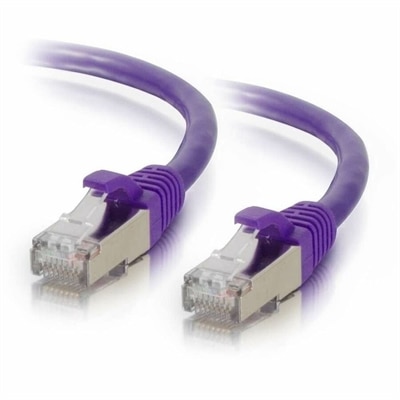
A purple shielded Cat6 network patch cable designed to reduce electromagnetic interference and crosstalk.
Network cables are essential for creating reliable and efficient connections in homes, offices, and data centers. Whether you’re setting up a new workspace or upgrading your current network infrastructure, finding the right network cables ensures seamless data transfer and connectivity. Explore a wide selection of network cables designed to support various networking needs and help keep your devices connected with ease.
A purple shielded Cat6 network patch cable designed to reduce electromagnetic interference and crosstalk.
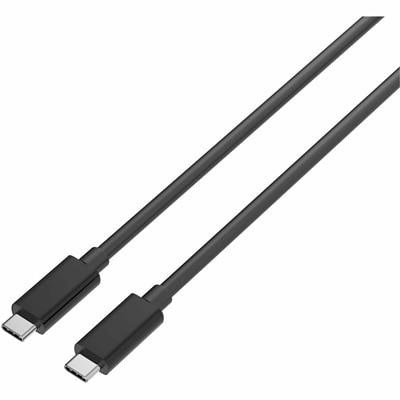
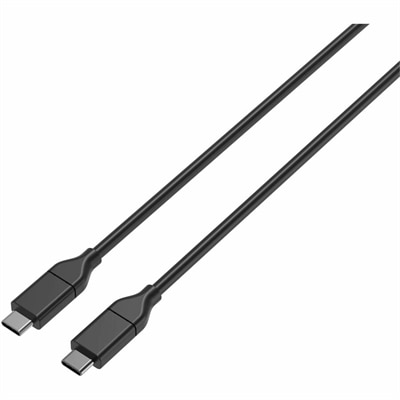
A durable USB-C cable supporting 240W charging, 20Gbps data transfer, and 4K DisplayPort Alt Mode.
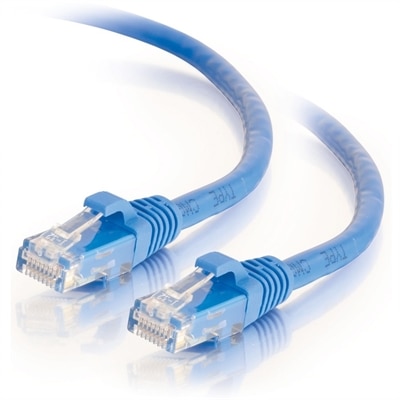
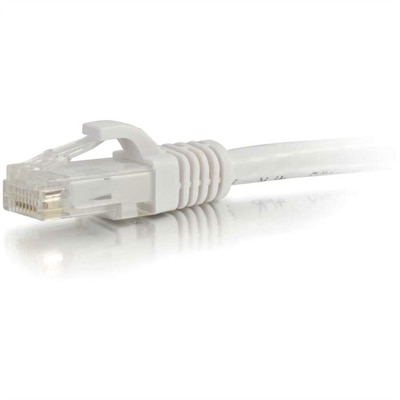
Network cables are physical connections that carry data between compatible devices, giving laptops, desktops, and other everyday electronics a wired path to a local network or the internet. For a home office, study space, or gaming desk, an Ethernet cable is the most familiar option. These cables typically contain four pairs of insulated copper wires, twisted together to help reduce electrical interference and enclosed in a protective outer jacket. Standard Ethernet patch cables use RJ45 connectors, recognizable by their rectangular shape and small locking tab. A wired connection can provide consistent performance for video meetings, large downloads, online gaming, and shared household internet use, particularly where wireless reception varies from room to room. It does not increase the speed of an internet plan or eliminate every source of delay, but it can remove an unreliable wireless connection from the equation. Cable categories describe performance requirements rather than appearance alone. Cat 5e supports Gigabit Ethernet over a properly installed channel up to 100 meters, while Cat 6 can support 10 Gigabit Ethernet over shorter distances, generally up to 55 meters depending on installation conditions. Cat 6a supports 10 Gigabit Ethernet over a channel up to 100 meters. Those distances include the complete connection, not simply one cable beneath a desk. Older category names also deserve attention: Cat 5 and Cat 5e are not interchangeable designations, and the added letter indicates enhanced performance specifications. The Cat 5 Cables page provides a related category to explore, with individual specifications remaining important when matching a cable to an existing connection. For most personal workspaces, the practical goal is a cable that matches the supported speed of the connected equipment, reaches comfortably, and fits the way the space is used. A higher category alone cannot make a slower Ethernet port operate beyond its rated capability, so compatibility matters more than choosing by the largest number printed on the jacket.
Materials and construction affect how a network cable handles everyday use, especially when it runs behind a monitor, passes through a cable tray, or travels in a laptop bag. Copper conductors are the standard basis for category-rated twisted-pair Ethernet cabling; copper-clad aluminum is not equivalent and should not be assumed to meet the same requirements. Stranded copper patch cables are generally flexible enough for desktop connections that may move occasionally, while solid-conductor cable is more commonly intended for fixed installation. The outer jacket protects the insulated pairs from routine contact, but jacket materials and ratings vary. A cable made for an indoor desk is not automatically suitable for sunlight, moisture, burial, or placement inside a wall. Permanent installations require the appropriate building-code rating for the location, and a slim profile or attractive finish does not establish that suitability. Shielding is another distinction worth understanding. Unshielded twisted-pair cable is common in ordinary home and office settings; shielded construction can help in electrically noisy environments, but its benefits depend on compatible components and proper installation, including grounding where required. For a typical laptop or desktop setup, physical fit is often the more immediate concern. Many thin laptops lack a built-in Ethernet port and need a compatible adapter or docking station. A connector should seat securely without being forced, and the surrounding boot needs enough clearance if nearby ports are closely spaced. Snagless boots help protect locking tabs when cables are pulled through a bag or rearranged behind a desk, although bulky boots can feel cramped beside adjacent connectors. Length also changes how a cable behaves in a room. A short connection can keep a compact desktop tidy, while a longer one may need to follow the back of a desk and reach a wall outlet without crossing a walkway. Measuring the actual route, including corners and a little slack for moving the computer, helps avoid a taut cable that pulls against the port.
The right network cable should suit both the equipment and the rhythm of the space around it. Someone taking video calls from a spare bedroom may value a dependable connection that stays tucked along the baseboard, while a student working at a small desk may prefer a flexible cable that coils neatly when the laptop is packed away. For a desktop used for competitive gaming, wired Ethernet can reduce the variability associated with local wireless interference, though game performance still depends on the computer, internet service, and conditions beyond the home. A shared workspace benefits from clearly distinguishable cable colors or simple labels, making it easier to identify a connection without disturbing neighboring cords. Color itself does not indicate category, speed, or quality; the printed markings and stated specifications provide that information. Durability depends partly on everyday handling. Gentle curves protect the internal wire arrangement better than sharp bends, and loosely fastening a cable with reusable straps is preferable to cinching it tightly enough to compress the jacket. Cables should stay clear of chair wheels, door hinges, sharp desk edges, and places where shoes repeatedly catch them. Running a standard patch cable beneath a rug can conceal damage and create a trip hazard rather than solve a routing problem. When unplugging an RJ45 connector, pressing the release tab and holding the connector body avoids pulling directly on the cable. Occasional checks for crushed sections, cracked jackets, loose connectors, or broken tabs can reveal wear before it causes an intermittent connection. A dry, soft cloth is usually sufficient for cleaning the outside; connector contacts should remain dry, and cleaning should follow any manufacturer care directions. When a cable is not in use, a loose coil stored away from heat and direct sunlight helps preserve its shape. These small details make wired connectivity easier to live with: enough flexibility to reposition a laptop, enough reach to keep a desktop connection relaxed, and a protected route that leaves the workspace comfortable and uncluttered.
Add the products you would like to compare, and quickly determine which is best for your needs.