$315.99
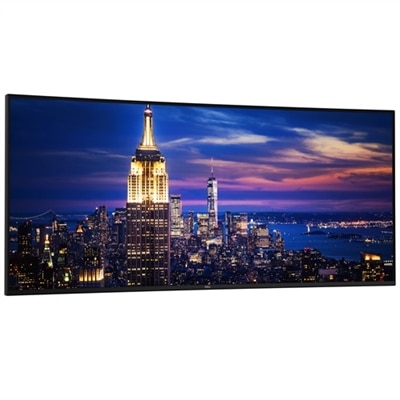
A 27-inch 4K USB-C monitor with 120Hz refresh rate, dual speakers, and eye comfort technology.
Professional Monitors for Architects are designed to meet the unique demands of creative professionals who rely on precise visuals and exceptional clarity. Whether you're drafting detailed blueprints, reviewing 3D models, or collaborating with clients, the right monitor can help streamline your workflow and enhance productivity. Explore a wide selection of displays tailored to deliver the performance and reliability that architects need in their daily work environments.
A 27-inch 4K USB-C monitor with 120Hz refresh rate, dual speakers, and eye comfort technology.
An immersive 49-inch dual QHD monitor with IPS Black panel and eco-friendly, arsenic-free glass.
A 40-inch curved monitor with a 5K display, 120Hz refresh rate, and Thunderbolt hub connectivity.
A 27-inch QHD monitor with Thunderbolt 4 connectivity, offering superior eye comfort and productivity.
A 27" monitor with enhanced IPS Black, 3000:1 contrast, and eye comfort technology for vivid visuals.
An advanced 31.5" 4K monitor with IPS Black, 3000:1 contrast, and enhanced eye comfort technology.
A 27-inch 4K monitor with 120Hz refresh rate, dual speakers, and eye comfort technology.
A 34-inch curved monitor with 3440 x 1440 resolution and 120Hz refresh rate for enhanced comfort.
A black 34-inch curved WQHD IPS monitor with built-in webcam, speakers, microphone, and eye comfort technology.
A 42.5'' 4K monitor with multi-PC connectivity and four unique FHD partitions for enhanced productivity.
A 75-inch 4K touch monitor with 20-point InGlass Touch and USB-C power for seamless collaboration.
A 31.5-inch 4K monitor with 120Hz refresh rate, dual 5W speakers, and eye comfort technology.
A 37.5-inch WQHD+ curved monitor with IPS Black panel and 21:9 aspect ratio for immersive viewing.
An ultrawide 6K platinum silver monitor offering superior clarity, multitasking features, and advanced eye comfort technology.
An ultrawide 6K platinum silver monitor offering superior clarity, multitasking features, and advanced eye comfort technology.
A 31.5-inch 4K monitor with extensive connectivity and TUV-certified eye comfort technology.
An immersive 34.1-inch ultrawide curved monitor with WQHD resolution and USB-C power delivery up to 90W.
A 27-inch 4K monitor with extensive connectivity and TUV-certified eye comfort technology.
A 27-inch QHD monitor with extensive connectivity and TUV-certified eye comfort technology.
A 31.5-inch QHD monitor with extensive connectivity and TUV-certified eye comfort technology.
A magnetite QD-OLED monitor with DisplayHDR True Black 500, built-in colorimeter, and advanced color management.
A 27-inch monitor offering 2560 x 1440 resolution at 120Hz for enhanced productivity and eye comfort.
A 34-inch WQHD curved monitor with USB-C, 120Hz refresh rate, and dual 5W speakers for immersive entertainment.
A 24-inch FHD monitor with USB-C hub, eye comfort technology, and 90W power delivery.
For architects, the right professional monitor is more than just a display—it’s a critical tool that shapes every phase of the creative process, from initial sketches to final client presentations. Architectural workflows demand exceptional clarity and precision, and that begins with a high-resolution screen. Monitors offering 4K UHD or even higher resolutions ensure that intricate CAD linework, detailed Revit models, and layered text annotations remain crisp and clearly defined, even when zoomed in on the smallest details. This level of pixel density helps prevent eye strain during long design sessions and allows for accurate visualization of complex projects. Many architects find that screen size and aspect ratio play a significant role as well; a 27 to 32-inch display often hits the sweet spot for single-monitor setups, while ultra-wide monitors—ranging from 34 to 40 inches—provide ample real estate for side-by-side viewports, such as floor plans next to 3D renderings or reference images. Throughout the late summer and into the cooler months, as project deadlines approach and design teams collaborate on-site or remotely, a large, vibrant monitor can make the difference between a smooth workflow and one filled with unnecessary interruptions.
Color accuracy is another crucial consideration for professionals in architecture. Monitors with near-complete sRGB coverage and robust DCI-P3 or AdobeRGB support ensure that what’s seen on screen matches real-world materials and lighting as closely as possible. This becomes especially important when preparing high-impact presentations or collaborating with clients and colleagues who rely on true-to-life renderings. IPS panel technology is often favored for its wide viewing angles, which keep colors and lines consistent even when viewed from the side—ideal for group discussions around a desk or in a meeting room. Ergonomics and connectivity also matter: features like height, tilt, and pivot adjustments help maintain comfort during long hours at the drafting table, while USB-C or Thunderbolt ports enable easy, clutter-free connections to laptops and peripherals. For those who split their time between the studio and remote locations, a monitor that charges a laptop with a single cable streamlines transitions and keeps workspaces organized. Whether you’re an established architect refining your workflow or searching for a thoughtful gift for a recent graduate entering the field, investing in a professional monitor can elevate productivity and creativity alike.
Selecting the right monitor is about matching technical features to the unique demands of architectural work. Smooth navigation through 3D models, seamless multitasking across multiple applications, and the ability to visualize projects in true color are all essential for delivering exceptional results. As you explore options, consider how the details—like anti-reflective coatings to reduce glare or built-in calibration tools—can support your day-to-day tasks and long-term ambitions. For a deeper dive into displays designed for creative professionals, including architects, designers, and visual artists, visit Professional Displays for Creative Workflows to discover solutions that blend performance, reliability, and innovative features tailored for demanding creative environments.
Architects should consider monitors with high color accuracy, wide color gamuts, high resolution, and advanced connectivity options. Features like factory calibration, ergonomic stands, and multiple display support can also enhance workflow and comfort during long design sessions.
Color accuracy is essential for architects as it ensures that digital renderings and plans are displayed true-to-life. Accurate colors help maintain consistency between screen and print, and facilitate clear communication with clients and collaborators.
High-resolution monitors provide architects with greater detail and clarity when working on complex blueprints and 3D models. This allows for more precise editing, better visualization of intricate designs, and improved multitasking with multiple windows open.
Architects often benefit from monitors with a variety of connectivity options such as USB-C, HDMI, DisplayPort, and built-in USB hubs. These features enable easy connection to laptops, desktops, and peripherals, streamlining the workspace and supporting efficient project management.
Yes, many professional monitors designed for architects include features like flicker-free technology, blue light reduction, and adjustable stands. These ergonomic enhancements help minimize eye strain and promote comfort during extended periods of use.
Add the products you would like to compare, and quickly determine which is best for your needs.