

Team Liquid recommends Alienware 27
4K QD-OLED Gaming Monitor
See what people are saying about the CES 2025 Innovation Award Honoree.Alienware Monitors For Graphic Design
Unlock your creative potential with Alienware monitors for graphic design. Engineered to support the demands of modern digital artistry, these displays provide the clarity and precision essential for detailed visual work. Whether you’re editing photos, illustrating, or working on complex layouts, Alienware monitors for graphic design offer the performance and reliability needed to bring your vision to life. Explore a range of options designed to elevate your workflow and help you achieve professional results every time.
Find Your Perfect Alienware Monitors For Graphic Design
Shop By
Clear All
Sort By
This product is not available
Check out the following recommendations.
Best Sellers

Alienware 32 4K QD-OLED Gaming Monitor - AW3225QF
An unrivaled viewing experience in every scene with our 32-inch QD-OLED monitor, featuring a 4K resolution, curved panel, Dolby Vision and 240Hz refresh rate.
$999.99

Alienware 27 4K QD-OLED Gaming Monitor - AW2725Q
Experience ultimate visual fidelity in an all-new 27" monitor featuring 4K QD-OLED performance, super high pixel density, 240Hz refresh rate and Dolby Vision.
$899.99

Dell UltraSharp 27 Monitor - U2724D
Experience a new level of visual comfort, enhanced productivity and extensive connectivity with this monitor certified by TUV for 5-star eye comfort.
$439.99

Dell UltraSharp 40 Curved Thunderbolt™ Hub Monitor - U4025QW
Elevate your performance with a 40-inch curved Thunderbolt hub monitor featuring a stunning 5K display and a 120Hz refresh rate.
$2099.99

Alienware 27 360Hz QD-OLED Gaming Monitor - AW2725DF
Immerse yourself in splendid visuals and thrilling speeds with our fastest QD-OLED gaming monitor, featuring QHD resolution, 360Hz refresh rate, and VESA DisplayHDR True Black 400.
$649.99

Dell UltraSharp 49 Curved USB-C Hub Monitor - U4924DW
Experience uninterrupted productivity on the world's first 49-inch dual QHD monitor with IPS Black panel technology that immerses you in a world of exceptional color and contrast.
$1499.99

Dell UltraSharp 43 4K USB-C Hub Monitor - U4323QE
Designed for more. Multiply your productivity with this 42.5'' monitor featuring multi-PC connectivity, 4 unique FHD partitions via iMST, ComfortView Plus and wired Ethernet.
$1199.99

Dell 27 Plus 4K Monitor - S2725QS
27-inch 4K monitor with up to 120Hz refresh rate and dual 5W speakers for elevated entertainment.
$299.99
Discover Our Top Monitors


Related Pages

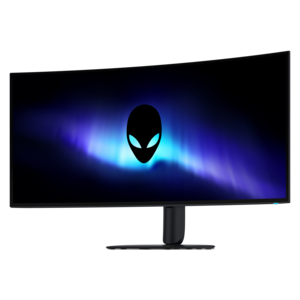
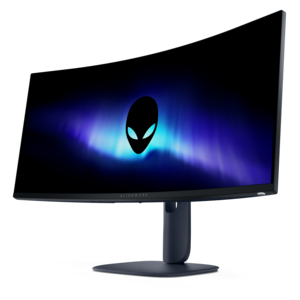
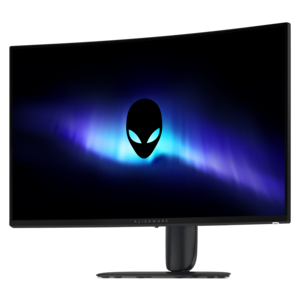
Learn more about Alienware Monitors For Graphic Design
Alienware monitors for graphic design can bring a vivid, spacious canvas to work that depends on precision, contrast, and close attention to detail. Although these displays are known for gaming-oriented performance, their combination of high resolution, wide color coverage, fast response, and OLED panel technology can also suit designers who move between photo retouching, illustration, branding, digital art, motion graphics, and layout work. A 4K monitor provides a dense field of pixels for crisp typography, clean vector lines, and fine image details, while a 27-inch screen can offer an especially sharp viewing experience when working with intricate compositions. Larger displays provide more room for tool panels, reference images, timelines, and multiple documents without making the active canvas feel cramped. Curved options can help keep a broad screen within a comfortable viewing distance, particularly for people who spend long stretches arranging elements across a wide workspace. Color performance is one of the most important considerations for graphic design. Look for a display with broad coverage of a color space such as DCI-P3, along with dependable sRGB coverage for web graphics and everyday content. Wide-gamut support can reveal more saturated reds, greens, and blues, helping creative work appear closer to its intended appearance when the project calls for a rich, cinematic palette. Strong factory calibration is useful for getting started with fewer adjustments, while a colorimeter can provide a more controlled workflow for professionals who need repeatable results across projects and devices. OLED technology is particularly appealing for artwork with deep shadows, dramatic gradients, or high-contrast imagery because each pixel can control its own light output. This allows dark areas to appear genuinely black rather than gray and creates exceptionally strong contrast between highlights and shadows. High pixel density also helps small text, thin strokes, and detailed selections look smooth and defined. For designers who work in a bright studio or near a window, however, room lighting deserves careful attention: reflections and ambient light can affect perceived blacks and may make a matte or more adjustable setup preferable. Positioning the screen away from direct sunlight, controlling nearby lamps, and keeping the workspace lighting consistent can make color judgments more dependable.
When choosing from a list of Alienware monitors for graphic design, match the display to the way the workspace is actually used rather than focusing on a single specification. A photographer editing dark portraits may value OLED contrast and shadow detail, while an illustrator creating print layouts may place greater emphasis on resolution, color management, and a comfortable physical setup. A designer who also plays fast-paced games or creates animation can benefit from a high refresh rate and quick response time, which make scrolling, scrubbing through a timeline, and moving objects across the canvas feel fluid. These features do not replace color accuracy, but they can make a dual-purpose display more versatile. Check the available inputs before making a selection, especially if the monitor will be connected to a desktop, laptop, drawing tablet, game system, or more than one computer. HDMI and DisplayPort support can simplify connections to different devices, while USB ports may reduce cable clutter for peripherals. USB-C can be convenient for a compatible laptop, but power delivery varies by display and may be limited, so it is worth confirming whether the monitor can actually charge the computer during use. Some displays do not include a built-in KVM switch, meaning a keyboard and mouse may need to be changed manually when sharing them between two computers. Ergonomics matter just as much as panel specifications for a screen used throughout the day. Height adjustment, tilt, swivel, and VESA compatibility can help place the top of the display at a comfortable level and support a more relaxed posture. A monitor arm can also free desk space for a tablet, notebook, or reference materials. These displays can be a thoughtful gift for a digital artist, student entering a design program, photographer, streamer, or home-office professional who needs one screen for creative projects and another for entertainment. They can also serve households where one person edits images while another plays games, watches media, or works with demanding visual applications. For video-focused workflows, compare the screen characteristics and connectivity needs with the options collected in Alienware Monitors For Video Editing. The right choice ultimately depends on the balance of screen size, resolution, color gamut, contrast, refresh rate, ports, lighting conditions, and ergonomic flexibility that fits the creator’s daily routine.
FAQs:
Alienware monitors are engineered with high color accuracy, wide color gamuts, and advanced IPS or OLED panels, ensuring precise and vibrant visuals essential for graphic design projects.
Alienware monitors often include factory calibration and support for industry-standard color spaces like sRGB and DCI-P3, providing consistent and accurate colors across different design applications.
Yes, Alienware monitors are compatible with leading graphic design software such as Adobe Creative Cloud, CorelDRAW, and Affinity Designer, offering seamless integration and optimal performance.
Alienware monitors typically feature a range of connectivity options, including HDMI, DisplayPort, and USB-C, allowing easy connection to various laptops, desktops, and peripherals used in creative workflows.
Many Alienware monitors offer adjustable stands with tilt, swivel, pivot, and height adjustments, enabling designers to customize their workspace for comfort during extended creative sessions.