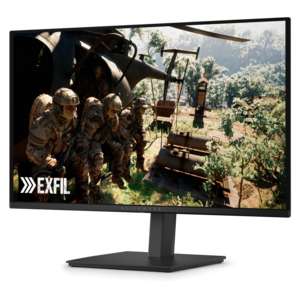
$299.99
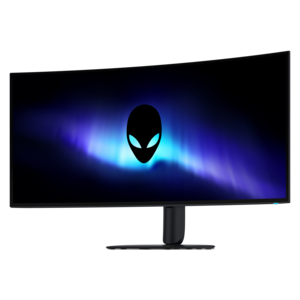
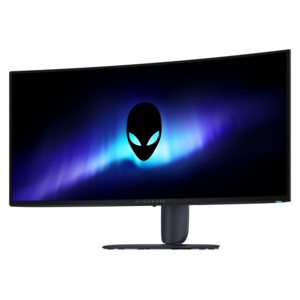
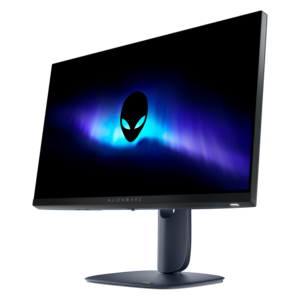
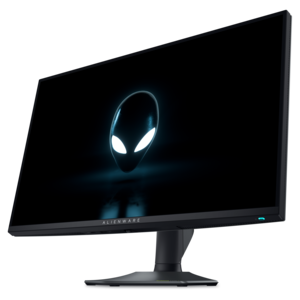
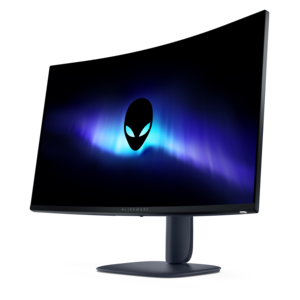
A color-critical gaming monitor with DisplayHDR True Black 500, anti-glare, built-in colorimeter, and remote calibration tools.


Alienware monitors for video editing deliver the visual clarity and performance creative professionals need to bring their projects to life. Designed with precision and reliability in mind, these monitors provide a seamless experience for editing high-resolution videos, color grading, and managing complex timelines. Whether you’re working on cinematic productions or digital content, Alienware monitors for video editing help ensure every detail is crisp and every color is true to your vision. Explore options that support your workflow and elevate your creative potential.
Shop By
Sort By




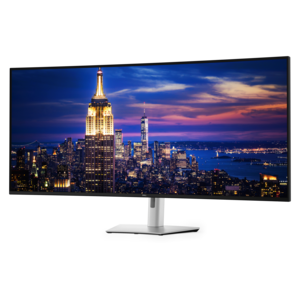
Monitors in this category can be a strong fit for video editors who want a vivid, immersive workspace with the contrast and speed associated with gaming-focused displays. A monitor serves as the window into every stage of a project, from sorting raw footage and trimming clips to balancing exposure, refining skin tones and reviewing a finished sequence. Panel technology is one of the most important considerations. OLED displays can illuminate individual pixels, producing exceptionally deep blacks and highly defined shadow detail without the glow that can appear around bright objects on some conventional screens. That pixel-level control is especially useful when reviewing HDR footage, night scenes, cinematic effects and subtle gradients. Quantum dot OLED panels can also offer broad color coverage, including strong representation of the DCI-P3 color space used in many modern video workflows. A wide gamut can make saturated colors and nuanced transitions easier to see, although the monitor’s settings, the editing application, the source footage and the final delivery format all influence the finished result. For dependable color work, look for a display with a well-tuned picture mode, useful brightness control and support for calibration hardware or a custom color profile. Factory accuracy is a helpful starting point, but a calibrated workflow remains the best way to keep colors consistent between the editing desk, a client’s display and the final playback device. Resolution also affects how comfortably an editor can work. A 4K screen provides a crisp image and lets editors inspect fine detail in footage while keeping the preview, timeline, bins and effects panels visible together. A larger screen or curved design can make a broad timeline feel more natural and reduce the need to shift windows constantly, while a flat panel may be preferable for editors who work with straight lines, graphics or precise layout elements. Consider viewing distance, desk depth and the amount of room needed for speakers, a keyboard, a control surface and other accessories before selecting a size or shape.
Video editing does not require the extremely high refresh rates designed for competitive gaming, but a faster refresh rate can still make scrolling a timeline, dragging windows and moving through a long project feel smoother. It may also be useful for people who divide their time between editing, gaming, live production and general media use. Keep the refresh rate in perspective, however, because resolution, contrast, color performance and connectivity usually have a more direct effect on editing quality. Response time can reduce distracting motion blur when reviewing fast footage, while adaptive synchronization may help gaming and other interactive applications appear fluid. A monitor with multiple input options can simplify a mixed workstation, especially when an editor switches between a desktop and a laptop or connects a game console for testing content. USB connectivity, integrated audio support, headphone access and a height-adjustable stand can reduce clutter and make long sessions more comfortable. Ergonomics matter when an editing project stretches across an afternoon: the top of the screen should sit near eye level, the viewing distance should feel relaxed and the display should be positioned to limit neck movement. Bright rooms deserve special attention. Glossy or semi-gloss surfaces can produce rich contrast and a clean, vibrant image, but windows, lamps and overhead lighting may appear as visible reflections across dark scenes. A matte finish can be easier to live with in a bright office, though the perceived depth and punch of blacks may differ. Curved screens can help keep the edges within a comfortable field of view, yet some editors may prefer a conventional shape for motion graphics, title design and other work that depends on visibly straight geometry. Before choosing, measure the desk, check the stand’s adjustment range and consider whether a monitor arm would provide better positioning.
OLED technology brings an important long-term consideration for editors: the possibility of image retention or burn-in after repeated exposure to the same static elements. Editing applications commonly keep a timeline, toolbars, meters and project panels in fixed locations for hours, creating a different usage pattern from watching a film or playing a varied game. Modern OLED monitors may include pixel shifting, panel refresh routines, screen savers and other care features that help reduce risk, but no protection system eliminates it entirely. Editors can support panel longevity by allowing automatic sleep settings, hiding or moving static interface elements when practical, varying the type of content displayed and following the manufacturer’s panel-care guidance. People who spend most of the day in one application with a bright, unchanging interface may prefer a traditional LCD panel designed for sustained productivity, while those who value deep blacks, HDR impact and a versatile entertainment setup may find OLED’s strengths compelling. It is also useful to distinguish an impressive viewing experience from a reference display intended for tightly controlled color grading. A gaming-oriented monitor can deliver excellent contrast and wide color coverage, but specialized creator displays may offer additional calibration tools, uniformity features, preset color spaces and ergonomic options that better suit professional finishing work. These monitors can be a thoughtful gift for a video hobbyist, filmmaker, streamer, animator or student building a home editing station, particularly when the recipient already has a capable computer and wants more room to work. They can also serve photographers, designers and content creators who appreciate a dramatic image for reviewing projects between editing sessions. For shoppers comparing adjacent categories, the needs of programming and editing often overlap in areas such as sharp text, screen space, comfortable ergonomics and reliable connectivity; the Alienware Monitors For Coding collection can provide another point of comparison. The best choice ultimately balances the intended workflow, room lighting, computer outputs, desired resolution, color requirements, panel-care habits and the value placed on gaming or entertainment features alongside video production.
Alienware monitors are designed with high color accuracy, wide color gamuts, and advanced calibration options, making them ideal for video editing tasks that require precise color representation and smooth visuals.
Alienware monitors often feature ultra-thin bezels and wide aspect ratios, allowing for seamless multi-window workflows. Many models also include Picture-by-Picture (PBP) and Picture-in-Picture (PIP) modes to boost productivity.
Yes, Alienware monitors typically provide a variety of connectivity ports such as HDMI, DisplayPort, and USB-C, ensuring compatibility with a range of video editing hardware and peripherals.
Alienware monitors often come with high refresh rates, which help deliver smoother motion and reduced screen tearing. This is particularly beneficial when editing high-frame-rate video content.
Many Alienware monitors support hardware calibration and are compatible with popular color calibration devices, allowing editors to maintain consistent and accurate color profiles throughout their projects.
Add the products you would like to compare, and quickly determine which is best for your needs.