$319.99
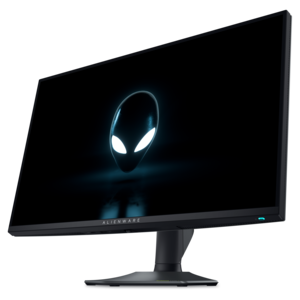
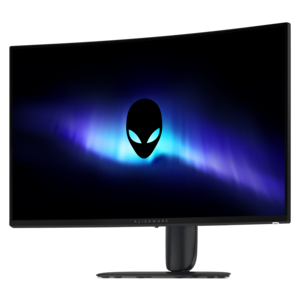
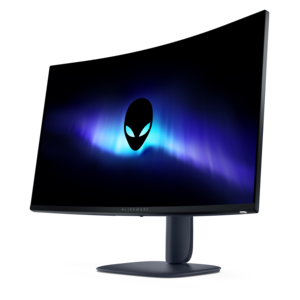
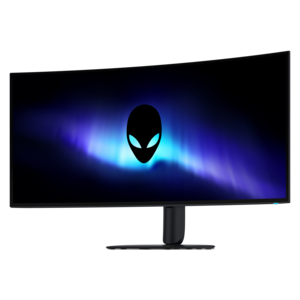
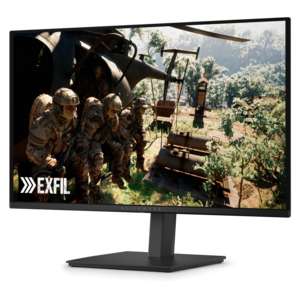
A QD-OLED gaming monitor delivering vibrant color, infinite contrast, and ultra-smooth 240Hz gameplay.


Experience the next level of immersive gaming with Alienware monitors for smooth gameplay. Designed for those who demand precision and fluid visuals, these monitors help you stay focused and competitive during every session. Whether you're exploring vast open worlds or battling it out in fast-paced arenas, Alienware monitors for smooth gameplay deliver the performance and reliability needed to elevate your setup. Discover a range of options tailored to enhance your gaming experience.
Shop By
Sort By




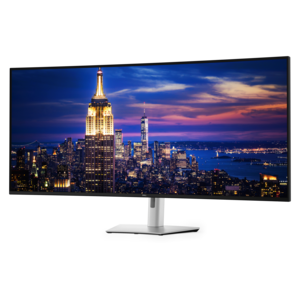
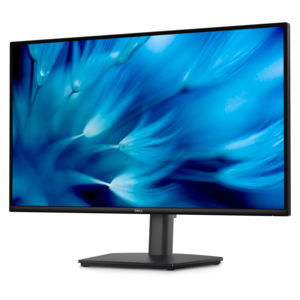
Smooth gameplay depends on more than a powerful graphics card. A gaming monitor serves as the final link between the action generated by a computer and what your eyes see, so refresh rate, response time, resolution, panel technology, and synchronization support all deserve attention. The monitors collected for this page are designed for players who want movement to look clean and immediate, whether they are tracking a fast opponent across an arena, navigating a racing circuit at high speed, or exploring a detailed open-world environment. A high refresh rate allows the screen to update more frequently, with options reaching 180Hz, 280Hz, 320Hz, or 360Hz depending on the display. In practical terms, a 360Hz monitor can refresh the image up to 360 times per second, helping rapid camera pans appear more fluid and making subtle changes in an opponent’s position easier to follow. Refresh rate works alongside response time, which measures how quickly pixels transition from one color to another. Fast response times help reduce ghosting, trailing, and motion blur behind moving objects, with some OLED displays reaching response times as low as 0.03ms and fast IPS displays offering response times around 0.5ms or 1ms. For competitive players, these details can make the picture feel more connected to every mouse movement and keyboard press. For casual players, they add a sense of polish that makes everything from a sweeping landscape to a quick turn in a first-person game look more natural. Browse the full range of Alienware Immersive Gaming Monitors to compare display styles built for responsive, immersive play.
Choosing the right monitor begins with considering how the display will be used and what the computer can support. A compact Full HD screen with a very high refresh rate can be a strong fit for competitive play, especially when the priority is keeping frame rates high and maintaining a clear view during quick encounters. A 27-inch QHD display offers a useful middle ground for many gaming desks, providing more detail than Full HD while remaining easier for a capable gaming computer to drive than a 4K panel. Its added screen space can make maps, menus, creative applications, and everyday work more comfortable without requiring an especially large desk. Players who value fine visual detail may prefer a 4K display, particularly for cinematic adventures, strategy games, and visually rich worlds where textures, distant objects, and environmental effects benefit from a sharper image. Some advanced monitors offer dual-resolution modes, allowing a player to use 4K at a high refresh rate when detail matters or switch to Full HD at an even faster refresh rate when competitive performance takes priority. Ultrawide displays create another type of experience by extending the view horizontally, placing more of a game world in peripheral vision and giving racing, flight, simulation, and exploration titles a broader sense of scale. OLED and quantum-dot OLED panels can add deep blacks, vivid color, and striking contrast, while IPS panels are known for consistent color and broad viewing angles. When comparing options, check the monitor’s ports, stand adjustment, display size, aspect ratio, brightness, and compatibility with the computer’s graphics output. Height, tilt, swivel, and rotation adjustments can be just as important as headline specifications, since a screen positioned at a comfortable eye level is easier to enjoy during a long session.
These monitors can suit a wide range of players, from esports-focused users refining reaction time to households looking for a more engaging screen for shared gaming, streaming, homework, or creative projects. A high-refresh display is especially useful for games with quick movement, including shooters, fighting games, sports titles, racing games, and multiplayer adventures, but it can also make ordinary desktop navigation feel more responsive. Adaptive synchronization helps coordinate the monitor’s refresh behavior with the frame output from a compatible graphics card, reducing distracting tearing and helping gameplay look smoother when frame rates vary. It is worth confirming that the selected monitor and computer support the same synchronization standard and that the preferred connection, such as DisplayPort or HDMI, can deliver the desired resolution and refresh rate. Consider the room as well: a wide screen needs adequate desk space, an ultrawide model may require a deeper surface, and a bright display can be helpful in a sunlit room while a strong contrast ratio is valuable in a darker gaming space. A monitor can also be a thoughtful gift for a PC player setting up a first dedicated gaming area, someone upgrading from an older office display, or a family member who divides screen time between games, streaming, schoolwork, and photo or video projects. During the warmer and cooler parts of the year alike, a comfortable monitor can turn a familiar desk into a more capable entertainment space, making evening gaming sessions feel more immersive and everyday computer use easier on the eyes.
Alienware monitors are engineered with high refresh rates, fast response times, and advanced synchronization technologies like NVIDIA G-SYNC and AMD FreeSync. These features help eliminate screen tearing and stuttering, delivering ultra-smooth visuals and an immersive gaming experience.
Alienware monitors offer high resolutions and wide color gamuts, ensuring sharp, vibrant visuals. With features like IPS or OLED panels, gamers enjoy consistent colors and crisp details from every angle, making it easier to spot in-game details.
Yes, Alienware monitors are designed with a variety of connectivity options, such as HDMI and DisplayPort, making them compatible with PCs, gaming consoles, and other devices for versatile gaming setups.
Absolutely. Alienware monitors include customizable gaming profiles and on-screen display menus, allowing users to fine-tune their visual settings, refresh rates, and response times to match their specific gaming preferences.
Alienware monitors often come with adjustable stands that allow for height, tilt, swivel, and pivot adjustments. This flexibility lets gamers find the most comfortable viewing position for extended gaming sessions.
Add the products you would like to compare, and quickly determine which is best for your needs.