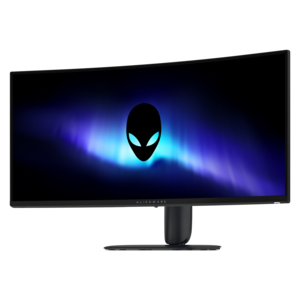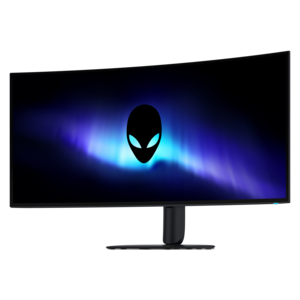
$1099.99
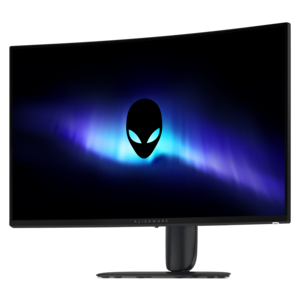
A 5K ultrawide gaming monitor with RGB stripe tandem OLED technology for bright, vibrant visuals.


Elevate your gameplay with Alienware high resolution monitors for cinematic gaming, designed to immerse you in stunning detail and vibrant colors. Experience every frame with incredible clarity, making fast-paced action and expansive worlds more lifelike than ever before. Whether you're exploring new realms or competing at the highest level, these monitors provide the visual fidelity needed for a truly captivating gaming environment. Unlock the full potential of your setup and transform how you see your favorite games.
Shop By
Sort By
Alienware high-resolution monitors are designed for players who want games to feel less like flat images on a desk and more like expansive cinematic worlds. A high pixel count brings fine detail into focus, from weathered stone and distant skylines to the texture of armor, foliage and changing light. For shoppers comparing screen options, resolution is only one part of the experience. A 4K UHD display with 3840 x 2160 resolution can provide a remarkably dense image on a traditional 16:9 screen, while an ultrawide layout can extend the field of view across a 21:9 canvas, creating a broader perspective in compatible games. Curved designs, including immersive 1700R curves, can help bring the edges of a large screen closer to the natural range of vision, making sweeping camera movements feel more enveloping without requiring a multi-monitor setup. Flat panels may appeal to shoppers who prefer a familiar shape, a clean wall-mounted appearance or a display that works equally well for gaming, photo work and everyday productivity. For an overview of options suited to sharper game worlds and detailed visual content, explore Alienware 4K Gaming Monitors. The right choice depends on the games being played, the available desk space and the capabilities of the computer driving the display. A capable graphics card is important when rendering demanding games at 4K, particularly with high-quality lighting, ray tracing and HDR enabled. An ultrawide display also places its own demands on graphics performance because it renders more of the scene from side to side. Checking the graphics card’s supported resolution, refresh rate and connection standards before buying can help prevent an expensive display from being limited by the rest of the setup. It is also worth measuring the desk carefully, including the depth required for the stand and the viewing distance that feels comfortable. A large screen can make a dramatic impression, but sitting too close may require frequent eye movement, while sitting too far away can reduce the impact of fine detail.
For cinematic gaming, panel technology and motion performance deserve close attention. Quantum dot OLED, commonly abbreviated QD-OLED, combines the self-lit pixels and deep black levels associated with OLED technology with a broad, vivid color range. Because individual pixels can turn off for dark scenes, this type of panel can create an exceptionally strong contrast between a star-filled sky and a bright explosion, or between a shadowed corridor and a pool of sunlight beyond it. High dynamic range, or HDR, adds another layer by allowing compatible content to show brighter highlights and more nuanced shadow detail. Certification such as VESA DisplayHDR True Black and support for Dolby Vision can be useful indicators for shoppers who want dynamic scene-by-scene adjustments, although the quality of the experience also depends on the game, operating system and settings. Color coverage matters for more than games, too. A wide gamut such as DCI-P3 can make films, illustrations and edited photographs appear rich and lifelike, while accurate factory tuning can reduce the time spent adjusting the screen. Motion specifications are equally important when a game includes rapid camera pans, racing sequences or competitive action. A 240Hz refresh rate allows the display to update the image up to 240 times per second when the computer can supply enough frames, and a response time as low as 0.03ms can help reduce visible trailing behind fast-moving objects. These features do not replace a strong graphics card, but together they can make movement look cleaner and controls feel more immediate. Adaptive sync support can help coordinate the screen’s refresh behavior with the graphics card, reducing tearing when frame rates fluctuate. Connection choices should be reviewed as well. Shoppers may want to confirm that the display includes the appropriate HDMI or DisplayPort connection for a desktop or console, along with USB ports, audio output and any built-in hub features that can simplify a desk crowded with peripherals. A height-adjustable stand, tilt and swivel controls, VESA mounting compatibility and a discreet cable path can matter just as much in daily use as headline specifications. Small ergonomic details become especially noticeable during a long evening of exploration, when a comfortable viewing position helps keep attention on the story rather than on neck strain or tangled cables.
These monitors can suit several kinds of players and creative users. A single-player gamer who enjoys expansive role-playing adventures may value deep blacks, HDR highlights and a curved or ultrawide view that makes forests, cities and space environments feel larger than life. Someone who alternates between competitive games and cinematic releases may prioritize a fast refresh rate, low response time and adaptive sync, while still looking for strong color and contrast for films. A creator who edits video, designs artwork or reviews photographs may appreciate high pixel density, wide color coverage and enough screen real estate to keep a timeline, canvas and reference window visible together. A 27-inch 4K display can be a balanced choice for a smaller desk, offering crisp detail without the footprint of a very large panel, while a larger curved or ultrawide screen can become the centerpiece of a dedicated gaming room. These displays can also be thoughtful gifts for a PC gamer, film enthusiast or creative hobbyist, particularly when the recipient has been using an older screen with limited resolution or a slower refresh rate. Because preferences vary, it is helpful to check the recipient’s computer specifications, desk dimensions and preferred aspect ratio before choosing. OLED care is another practical consideration: use the display’s built-in pixel refresh and panel maintenance features as directed, enable screen-saver settings during breaks and avoid leaving static images on screen for extended periods. Keeping brightness appropriate for the room can improve comfort and reduce unnecessary power use. During the warmer season and into the cooler months, a high-resolution monitor can transform a spare corner into a flexible entertainment space for late-night campaigns, weekend movie sessions and creative projects. The most satisfying setup is not necessarily the largest or fastest option; it is the one that matches the computer, content and habits of the person using it, delivering sharp detail, fluid motion and the kind of rich contrast that makes every scene easier to become absorbed in.
High resolution monitors, such as those offered by Alienware, provide sharper images, more detailed visuals, and vibrant colors. This enhances the cinematic gaming experience by making in-game environments and cutscenes look more lifelike and immersive.
A higher refresh rate ensures smoother motion and reduces screen tearing during fast-paced scenes. Alienware high resolution monitors often feature elevated refresh rates, which help deliver fluid gameplay and a seamless cinematic experience.
Key features to consider include high resolution (such as QHD or 4K), wide color gamut support, HDR compatibility, fast response times, and advanced connectivity options. These features contribute to richer visuals and more immersive gameplay.
Yes, many Alienware high resolution monitors support High Dynamic Range (HDR), which provides greater contrast, brighter highlights, and deeper blacks. This results in more realistic and visually stunning gaming experiences.
Absolutely. Alienware monitors typically offer multiple input options such as HDMI and DisplayPort, making them compatible with PCs, gaming consoles, and other devices for versatile cinematic gaming across platforms.
Add the products you would like to compare, and quickly determine which is best for your needs.