$349.99
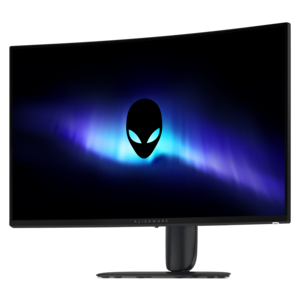
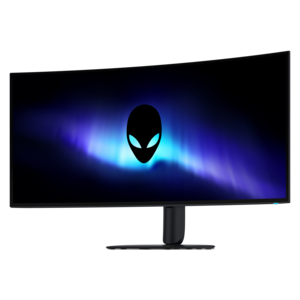
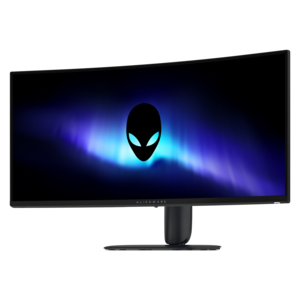
A curved ultrawide WQHD gaming monitor delivering vivid color and an exceptionally smooth 240Hz refresh rate.


Take your gaming experience to new heights with Alienware curved gaming monitors. Designed for immersive visuals and seamless gameplay, these monitors create a captivating environment that pulls you deeper into every world. Whether you're a competitive gamer or enjoy exploring expansive virtual landscapes, Alienware curved gaming monitors deliver the performance and style that elevate any setup. Discover the perfect display to match your passion and transform the way you play.
Shop By
Sort By
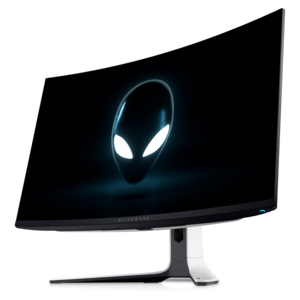
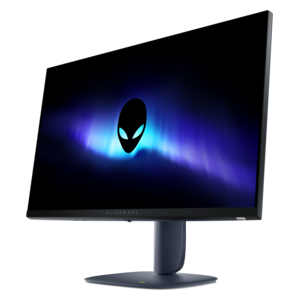
Alienware curved gaming monitors are designed to make games feel more expansive, responsive, and immersive by bringing the outer edges of the display gently into your field of view. Instead of presenting a flat image that sits at a uniform distance, a curved screen can create a more natural viewing angle, helping wide landscapes, racing tracks, city skylines, and fast-moving competitive scenes feel easier to take in at a glance. Common curvature ratings such as 1500R and 1700R describe how tightly the screen is shaped; a lower number indicates a more pronounced curve, while a higher number creates a gentler wraparound effect. The right choice depends on your desk depth, seating position, and preferred level of immersion. A 34-inch ultrawide display can provide generous horizontal space for panoramic games, multitasking, and side-by-side windows, while a 32-inch 4K display offers a spacious canvas with highly detailed imagery. These monitors can be a strong fit for dedicated gaming rooms, flexible home offices, and compact entertainment setups where one display needs to handle several roles. During the warmer and cooler parts of the year alike, a curved monitor can turn a familiar desk into a more engaging place to play, work, watch content, or explore creative projects.
Resolution is one of the most important details to compare because it affects image sharpness, desktop space, and the graphics hardware needed to drive a game smoothly. 4K UHD resolution, with 3840 x 2160 pixels, delivers crisp detail that can make fine textures, distant objects, and small interface elements look more defined. QHD ultrawide resolution, commonly listed as 3440 x 1440, trades some vertical pixels for a wider aspect ratio that can add peripheral visibility and leave room for multiple windows. A higher resolution generally benefits from a capable graphics card, particularly when paired with demanding visual settings, ray-traced effects, or high frame rates. Refresh rate is equally important for movement and responsiveness. Options reaching 180Hz or 240Hz can display more frames per second than a standard 60Hz screen when the connected computer can supply those frames, making camera pans, quick turns, and competitive play appear smoother. Response times listed as low as 1ms or even a fraction of a millisecond can help reduce visible ghosting during rapid motion, though real-world performance can vary by panel mode, brightness setting, and the type of content on screen. Adaptive synchronization can also be valuable: technologies such as NVIDIA G-SYNC compatibility and AMD FreeSync Premium Pro help coordinate the monitor’s refresh cycle with the graphics card to reduce tearing and stuttering. Checking the graphics card, connection standards, and supported refresh rate together helps ensure the display performs as expected rather than leaving premium capabilities unused.
Panel technology shapes the character of the image. QD-OLED displays are known for deep black levels, strong contrast, vivid color, and quick pixel response, qualities that can make dark game environments feel more dimensional and bright effects stand out against a nearly black background. They can be especially appealing for cinematic single-player games, high-resolution video, and anyone who values rich visual depth. VA panels can offer strong contrast and an attractive balance of image quality, responsiveness, and value for everyday gaming. When comparing displays, also review brightness, color coverage, HDR support, and any guidance about static content, especially if the monitor will show the same desktop interface for long work sessions. A height-adjustable stand with tilt and swivel movement makes it easier to position the top of the screen near eye level and reduce neck strain, while a VESA mounting pattern can provide additional flexibility with a compatible arm or wall mount. Consider the available HDMI and DisplayPort connections, USB ports, audio support, built-in cable management, and whether the stand will fit comfortably on the desk alongside a keyboard, speakers, and other accessories. For a gift, a curved gaming monitor can be a memorable choice for someone building a first serious setup, upgrading from a smaller screen, or dividing time between gaming and school, work, streaming, or content creation. It is helpful to match the screen’s size and resolution to the recipient’s computer, available desk space, and favorite games rather than choosing by specifications alone. A carefully matched display can become the visual center of a room, delivering expansive views for exploration games, a broad workspace for everyday tasks, and smooth motion for competitive sessions without requiring multiple monitors. For shoppers interested in additional high-resolution options, the Alienware 4K Gaming Monitors collection provides another way to compare detailed displays alongside the curved formats featured here.
Curved gaming monitors, like those from Alienware, provide a more immersive viewing experience by wrapping the display around your field of vision. This design helps reduce distortion at the edges, enhances depth perception, and can make gameplay feel more engaging.
A high refresh rate allows Alienware curved gaming monitors to display more frames per second, resulting in smoother motion and reduced blur during fast-paced action. This can give gamers a competitive edge by making it easier to track moving objects and react quickly.
G-SYNC and FreeSync are adaptive sync technologies supported by many Alienware curved gaming monitors. They help eliminate screen tearing and minimize stuttering by synchronizing the monitor's refresh rate with your graphics card's output, ensuring a smoother visual experience.
Yes, Alienware curved gaming monitors often feature ultra-wide aspect ratios and expansive screen real estate, making them ideal for multitasking. The curvature helps keep all parts of the screen within your natural field of view, which can boost productivity when working with multiple windows or applications.
Alienware curved gaming monitors usually offer a variety of connectivity options such as HDMI, DisplayPort, USB ports, and sometimes headphone jacks. This allows you to easily connect your PC, consoles, and peripherals for a versatile setup.
Add the products you would like to compare, and quickly determine which is best for your needs.