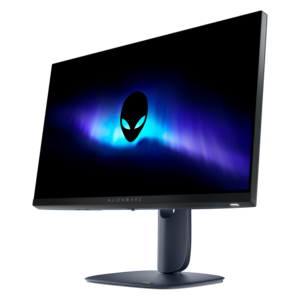
$249.99
A Fast IPS gaming monitor delivering vivid colors and ultra-smooth visuals at a 320Hz refresh rate.


Alienware monitors for developers are designed to support productivity, creativity, and precision in demanding coding and design environments. Whether building complex applications, managing multiple windows, or refining visual details, these monitors offer the clarity and performance developers need to stay focused on their work. Discover a selection of Alienware monitors for developers that can help elevate your workspace and enhance your workflow.
Shop By
Sort By




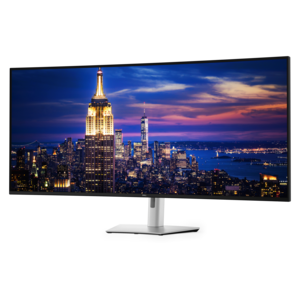
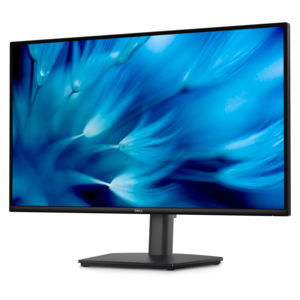
For developers, a monitor is the surface where ideas become working software: a place for an integrated development environment, terminal, documentation, browser previews, design references and collaboration tools to remain visible without constant window switching. Monitors in this category can suit programmers who want a spacious, immersive workspace as well as gamers who also write code, build applications or manage technical projects. A larger display may make it easier to keep source files and a live application preview side by side, while an ultrawide format can provide a broad horizontal canvas for multiple windows without the interruption of a center bezel. A high-resolution screen is especially helpful for crisp text, compact interface elements and detailed diagrams, although the ideal size depends on viewing distance and personal preference. Developers who spend long sessions reading code should also consider text clarity, scaling support and the ability to adjust brightness comfortably. Dark-mode editors and terminals can look particularly striking on displays with deep black levels and rich contrast, helping interface panels, syntax colors and fine lines stand out in a dim office. Color performance can also matter to developers working with websites, games, mobile applications or creative assets, since accurate, consistent color makes it easier to review how visual elements appear during development. A curved display may help bring the outer edges of a wide workspace into view, while a flat screen may be preferable for users who frequently work with straight lines, layouts or shared viewing angles. The right choice depends less on a single specification than on the way the display fits into the complete workstation.
Connectivity deserves close attention before choosing a monitor for development. USB-C can simplify a laptop setup, but the presence of a USB-C port does not automatically mean the display can charge a modern computer. Check the monitor’s power delivery rating against the laptop’s requirements; lower-wattage charging may be useful for accessories or light-duty systems but may not replace a dedicated power adapter for a performance-oriented notebook. Video input options should match the computer, docking station and any additional devices that may share the display. Built-in USB ports can keep a keyboard, mouse, webcam or storage accessory within easy reach, while audio support can reduce cable clutter for meetings and testing media. Developers who switch between a desktop and laptop may benefit from multiple inputs and a reliable input-selection system. Ergonomics are equally important: height, tilt, swivel and VESA compatibility can help position the top of the screen at a comfortable level, especially when a large panel replaces a smaller dual-monitor arrangement. High refresh rates create smoother pointer movement, scrolling and animated interface previews, and they can be valuable for game development, visual testing and entertainment after work. They are less important for compiling code or editing text than resolution, panel quality and comfortable viewing, so buyers should weigh those features according to their actual routine rather than paying extra for specifications they will rarely use. Response time and adaptive synchronization are meaningful for interactive graphics and gaming, while office-focused development may place greater value on workspace, connectivity and adjustability.
OLED and QD-OLED displays can deliver exceptional contrast, vivid color and near-black detail, making dark editor themes and terminal windows appear clean and immersive. Their strengths come with a consideration for developers: toolbars, taskbars, code panes and other static interface elements may remain in the same position for many hours. Buyers who choose this type of panel should review the display’s pixel-refresh features, screen-saver recommendations and warranty terms, and use practical habits such as allowing automatic screen sleep, varying window placement when possible and avoiding unnecessarily high brightness for static work. A traditional LCD panel may be a sensible alternative for someone who spends nearly every working hour in the same editor and prefers a more conventional long-term office display. Workspace depth also matters. A broad monitor can reduce the need for a second panel, but it requires a desk that can support its stand and viewing distance; a dual-display setup may offer more flexibility for separating code, documentation and communication. These monitors can be a thoughtful gift for a developer, computer science student or technology enthusiast setting up a first serious workspace, provided the giver considers the recipient’s laptop connections, desk dimensions and preferred panel format. Students may appreciate room for lecture notes, coding exercises and reference material, while professional developers may value a clean layout that keeps logs, test results and source files visible together. For additional ideas suited to technical coursework and project work, explore Alienware Monitors For Engineering Students. A well-matched display should make the everyday rhythm of development feel more organized—from the first terminal command in the morning to late-stage debugging, interface review and relaxed gaming after the work is complete.
Alienware monitors offer high refresh rates, vibrant color accuracy, and ultra-wide screen options that help developers multitask efficiently and reduce eye strain during long coding sessions.
Many Alienware monitors feature wide aspect ratios and multiple input options, allowing developers to view code, documentation, and debugging tools side by side for a streamlined workflow.
Yes, Alienware monitors are compatible with major operating systems such as Windows, macOS, and Linux, making them versatile for different development environments.
Alienware monitors typically include HDMI, DisplayPort, and USB-C ports, enabling easy connections to laptops, desktops, and other devices commonly used in development setups.
Yes, many Alienware monitors include ergonomic features such as height adjustment, tilt, and swivel, allowing developers to customize their workspace for optimal comfort and productivity.
Add the products you would like to compare, and quickly determine which is best for your needs.