$299.99
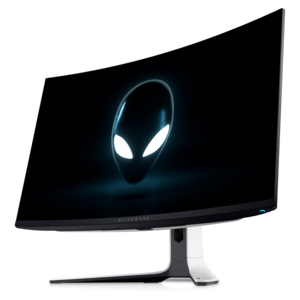
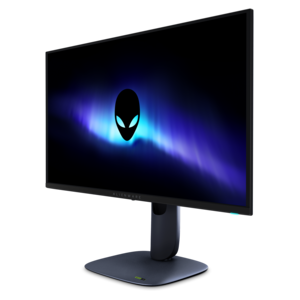
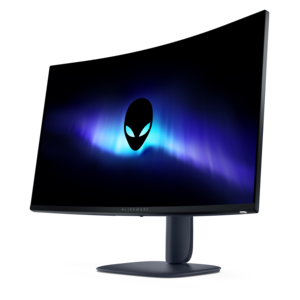
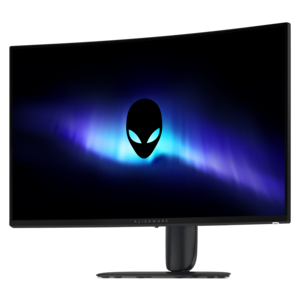
A curved QHD gaming monitor with a rapid 240Hz refresh rate and vivid colors for immersive gameplay.


Elevate your gaming and creative experience with Alienware QHD monitors, designed to deliver impressive visuals and smooth performance. Whether you're seeking enhanced clarity for immersive gameplay or vibrant detail for design projects, these monitors offer a dynamic viewing solution for a variety of needs. Explore a range of options to find the perfect Alienware QHD monitor that matches your setup and takes your screen time to the next level.
Shop By
Sort By




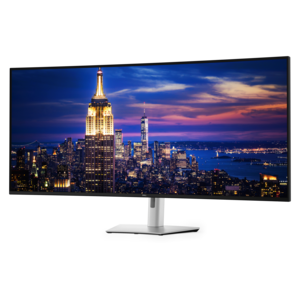
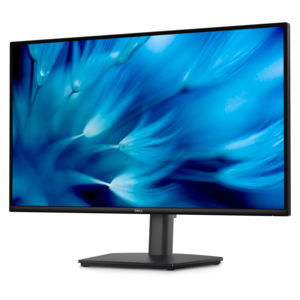
QHD gaming monitors bring together crisp detail, responsive motion, and a screen resolution that suits both immersive play and everyday desktop use. Standard QHD, short for Quad High Definition, measures 2560 × 1440 pixels in a 16:9 aspect ratio, providing approximately 78 percent more pixels than Full HD. That extra detail can make distant scenery look more defined, give small interface elements cleaner edges, and leave more room for documents or creative tools between gaming sessions. For many setups, QHD occupies a practical middle ground: sharper than 1080p, while generally requiring less graphics processing power than 4K at comparable settings. Actual performance depends on the computer, the game, and the visual settings selected. A 27-inch QHD screen offers a useful balance of desktop footprint and pixel density, while a larger screen presents the same resolution across a broader surface for a more expansive view. At the same resolution, increasing screen size also makes individual pixels larger, so seating distance matters. Someone playing a competitive shooter close to the desk may appreciate a compact field of view, while someone exploring an open-world landscape from farther back may prefer more screen area. Standard QHD and ultrawide QHD are related but not identical: a common ultrawide resolution is 3440 × 1440, which adds horizontal space while retaining the same vertical pixel count. That wider format can reveal more scenery in supported games and accommodate multiple windows during other tasks, although game support and interface behavior vary. Across these formats, QHD gaming displays serve players who want fine environmental detail without making resolution the only priority. They also fit mixed-use spaces where the same screen handles a morning video call, an afternoon project, and an evening match. For a gift recipient, the most meaningful fit comes from matching the display to the games they enjoy, the computer they already use, and the space where they spend their time.
Panel technology shapes how a QHD gaming monitor looks and feels as much as resolution does. Fast IPS panels use a liquid crystal layer with a separate backlight and are often associated with broad viewing angles, consistent color, and responsive performance. These characteristics suit shared viewing, fast-paced games, and desks that support a mixture of entertainment and productivity. QD-OLED combines self-emissive OLED pixels with quantum-dot color conversion, allowing individual pixels to switch off for deep blacks and strong contrast between bright and dark elements. A glowing cockpit instrument against the darkness of space or a torch illuminating a stone passage can look especially striking when the display can preserve that separation. Performance still varies by panel and implementation, and room lighting affects perceived contrast and reflections. Refresh rate and pixel response time describe different parts of motion performance. Refresh rate, measured in hertz, indicates how often the screen can update each second; pixel response time describes how quickly pixels change between shades. Higher refresh rates can make motion appear smoother when the computer supplies enough frames, while fast transitions can help reduce visible trails behind moving objects. Advertised response-time figures depend on test methods and settings, so they do not describe the entire gaming experience on their own. Adaptive-sync support can further improve presentation by coordinating the display’s refresh behavior with a compatible graphics source, helping reduce tearing as frame rates fluctuate. HDR capability is another separate consideration: resolution alone does not determine highlight brightness, black depth, or color performance. The panel, brightness behavior, supported formats, and the content itself all contribute to the result. For setups centered on a more enveloping view, Alienware Immersive Gaming Monitors offers a related category to explore. Curved screens can bring the outer edges of a wide display closer to the viewer, while flat screens offer a familiar surface for gaming, reading, and detailed work. Neither shape changes the underlying resolution, and personal preference plays a substantial role in how comfortable each feels.
The physical fit of a QHD gaming monitor matters over years of use, especially on a desk that also holds a keyboard, mouse, speakers, and other accessories. Screen width is only part of that fit: stand depth determines how much usable desktop remains, and a stable base helps keep the display steady during energetic play. Housing materials, stand construction, and adjustment mechanisms influence weight, stability, and the feel of everyday handling. Height and tilt adjustments, where included, make it easier to position the screen at a comfortable viewing angle without stacking objects beneath it. Swivel movement can help when sharing the screen, while compatible mounting points may allow an arm to free up desktop space; mounting pattern and weight limits need to match. Surface finish matters, too. Matte treatments can soften reflected light, while glossier surfaces may show more distinct reflections from windows or lamps. A position that avoids direct glare often makes dark scenes and small text easier to see. Connection requirements deserve equal attention because a monitor’s maximum resolution and refresh rate depend on the source device, port capabilities, cable, and selected settings working together. A console may support different output combinations than a gaming computer, and the presence of a connector does not guarantee every display mode. Everyday care is straightforward but important: a clean, soft microfiber cloth and the cleaning method specified for the display help protect its surface. Liquid should not be sprayed directly onto the panel, and abrasive cleaners or firm pressure can damage delicate coatings. Lifting from the designated support points rather than pressing on the screen also reduces the risk of accidental damage. OLED panels require additional awareness of prolonged static imagery, which can contribute to uneven wear or burn-in. Supported panel-care features, sensible sleep settings, and varied content can help manage that risk without eliminating it. With suitable placement and careful handling, a QHD gaming monitor can become the central screen for competitive matches, cinematic adventures, creative hobbies, and the everyday tasks that fill the hours between them.
Alienware QHD monitors deliver sharp, detailed visuals with enhanced clarity, making them ideal for immersive gaming experiences. Their high refresh rates and fast response times help reduce motion blur and input lag, providing smooth, responsive gameplay.
Yes, many Alienware QHD monitors are designed to support both NVIDIA G-SYNC and AMD FreeSync, minimizing screen tearing and stutter for a seamless gaming experience, regardless of your graphics card preference.
Absolutely. With high resolution and excellent color accuracy, Alienware QHD monitors are well-suited for tasks such as photo editing, video production, and graphic design, offering vibrant visuals and precise details.
Alienware QHD monitors typically include a range of connectivity options such as HDMI, DisplayPort, and multiple USB ports, making it easy to connect to PCs, gaming consoles, and other peripherals.
Yes, many Alienware QHD monitors feature customizable AlienFX lighting and a sleek, futuristic design. This allows users to personalize their setup and enhance their gaming environment with dynamic lighting effects.
Add the products you would like to compare, and quickly determine which is best for your needs.