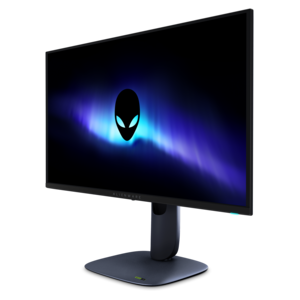
$799.99
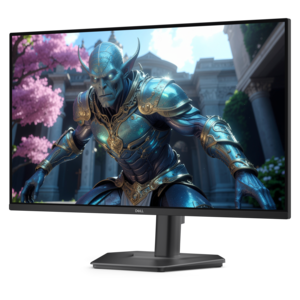
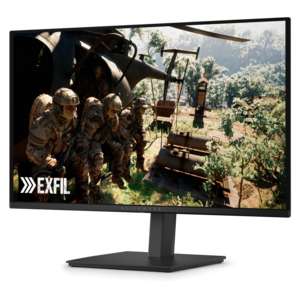
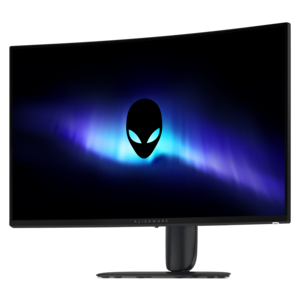
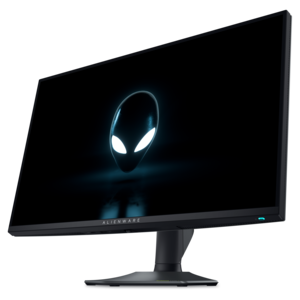
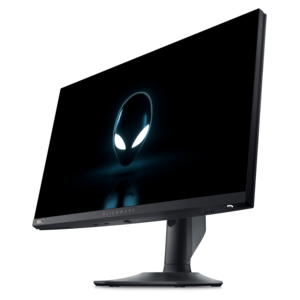
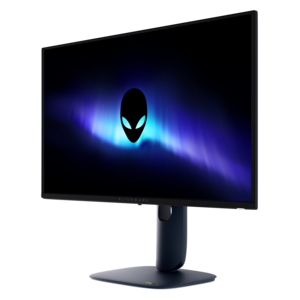
A 4K QD-OLED gaming monitor with 240Hz refresh rate, high pixel density, and Dolby Vision.


Elevate your gaming experience with Alienware monitors with high refresh rates, designed to deliver smooth, responsive visuals for every moment of action. Whether you’re a competitive gamer seeking precision or an enthusiast looking for immersive gameplay, these monitors provide the performance needed to keep up with fast-paced titles. Explore a range of options that combine cutting-edge technology and striking design, perfect for creating the ultimate gaming setup. Discover how Alienware monitors with high refresh rate can transform the way you play and bring your favorite games to life.
Shop By
Sort By




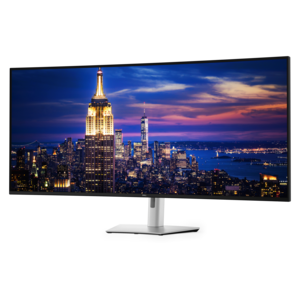
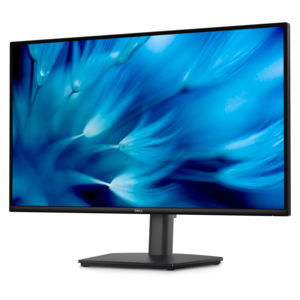
High-refresh-rate gaming monitors are designed to make fast action feel immediate, fluid, and easier to follow. Refresh rate, measured in Hertz (Hz), indicates how many times per second a display can draw a new image. A 240Hz monitor can refresh the picture up to 240 times each second, while faster options can reach 320Hz or even 500Hz. Compared with a conventional 60Hz display, these higher rates can make quick camera movements, racing games, competitive shooters, and sports simulations appear noticeably smoother, with less visible blur during rapid motion. The difference is especially easy to appreciate when tracking an opponent across the screen or turning quickly through a detailed game world. To take advantage of a high refresh rate, the computer also needs to produce enough frames per second. A powerful gaming desktop or laptop, appropriately matched graphics settings, and a compatible connection all contribute to the experience. These displays can also be useful beyond gaming: smooth scrolling feels natural, animated interfaces respond cleanly, and everyday desktop movement can appear more polished. For players who spend long evenings exploring expansive environments or practicing precise timing, the combination of a fast panel and responsive controls can help the entire setup feel more connected. Browse Alienware Monitors For Smooth Gameplay to compare displays built around fluid motion and immersive play.
When choosing among high-refresh-rate gaming monitors, start with the type of games you play and the hardware driving them. Competitive players who prioritize reaction time may prefer a compact Full HD display with an exceptionally high refresh rate, since lower resolution can make it easier for a capable graphics card to reach very high frame rates. A 25-inch screen can keep the action within a focused field of view and fit comfortably on a smaller desk, which is useful for an esports-style setup with the monitor positioned close to the user. Players who want a balance of speed, sharpness, and screen space may find a 27-inch QHD display appealing. QHD, also called 1440p, offers more detail than Full HD without demanding as much graphics performance as 4K, making it a practical middle ground for fast multiplayer games and visually rich single-player titles. Larger 32-inch 4K displays provide a more spacious image and fine detail that can bring out the texture of a game world, from weathered stone walls to distant city lights, but they generally require stronger graphics hardware to maintain high frame rates at native resolution. Panel type matters as well. Fast IPS panels are known for broad viewing angles, vibrant color, and responsive performance, while QD-OLED panels can provide deep blacks, strong contrast, and vivid highlights that make dark scenes and bright effects stand out. Consider the room, desk depth, viewing distance, and the other activities the monitor will support. A display used for gaming, photo organization, streaming, schoolwork, and remote work may benefit from higher resolution and generous screen area, while a dedicated competitive setup may favor speed and a straightforward layout.
Connection and setup details deserve attention because a high-refresh-rate monitor may not use its full capability automatically. DisplayPort is often the preferred connection for high refresh rates, though supported HDMI standards can also work depending on the monitor and computer. Use a cable rated for the desired resolution and refresh rate, then open Windows Display Settings to confirm that the faster option is selected. If a new monitor appears to be limited to 60Hz, check the cable, the graphics card output, and the refresh-rate menu rather than assuming the display is malfunctioning. Adaptive-sync support can help coordinate the monitor’s refresh cycle with the graphics card’s frame output, reducing visible tearing when performance fluctuates. Ergonomics are equally important during long sessions: height, tilt, swivel, and viewing distance can make a meaningful difference when a player spends hours at the desk. Think about the full setup, including the graphics card, processor, available ports, desk space, speakers or headset, and whether a single large screen or a multi-monitor arrangement fits the way you work and play. A high-refresh-rate monitor can also be a thoughtful gift for a PC gamer, especially someone replacing an older 60Hz screen, building a first dedicated gaming space, or preparing for competitive play during the cooler months. The best choice is the one that matches the recipient’s computer and favorite games rather than simply having the largest number on the specification sheet. With the right combination of refresh rate, resolution, panel technology, connection, and comfort features, these monitors can turn a familiar desk into a more responsive place to play, create, study, and unwind.
High refresh rate Alienware monitors provide smoother visuals and reduce motion blur, resulting in a more immersive and responsive gaming experience. This is especially beneficial for fast-paced games where quick reactions are crucial.
A high refresh rate makes general computer use feel smoother, with less screen tearing and stuttering when scrolling through web pages or working with multimedia content.
To fully utilize the high refresh rates offered by Alienware monitors, it's recommended to have a compatible graphics card that can output high frame rates at your desired resolution.
Yes, creative professionals can benefit from the smooth visuals and accurate color reproduction found in many Alienware high refresh rate monitors, making them ideal for video editing, animation, and graphic design.
Many Alienware high refresh rate monitors feature adaptive sync technologies such as NVIDIA G-SYNC or AMD FreeSync, which help eliminate screen tearing and stuttering during gameplay.
Add the products you would like to compare, and quickly determine which is best for your needs.