

Team Liquid recommends Alienware 27
4K QD-OLED Gaming Monitor
See what people are saying about the CES 2025 Innovation Award Honoree.Alienware Monitors For Photo Editing
Alienware monitors for photo editing are designed to help creative professionals and enthusiasts achieve impressive visual results. With advanced display technology and precise color accuracy, these monitors provide the clarity and detail needed for editing high-resolution images. Whether you’re perfecting portraits or enhancing landscapes, Alienware monitors for photo editing offer the performance and reliability essential for every stage of your workflow. Discover options that can elevate your creative projects and support your passion for photography.
Find Your Perfect Alienware Monitors For Photo Editing
Shop By
Clear All
Sort By
This product is not available
Check out the following recommendations.
Best Sellers

Alienware 32 4K QD-OLED Gaming Monitor - AW3225QF
An unrivaled viewing experience in every scene with our 32-inch QD-OLED monitor, featuring a 4K resolution, curved panel, Dolby Vision and 240Hz refresh rate.
$999.99

Alienware 27 4K QD-OLED Gaming Monitor - AW2725Q
Experience ultimate visual fidelity in an all-new 27" monitor featuring 4K QD-OLED performance, super high pixel density, 240Hz refresh rate and Dolby Vision.
$899.99

Dell UltraSharp 27 Monitor - U2724D
Experience a new level of visual comfort, enhanced productivity and extensive connectivity with this monitor certified by TUV for 5-star eye comfort.
$439.99

Dell UltraSharp 40 Curved Thunderbolt™ Hub Monitor - U4025QW
Elevate your performance with a 40-inch curved Thunderbolt hub monitor featuring a stunning 5K display and a 120Hz refresh rate.
$2099.99

Alienware 27 360Hz QD-OLED Gaming Monitor - AW2725DF
Immerse yourself in splendid visuals and thrilling speeds with our fastest QD-OLED gaming monitor, featuring QHD resolution, 360Hz refresh rate, and VESA DisplayHDR True Black 400.
$649.99

Dell UltraSharp 49 Curved USB-C Hub Monitor - U4924DW
Experience uninterrupted productivity on the world's first 49-inch dual QHD monitor with IPS Black panel technology that immerses you in a world of exceptional color and contrast.
$1499.99

Dell UltraSharp 43 4K USB-C Hub Monitor - U4323QE
Designed for more. Multiply your productivity with this 42.5'' monitor featuring multi-PC connectivity, 4 unique FHD partitions via iMST, ComfortView Plus and wired Ethernet.
$1199.99

Dell 27 Plus 4K Monitor - S2725QS
27-inch 4K monitor with up to 120Hz refresh rate and dual 5W speakers for elevated entertainment.
$299.99
Discover Our Top Monitors


Related Pages


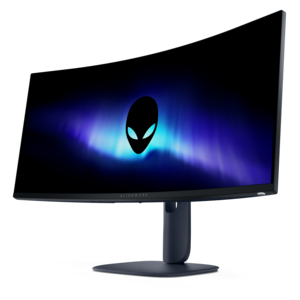
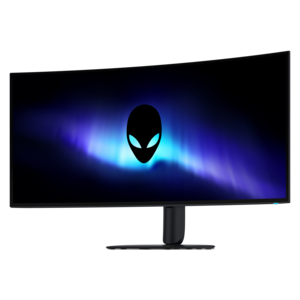
Learn more about Alienware Monitors For Photo Editing
For photographers, creators, and gamers who want one display to handle both visual work and fast-paced entertainment, monitors in this category offer an appealing combination of detail, contrast, color, and responsiveness. A high-resolution panel can make a meaningful difference when reviewing a large landscape, retouching fine hair and fabric textures, or checking whether a distant subject remains sharp after cropping. OLED-based displays are especially notable for their ability to produce very deep blacks, because each pixel can dim independently rather than relying on a backlight that remains partially illuminated. That strong contrast can make it easier to judge shadow areas, subtle gradients, and exposure changes in an image. Wide-gamut color support can also help digital photographs appear rich and lively when prepared for websites, social media, video, or other screen-based destinations. For photographers who also play visually demanding games, a fast refresh rate and responsive pixel performance add value after the editing session ends. The result is a flexible workspace for someone who wants a vivid, immersive display instead of a monitor intended only for office applications. A larger screen can provide room for a full-size image alongside editing panels, while a more compact option may suit a smaller desk or a dual-monitor arrangement. Resolution, screen size, viewing distance, and pixel density work together, so the sharpest choice is not always the largest one. A carefully chosen display should let you inspect fine detail without constant zooming while keeping text and interface controls comfortable to read.
Color management deserves close attention when a monitor will be used for photo editing. Coverage of the DCI-P3 color space can be valuable for digital content and other modern screen-based workflows, while sRGB remains important for photographs destined for general web viewing. Adobe RGB coverage may matter more to photographers who prepare files for professional printing, especially when working with saturated greens and cyans that can fall outside a narrower color space. A wide gamut does not automatically mean that every image will print accurately, so consider the intended destination of your photographs before choosing a display. Factory color modes, an ICC profile, and support for hardware or software calibration can make it easier to create a dependable editing environment. Dedicated professional photo displays may offer more specialized calibration controls, whereas gaming-oriented monitors often emphasize contrast, speed, and visual impact. That tradeoff can be worthwhile for hobbyists, family photographers, digital artists, and creators who publish primarily online, but print-focused professionals should compare calibration features and color-space coverage carefully. Room lighting is another practical consideration. Glossy or semi-gloss screen surfaces can enhance perceived clarity and contrast, yet overhead lights, windows, and bright lamps may appear as reflections across dark areas of an image. Positioning the display away from direct light, using consistent ambient lighting, and keeping the screen free of fingerprints can make long editing sessions more comfortable. It is also helpful to select a viewing mode that matches the work being performed rather than leaving an oversaturated gaming preset active during color decisions. A colorimeter can provide greater consistency when accuracy is important, particularly if the same files will be viewed or printed on multiple displays.
Daily habits and workspace design are just as important as panel specifications. OLED displays can be an excellent fit for photo editing, but static interface elements such as toolbars, palettes, and timelines may remain in the same locations for extended periods. Built-in pixel refresh routines, screen savers, automatic dimming, and occasional variation in on-screen content can help support long-term use; follow the manufacturer’s recommendations and avoid disabling protective features without a clear reason. Photographers who spend many uninterrupted hours in the same editing application should weigh these considerations alongside image quality. Connectivity also affects convenience. Look for the ports needed for a computer, camera card reader, external drive, speakers, or a second display, and consider whether the monitor can simplify cable management through features such as USB connectivity or power delivery. An adjustable stand with height, tilt, swivel, and pivot movement can reduce neck and shoulder strain when a workspace is shared between portrait-oriented images, landscape-oriented images, and gaming. For a home office, studio, or bedroom setup, a clean design and reliable cable routing can help preserve valuable desk space. These monitors may suit a photography student building a first editing station, a content creator balancing retouching with video and gaming, or an enthusiast organizing a comfortable creative corner during the cooler months. They can also be a thoughtful choice for someone who values a single high-performance screen for both creative projects and leisure, provided the recipient’s computer supports the desired resolution and refresh rate. If coding is another part of the same setup, a display selected for long sessions of text and development work can be explored through Alienware Monitors For Coding. Before purchasing, compare panel type, resolution, size, color-space coverage, calibration options, surface finish, refresh rate, warranty terms, and the lighting conditions where the display will be used. Matching those details to the way photographs are created, shared, and printed is the best path toward a monitor that feels accurate, comfortable, and versatile from the first edit to the final export.
FAQs:
Alienware monitors are equipped with advanced color accuracy, high resolution, and wide color gamuts, ensuring that photos are displayed with true-to-life detail and vibrant hues, making them ideal for photo editing tasks.
Many Alienware monitors offer support for hardware calibration, allowing users to fine-tune color settings and maintain consistent, accurate color reproduction essential for professional photo editing.
Alienware monitors often use IPS panel technology, which provides wide viewing angles and consistent color performance across the screen, helping photo editors see their work clearly from different perspectives.
Yes, Alienware monitors are designed to cover a broad color spectrum, such as sRGB and DCI-P3, enabling editors to work with images that require precise color detail and depth.
Alienware monitors are compatible with all major photo editing software, providing seamless integration and optimal display performance for applications like Adobe Photoshop, Lightroom, and more.