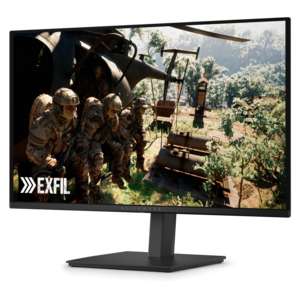
$319.99
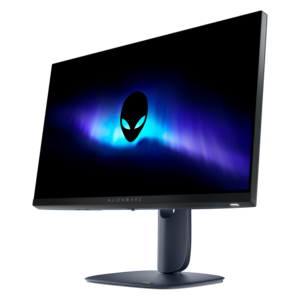
A QD-OLED gaming monitor delivering vibrant color, infinite contrast, and ultra-smooth 240Hz gameplay.


Elevate your virtual cockpit experience with Alienware monitors for flight simulation. Designed to deliver immersive visuals and responsive performance, these monitors help bring every detail of your favorite flight simulators to life. Whether you’re a seasoned pilot or just starting out, explore a range of options that can enhance clarity, depth, and realism in every session. Discover how Alienware monitors for flight simulation can transform your setup and take your adventures to new heights.
Shop By
Sort By




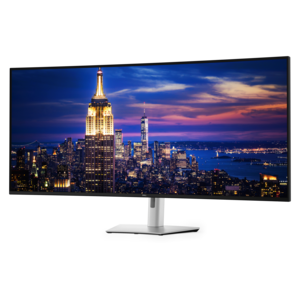
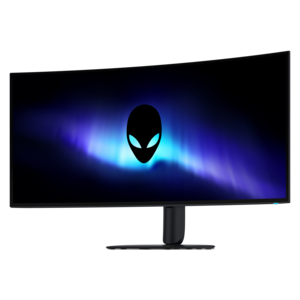
Alienware monitors for flight simulation bring the cockpit, runway, and surrounding landscape into sharper focus, helping create a more immersive desktop flying experience. A suitable display can make small instrument markings easier to read, reveal subtle changes in cloud cover and terrain, and give camera movements a smoother, more natural appearance as you scan the flight deck or look toward a runway during approach. Monitor size, resolution, panel technology, refresh rate, response time, aspect ratio, and curvature all influence how a simulator feels in use. A 4K display offers excellent pixel density for crisp gauges, navigation screens, glass cockpits, and distant scenery, while an ultrawide monitor adds horizontal space that can make side-window views and peripheral awareness feel more expansive. Curved screens can complement a seated cockpit setup by keeping more of the image within a comfortable viewing angle. OLED and QD-OLED panels are especially well suited to evening and nighttime flights, where deep blacks and strong contrast help cockpit shadows, runway lights, and illuminated displays stand apart without looking washed out. Wide color coverage can also add realism to atmospheric haze, sunlit clouds, water, and detailed satellite scenery.
When choosing a monitor for flight simulation, consider the balance between visual detail and the capabilities of the computer driving it. Higher resolutions and ultrawide formats place greater demands on the graphics card, particularly in large cities, mountainous regions, detailed airports, and weather conditions with heavy clouds or precipitation. A powerful system can take better advantage of a high-refresh display, while adaptive-sync support may help reduce tearing and keep motion smooth when frame rates vary as scenery becomes more complex. Fast response times are useful when panning around a virtual cockpit, tracking traffic across the sky, or turning toward a runway on final approach, because they can reduce distracting blur and ghosting. Brightness, anti-glare treatment, viewing distance, and desk depth deserve attention as well. A large curved monitor may be ideal for a single-screen cockpit, whereas a 4K panel can be a practical foundation for a future multi-monitor arrangement when a wider field of view is important. Check the available ports and cable requirements before setting up, and leave room for a yoke, throttle quadrant, rudder pedals, speakers, or other accessories. Height adjustment and a stable stand can make long practice sessions more comfortable, especially when the display needs to align with a physical instrument panel.
These monitors can suit a range of sim pilots, from someone learning basic takeoffs and navigation to an experienced aviation enthusiast recreating familiar routes in changing weather and lighting. They are also a thoughtful gift for a person who enjoys aircraft, virtual travel, desktop gaming, or building a dedicated home cockpit. For a casual user, an immersive screen can turn a compact desk into a relaxing way to explore coastlines, landmarks, and mountain ranges; for a serious hobbyist, sharp detail and a broad viewing area can support more precise instrument scanning and a more convincing approach experience. Think about how the recipient flies before selecting a display. Someone who prefers a clean, simple setup may appreciate one large ultrawide screen, while a builder planning a modular cockpit may value a high-resolution panel that can be paired with additional displays later. Monitor placement also affects immersion: positioning the screen at a comfortable eye level, reducing reflections, and sitting at an appropriate distance can make the virtual horizon feel more natural. The same display characteristics can benefit creative work beyond simulation, including the color-rich workflows described in Alienware Monitors For Photo Editing. With the right combination of screen size, image quality, smooth motion, graphics performance, and ergonomic flexibility, a flight simulation monitor can make every departure, circuit, and landing feel more engaging while remaining useful for everyday computing.
Alienware monitors are designed with high refresh rates, low response times, and advanced display technologies like NVIDIA G-SYNC or AMD FreeSync. These features help deliver smooth visuals and minimal motion blur, which are essential for an immersive and realistic flight simulation experience.
A high refresh rate ensures that the monitor can display more frames per second, resulting in smoother motion and more responsive controls. This is particularly important in flight simulation where quick reactions and fluid visuals enhance realism and gameplay.
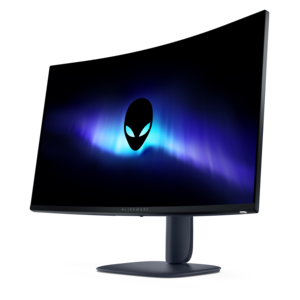
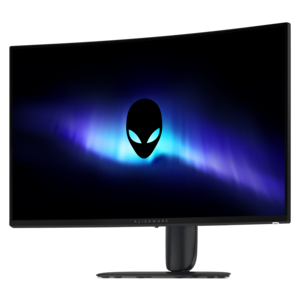
Curved Alienware monitors can provide a wider field of view and a more immersive experience by wrapping the visuals around your peripheral vision. This helps simulate the cockpit environment more effectively, making it easier to track instruments and scenery.
Yes, many Alienware monitors feature ultra-thin bezels and versatile connectivity options, making them ideal for seamless multi-monitor setups. This allows flight sim enthusiasts to expand their viewing area for a more panoramic and engaging simulation experience.
Alienware monitors often use IPS or VA panels, which offer wide viewing angles and vibrant color reproduction. These qualities are beneficial in flight simulation as they ensure consistent image quality across the screen, even when viewed from different angles.
Add the products you would like to compare, and quickly determine which is best for your needs.