$275.99
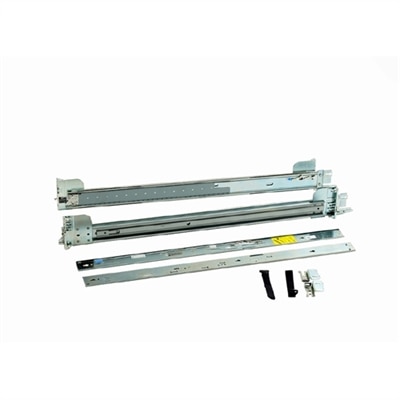
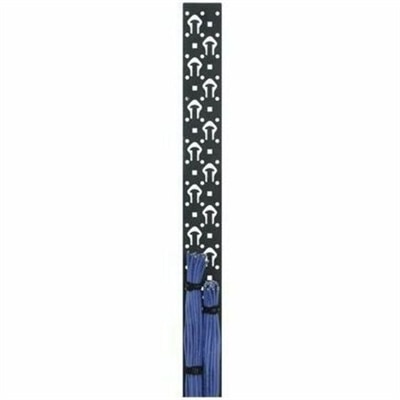
A black powder-coated steel lacer strip providing vertical cable management with tie posts and mounting holes.
Unlock the full potential of your business with our comprehensive range of server infrastructure solutions. Designed to meet the ever-evolving demands of modern enterprises, our offerings provide the backbone for seamless data management and robust network performance. Whether you're a small startup or a large corporation, investing in reliable server infrastructure is crucial for optimizing operations and ensuring scalability. Explore options that enhance efficiency, support growth, and keep your business ahead in today's competitive landscape.
A black powder-coated steel lacer strip providing vertical cable management with tie posts and mounting holes.
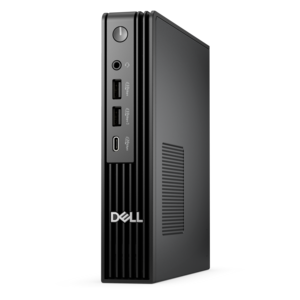
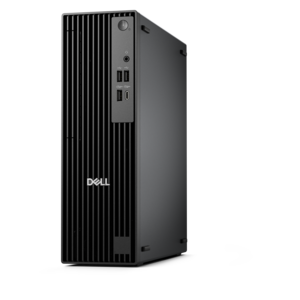
A dense, powerful rack-ready desktop engineered to optimize demanding computing environments.
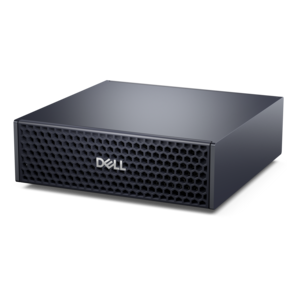
A compact AI accelerator delivering powerful local inferencing, AI development, and versatile edge performance.
Business laptops, desktops, monitors, and accessories shape the everyday experience of using workplace applications, collaborating with colleagues, and completing tasks that demand sustained attention. These devices bring digital work into practical settings: a quiet home office, a busy reception counter, a shared project room, or a desk where several documents need to stay visible at once. The right combination depends on how and where that work happens. A laptop suits someone who moves between meetings, travels regularly, or needs a consistent workspace in different locations. A desktop is often a practical fit for a fixed workstation, particularly when portability matters less than comfortable peripheral placement and room for future adjustments. Processing capability and memory influence how smoothly a computer handles simultaneous activities, such as a video meeting alongside a large spreadsheet, several browser tabs, and a presentation. Requirements vary by application, so a device intended mainly for correspondence and scheduling has different priorities from one used for detailed design or complex analysis. Published application requirements provide a useful starting point, while room for growing workloads can help extend a computer’s useful working life. Physical fit deserves equal attention. A compact computer can preserve space at a crowded service desk, while a larger enclosure may offer easier access to supported components, depending on its design. Laptop dimensions and weight become especially noticeable during a commute, and keyboard spacing can make a meaningful difference during long stretches of writing. Display readability, fan noise, port placement, and charging requirements also affect daily comfort. Across different work environments, the most useful device is one whose capabilities match the person’s actual responsibilities rather than an abstract list of impressive specifications. An employee who spends most of the day reviewing forms needs clear text and dependable input; someone building visual presentations may place greater emphasis on screen quality and responsive multitasking.
Monitors and accessories turn an individual computer into a workspace that supports the rhythm of the day. Screen size alone does not determine usefulness: resolution, scaling, viewing distance, and the amount of usable desk space all contribute to how comfortable a display feels. A larger screen can make side-by-side documents easier to follow, but text still needs to remain legible at the distance where the user naturally sits. Higher resolution can show finer detail, although application scaling may need adjustment to keep menus and labels comfortably sized. For someone comparing figures between a spreadsheet and a report, two displays may reduce repeated window switching. For another person, a single well-positioned monitor leaves more room for paper notes, a drawing surface, or frequent face-to-face conversations. Adjustable height, tilt, and compatible mounting options can help position the screen without relying on improvised stacks of books. A matte screen surface may soften distracting reflections, although thoughtful placement away from bright windows remains important. Keyboards and mice should fit both the available space and the user’s habits. A dedicated number pad can be useful for frequent numerical entry, while a smaller keyboard can leave more room for mouse movement on a narrow desk. Headsets and webcams serve a different but equally practical purpose, helping remote conversations feel less strained when a room has background noise or uneven lighting. Comfort depends on details such as headset weight, ear cushion materials, microphone position, and the duration of typical calls. Connection compatibility matters throughout the setup. A connector’s shape does not necessarily describe every function it supports, so display output, charging capability, and peripheral support need to be checked against the computer’s specifications. Docking accessories can simplify the transition between a mobile computer and a full desk arrangement when power requirements and supported features align. Well-placed cables also keep everyday essentials within reach while reducing clutter around hands, chair wheels, and frequently opened drawers.
Durability and care influence how well workplace technology holds up beyond its first weeks of use. A laptop carried between locations faces different demands from a desktop that remains on a stable surface, and construction materials are only part of that difference. Metal and polymer housings each appear in a range of designs; hinge construction, reinforcement, ventilation, and handling habits can matter as much as the outer material. A protective sleeve or properly fitted carrying case can help limit scratches and minor knocks during routine travel, but it does not make a computer resistant to every impact or spill. Stated durability ratings and test conditions are more useful than assumptions based on appearance. At a fixed workstation, leaving ventilation openings unobstructed helps the equipment operate as intended, and placing drinks away from keyboards reduces an avoidable source of damage. Cleaning should follow the manufacturer’s instructions for each surface. A soft, lint-free cloth is often appropriate for routine dust removal, while screens and coated surfaces may require particular care; liquid should not be sprayed directly onto electronics. Shared keyboards, mice, and headsets may need a more frequent cleaning routine, using only methods approved for their materials. Long-term suitability also includes maintenance, supported software updates, and the practicalities of service. Some designs allow selected components to be replaced or upgraded, while others prioritize thinness or compact dimensions, so those differences deserve attention before a device becomes part of an established workflow. Organizations assigning computers to multiple employees may benefit from consistent connections, familiar controls, and accessories that can be used across compatible workstations. Individual professionals may care more about a setup that moves easily between a home desk and an office without repeated adjustments. In either setting, accessibility features, readable displays, comfortable input devices, and manageable cable layouts help accommodate different working preferences. A thoughtfully matched combination supports ordinary moments that add up over time: joining a call without rearranging the desk, reviewing a detailed document without constant zooming, or settling into focused work with the screen, keyboard, and essential tools already in comfortable positions.
Add the products you would like to compare, and quickly determine which is best for your needs.