$862.99
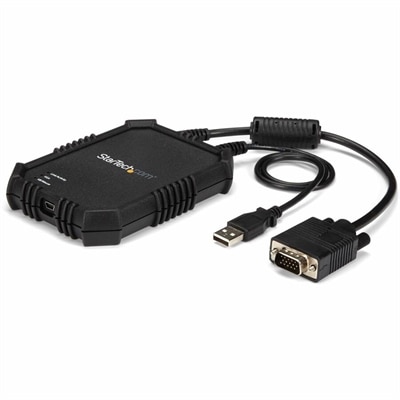
A rugged, portable USB crash cart adapter providing VGA/USB BIOS-level access, file transfer, and video capture.
In today's digital landscape, server security is paramount for safeguarding sensitive data and maintaining the integrity of your IT infrastructure. As cyber threats continue to evolve, investing in robust server security solutions is essential to protect against unauthorized access and potential breaches. Whether you're managing a small business or overseeing a large enterprise network, prioritizing server security helps ensure that your systems remain resilient and operational. Explore our comprehensive range of solutions designed to fortify your servers and provide peace of mind in an increasingly interconnected world.
A rugged, portable USB crash cart adapter providing VGA/USB BIOS-level access, file transfer, and video capture.
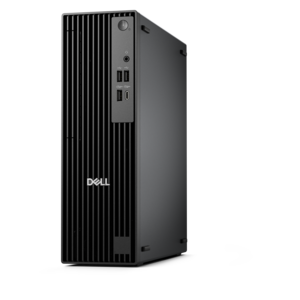
A high-performance business desktop with Copilot+ PC options, AI-enhanced productivity, robust security, and manageability.
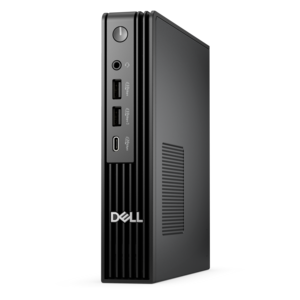
An ultracompact AI-ready desktop delivering robust business performance with exceptional security and seamless manageability.
A scalable, secure rack workstation engineered to power demanding professional applications.
Protecting business data begins with securing the devices people use to access, create and manage it. A dependable security strategy brings together carefully selected laptops, desktops, monitors and accessories with disciplined policies for confidentiality, integrity and availability. Confidentiality means sensitive files remain visible only to authorized people; integrity means documents, applications and records are protected from unauthorized changes or deletion; availability means employees can reach the tools and information they need without unnecessary interruption. Organizations building or refreshing their technology environment can explore Server Infrastructure alongside endpoint equipment to create a more consistent approach across the workplace. A small business may use business-ready computers for accounting, customer records and shared applications, while a larger organization may equip separate teams with devices suited to finance, design, support or remote work. At home, a freelancer or family member managing tax documents, medical information or a personal business can benefit from the same fundamentals: strong account protection, timely updates, encrypted storage and a clear understanding of who can access each file. The physical setup matters, too. A monitor positioned in a private area can reduce accidental exposure, while privacy accessories, secure docking equipment and dependable input devices can make it easier to work productively without leaving sensitive information displayed or unattended. During the cooler months, when more work and study may take place indoors, a well-organized workstation can help people keep security routines visible and manageable rather than treating them as an afterthought.
When comparing technology for a security-conscious environment, start with the way the equipment will be used, the information it will handle and the people responsible for maintaining it. Look for systems that support current operating systems, hardware-based security features and straightforward update management. Patch management is essential because operating system and application updates often correct known vulnerabilities; enabling automatic updates where appropriate and assigning someone to review update status can close gaps before they become larger problems. Access control should follow the principle of least privilege, giving each person only the permissions needed for their role. Strong, unique passwords, password-manager support, multi-factor authentication and secure login methods add valuable layers of protection, especially for remote access. Firewalls can help block unwanted traffic, with a default-deny approach allowing only connections that are necessary and understood. Encryption protects information while it travels between devices and while it is stored on a drive, so buyers should consider both supported encryption features and how recovery keys will be managed. Backups are equally important: maintain regular copies of essential files, keep at least one copy separated from the primary device or location, and test restoration rather than assuming a backup is usable. A practical review can include checking who has administrator access, removing accounts that are no longer needed, locking screens when stepping away and securely retiring old equipment. These habits turn security from a one-time purchase decision into an everyday process. For households, home offices and organizations alike, the right mix of dependable computers, clear access policies and repeatable maintenance can make it easier to protect private information while keeping work moving smoothly.
Add the products you would like to compare, and quickly determine which is best for your needs.