Server Modules
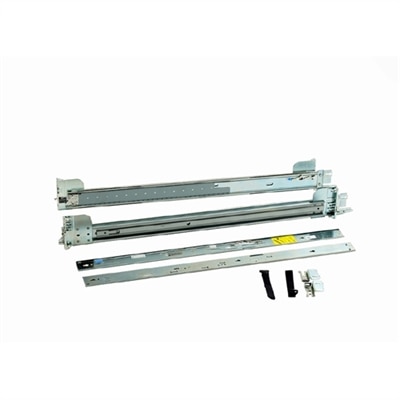
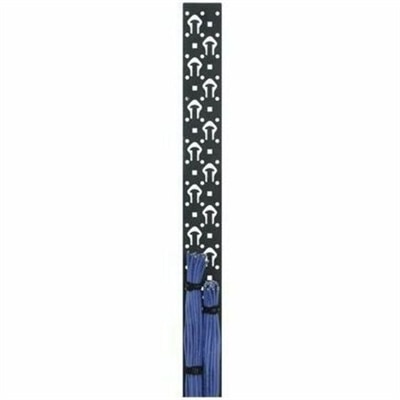
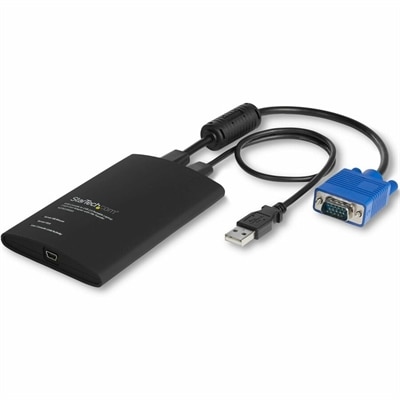
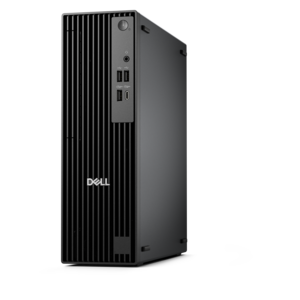
Server modules are essential components designed to enhance and support the performance of your computing environment. Whether you are looking to expand capacity or optimize efficiency, server modules offer versatile solutions for a variety of business and professional needs. Explore a range of options that help maintain smooth operations and keep your systems running reliably. Discover how server modules can contribute to a more streamlined and effective workflow.
This product is not available
Check out the following recommendations.




Server Modules
Computer components and accessories help shape a laptop or desktop around the tasks it needs to handle, from everyday documents and video calls to creative projects and focused study. Modular components serve a particular purpose within a compatible computer, while external accessories extend its connections or make the workspace more comfortable to use. The distinction matters: an internal memory module must match the computer’s supported specifications, whereas an external accessory depends on compatible ports, operating system support, and sometimes a separate power source. A familiar connector shape alone does not establish compatibility. Two ports that look alike may support different charging capabilities, display resolutions, or data transfer functions, making the computer’s technical documentation an important reference. Intended use provides another useful starting point. Someone moving between a kitchen table and a campus library may value compact accessories that slip easily into a laptop bag. A person working at a permanent desk may prefer a docking setup that keeps a monitor, keyboard, and mouse connected through a single supported connection. Creative work can place greater demands on display support and memory capacity, while routine writing and browsing may benefit more noticeably from a comfortable screen position and dependable input devices. Components should suit those actual needs rather than add complexity without a clear purpose. Physical fit deserves equal attention, especially inside compact desktops and thin laptops, where dimensions and access points leave little room for substitution. Some computers permit selected component upgrades; others use integrated parts that are not intended for replacement by the owner. Checking the exact computer model, supported component type, and installation requirements helps distinguish a practical addition from an incompatible one. For shared household computers, classroom desks, and individual workstations alike, well-matched components support a setup that feels consistent from one task to the next, without unnecessary adapters, awkward cable paths, or accessories that cannot perform their intended function.
Fit extends beyond whether a component plugs in. An internal memory upgrade, for example, involves the supported memory generation, module form factor, capacity limits, and configuration requirements of the computer. Similar-looking modules are not necessarily interchangeable, and adding capacity does not guarantee a noticeable improvement if the workload is limited by another part of the system. External expansion has its own considerations. A docking accessory may support a particular combination of displays only when connected to a computer with the required capabilities, and some configurations need compatible software or drivers. Laptop charging through an accessory also depends on supported power delivery and the computer’s power requirements; a connection that works for data may not provide sufficient power during demanding use. Monitor connections deserve the same care. Resolution, refresh rate, cable specifications, and the capabilities of every device in the connection path can affect the result. On a desk used for detailed spreadsheets or photo editing, these differences may determine whether text looks crisp and motion appears smooth. Physical dimensions become especially important when a workspace must accommodate more than one activity. A monitor stand needs a stable surface and enough depth to keep the screen at a comfortable viewing distance. A mounting accessory must match the display’s mounting pattern and weight requirements. Cables need sufficient length to reach their connections without pulling, but excessive slack can catch on chair arms or crowd the area around a keyboard. Connector placement also changes everyday convenience: side-facing connections can be easier to reach, while rear-facing connections may keep frequently used surfaces clearer. Materials and construction influence handling rather than compatibility alone. Rigid housings, secure connector assemblies, and appropriate cable strain relief are useful details for accessories that are connected and disconnected often. Metal housings can feel substantial, while lightweight polymer housings may reduce the weight carried between locations; neither material by itself establishes performance or service life. The more meaningful consideration is whether the overall construction suits the setting, including frequent travel, occasional movement, or continuous use on a desk.
Care and installation habits help preserve the usefulness of computer components over time. Before handling an internal part, follow the computer manufacturer’s service instructions, shut down the system, disconnect external power, and observe the specified precautions for batteries and electrostatic discharge. Handle circuit boards by their edges where directed, avoid touching exposed contacts, and never force a module into a slot that does not align. A retaining clip, screw, or cover should be secured as described in the service documentation rather than tightened or pressed beyond its intended position. When access involves unfamiliar disassembly, professional installation may be the more practical option. External accessories need less invasive care, but they still benefit from thoughtful handling. Disconnect a cable by its connector rather than tugging on the cord, keep liquids away from electrical connections, and inspect frequently moved cables for damaged insulation or loose fittings. Cleaning methods should follow the instructions for the device and its finish. A soft cloth may be appropriate for an exterior surface, while screens and coated materials can require more specific care; spraying cleaning fluid directly into openings can introduce moisture where it does not belong. Ventilation is another everyday consideration. Placing a laptop on a blanket or pushing an accessory against a vent can restrict airflow, even when the surrounding workspace looks tidy. Leave the clearances recommended for each device, and route cables so they do not cover ventilation openings or place sideways pressure on connectors. Durability also depends on how equipment travels. A padded compartment can help protect a laptop, while a separate pouch keeps adapters and cables from pressing against its screen or finish. For a student packing up after each class, those small handling choices matter as much as a compact design. For someone using the same workstation throughout the week, accessible connections and an uncluttered surface can make routine adjustments easier. Practical computer accessories can also be thoughtful gifts for a new student or someone establishing a home workspace, provided the recipient’s computer specifications and preferences are known. Across these settings, the most useful additions are compatible, comfortable to live with, and suited to the work they will actually support.
FAQs:
Server modules are compact, plug-in components designed to fit into a modular server chassis. Unlike traditional standalone servers, server modules share power, cooling, and networking resources within the chassis, offering greater scalability and efficiency.
Server modules provide improved scalability, simplified management, reduced cabling, and better energy efficiency. They allow IT administrators to add or replace compute resources quickly without disrupting the entire system.
Yes, server modules are well-suited for virtualization and cloud environments due to their high-density design and ability to be easily scaled up or down based on workload requirements.
Most modular server systems include integrated management tools that allow administrators to monitor hardware health, deploy updates, configure network settings, and manage power usage from a centralized interface.
Server modules typically support a wide range of operating systems, including various versions of Windows Server, Linux distributions, and virtualization platforms. Compatibility may vary depending on the module's hardware specifications.