$419.99
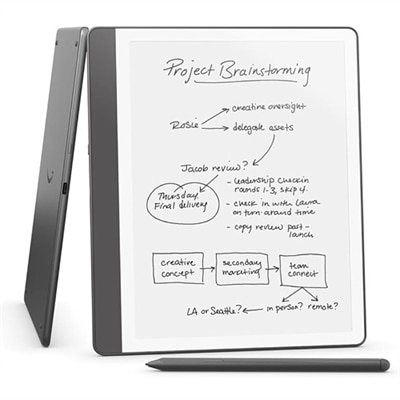
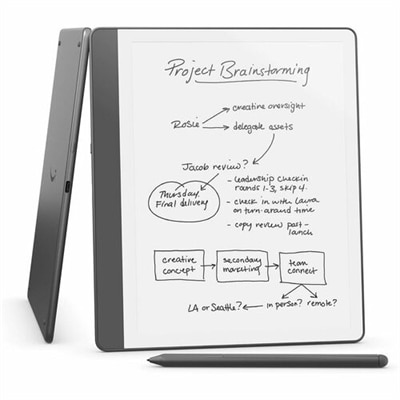
A tungsten-colored device with a textured screen, premium pen, AI note tools, and adjustable brightness.
Tablets for Digital Note-Taking and Meetings offer a convenient and versatile solution for staying productive in any environment. Whether you're capturing ideas during a brainstorming session or keeping track of important points in a meeting, these devices provide the flexibility to organize your notes and collaborate with ease. Explore a wide range of options designed to help streamline your workflow, boost efficiency, and keep you connected wherever work takes you.
A tungsten-colored device with a textured screen, premium pen, AI note tools, and adjustable brightness.
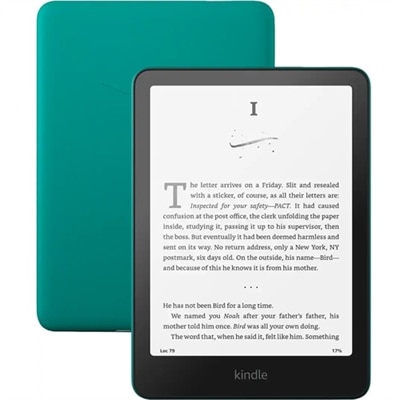
A tungsten digital text reader with a 10.2" glare-free display, premium pen, and advanced note-taking features.
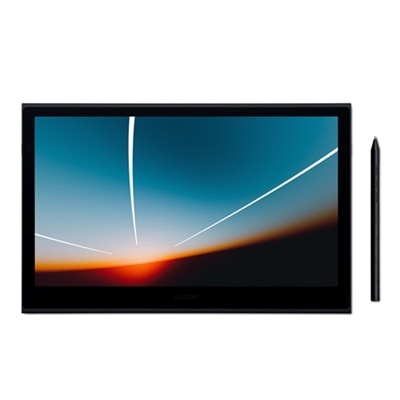
A lightweight, ultra-slim OLED pen display offering exceptional color accuracy, fast pen performance, and universal compatibility.
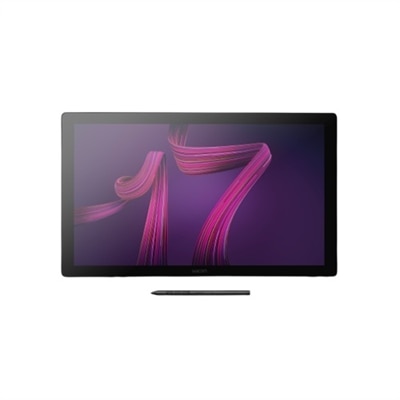
An interactive 17.3" 4K pen display with 120Hz refresh rate and customizable Pro Pen 3.
A versatile 2-in-1 device with Intel Core Ultra 7, 16GB RAM, and 1TB SSD.
Whether you’re a student stepping into a new semester, a professional gearing up for a busy season of meetings, or a creative looking to capture inspiration as it strikes, tablets designed for digital note-taking and meetings offer a remarkable blend of flexibility and performance. These devices have become essential tools for those who value the immediacy of handwritten notes but want the convenience of digital storage, organization, and sharing. With responsive stylus support, vibrant touchscreens, and seamless integration with popular productivity apps, tablets make it easy to jot down ideas, annotate documents, and participate in virtual meetings from anywhere—whether you’re tucked into a favorite coffee shop as the weather cools, or collaborating with colleagues from the comfort of home. For educators, students, business travelers, and remote workers alike, the ability to switch between note-taking, sketching diagrams, and joining video calls on a single, portable device can streamline daily routines and help keep tasks organized and accessible.
When considering which tablet is the right fit for digital note-taking and meetings, it’s worth thinking about how you plan to use it. If you often find yourself switching between handwritten notes and typed documents, look for models with low-latency stylus support and a laminated display for a natural writing feel. Those who spend much of their day in virtual meetings may appreciate a tablet with a high-quality camera and microphone, as well as robust app compatibility for platforms like Zoom or Teams. Battery life is another key factor, especially for users who are frequently on the move or working through long study sessions. Many tablets offer advanced multitasking features, allowing you to split the screen between a note-taking app and a video call, or pull up reference materials while brainstorming ideas. These devices also make thoughtful gifts for students heading back to school, professionals starting a new job, or anyone looking to simplify their workflow as routines shift with the seasons. For those interested in even more versatility, exploring options like 2 In 1 Laptops For Note Taking can offer the best of both worlds, blending tablet convenience with laptop productivity for a seamless transition between tasks.
Tablets for digital note-taking and meetings are more than just a modern alternative to pen and paper—they’re a gateway to greater creativity, productivity, and collaboration. Whether you’re capturing detailed class notes, sketching project ideas, or participating in team discussions, these devices support a wide range of workflows and learning styles. As routines evolve with the changing seasons, having a tablet that adapts to your needs—whether you’re working remotely, attending classes, or managing a busy family schedule—can make all the difference in staying connected and organized. With a variety of features to consider, from display quality and stylus responsiveness to app compatibility and battery longevity, choosing the right tablet can enhance your daily experience and help you make the most of every meeting, brainstorming session, or creative burst.
When choosing a tablet for digital note-taking and meetings, consider features such as stylus compatibility, high-resolution touchscreens, long battery life, and fast processors. Look for tablets that support popular note-taking apps and offer seamless integration with productivity tools for a smooth meeting experience.
Yes, many tablets allow you to share your screen or specific notes during virtual meetings. With compatible apps and software, you can present handwritten notes, annotate documents in real time, and collaborate with colleagues directly from your tablet.
Many modern tablets support handwriting recognition, allowing you to convert handwritten notes into editable text. This feature is especially useful for organizing meeting notes and making them searchable across your devices.
Tablets offer versatility for multitasking, such as taking notes, referencing documents, and participating in video calls simultaneously. With intuitive interfaces and support for productivity apps, tablets help streamline workflows and keep your meeting materials organized.
Yes, many tablets offer built-in microphones and support apps that allow you to record audio while taking notes. This feature can be helpful for capturing important details and reviewing discussions after the meeting.
Add the products you would like to compare, and quickly determine which is best for your needs.


These cookies are essential for enabling user movement around our website and providing access to features such as your profile and purchases, log in credentials, and other areas of the website. These cookies are necessary to enable the basic features of this site to function, such as providing secure log-in, allowing images to load, or allowing you to select your cookie preferences. This category of cookies cannot be disabled.
Marketing cookies are used to understand user behavior across our websites. These cookies are also used to show ads that are more relevant to your interests. We may share this information with advertising platforms to help us display the most relevant messages to you. These cookies may also store information on user behavior obtained through their browsing habits, which allows us to develop a specific profile and display advertisements appropriate to your profile.
Cookies that are not categorized.
Statistical cookies help us to understand how visitors interact with our website by collecting and reporting information. Any information collected by means of this type of cookies is used to measure activity on any website, application or platform, for the purposes of introducing improvements in function of the analysis of the data regarding the service use made by users.