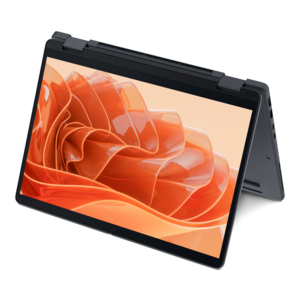
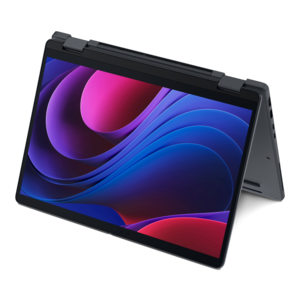
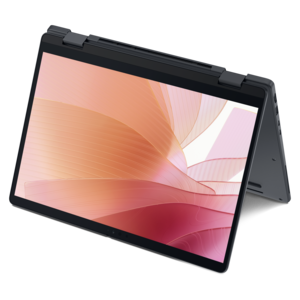
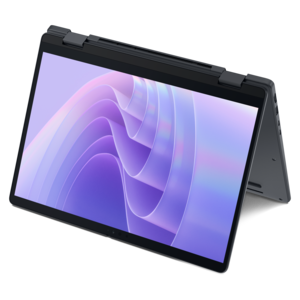
$670.00
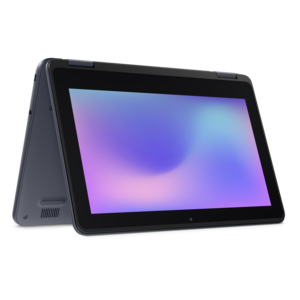
A durable, serviceable Chromebook laptop or 2-in-1 designed specifically for K–12 environments.
2 in 1 laptops for note taking offer the perfect blend of versatility and convenience for students, professionals, and creatives alike. With flexible designs that easily transition from laptop to tablet mode, these devices make it simple to capture ideas, organize your thoughts, and stay productive wherever you go. Explore a wide range of options designed to enhance your workflow and elevate your note taking experience, whether you're in the classroom, at the office, or on the move.
A durable, serviceable Chromebook laptop or 2-in-1 designed specifically for K–12 environments.
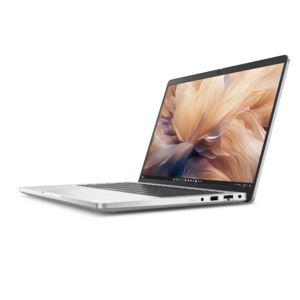
A remarkably thin 2-in-1 laptop powered by AMD Ryzen AI PRO 400 Series processors for performance.
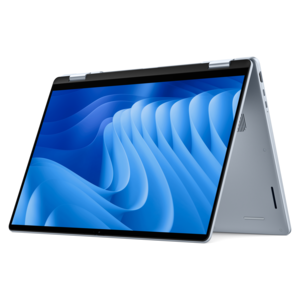
A thin 2-in-1 laptop combining versatility, portability, and performance with Series 3 Intel Core Ultra processors.
A thin 2-in-1 laptop powered by AMD Ryzen AI PRO 400 Series processors for versatile performance.
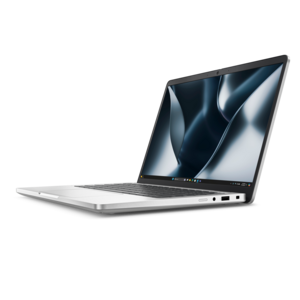
A remarkably thin 2-in-1 laptop combining portability and performance with Series 3 Intel Core Ultra processors.
A versatile 2-in-1 laptop with AI experiences, all-day battery life, and seamless multitasking.
A versatile 2-in-1 laptop with multiple modes, Intel Core processors, and DDR5 memory for mobile creativity.
A sleek aluminum commercial AI PC with robust security, scalable performance, and flexible laptop-or-tablet versatility.
A versatile 2-in-1 laptop with built-in AI and a spacious display for creative work.
A secure, scalable commercial AI PC in a sleek, durable aluminum body for on-the-go multitasking.
A durable, serviceable Chromebook designed for K–12 learning environments, available as a laptop or 2-in-1.
A durable, serviceable laptop or 2-in-1 designed specifically for demanding education environments.
Two-in-one laptops for note taking bring together the familiar keyboard and software of a laptop with the natural feel of writing directly on a touchscreen. Their flexible designs make it easier to move between typing, handwriting, reading and presenting without carrying a separate tablet and computer. In laptop mode, a full keyboard supports longer assignments, email, research and organized digital notes. Fold the display backward into tablet mode, and the device becomes a more comfortable surface for writing with an active pen. Tent mode can be useful when following a recipe, reviewing a presentation or keeping a reference document visible beside a notebook. For many people, this flexibility is the main reason to choose a convertible design: the same device can rest on a desk during a lecture, fit on a small café table while planning a project, or fold nearly flat on an airplane tray. Students can mark up slides, solve equations, sketch diagrams and keep class materials together in one place. Professionals may use handwriting to capture meeting notes, sign documents, review floor plans or circle important details during a client presentation. Creative users can make quick thumbnails and annotations, while travelers can switch to tablet mode for reading during a quiet stretch of a trip. Families may also appreciate a two-in-one laptop as a practical gift for a student, remote worker or artist because it supports several kinds of everyday work without requiring a dedicated device for each task. When comparing options on this page, consider how often note taking will be handwritten versus typed, how much time the computer will spend away from a desk, and whether the flexibility of a 360-degree hinge matches the way the device will be used.
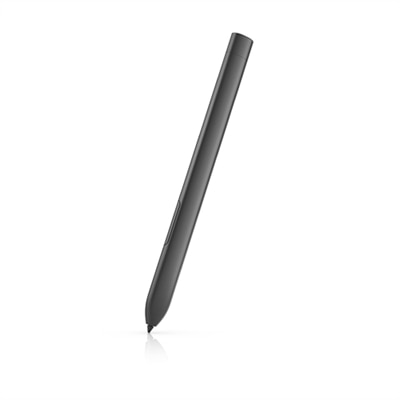
The display and pen experience deserve close attention because they shape how natural digital handwriting feels. A responsive touchscreen with a clear image can make small lettering, diagrams and highlighted passages easier to see, especially when working in split-screen view with a document open beside a note-taking app. Screen sizes around 13 or 14 inches often offer a useful balance of writing space and portability, while larger displays provide more room for timelines, charts and multiple windows but may feel less convenient in a crowded classroom or meeting room. Brightness and viewing angles matter when notes are taken near a window or under changing indoor lighting. An active pen should feel controlled rather than slippery, with low latency that keeps the digital ink close to the pen tip. Pressure sensitivity can create more expressive lines for sketching, and tilt support may help with shading or broad strokes. Features such as palm rejection allow the hand to rest naturally on the screen while writing, reducing accidental marks and making longer sessions less tiring. Check whether the compatible pen is included with the laptop or sold separately, and consider how it charges, where it can be stored and whether replacement tips are easy to find. A pen garage or magnetic attachment can help prevent the stylus from disappearing in a backpack, although a secure sleeve or accessory pouch may be useful for additional protection. Note-taking software also influences the experience. Look for tools that support searchable handwriting, typed text, audio references, drawings, page organization and easy export to common file formats. A good system can turn a page of hurried notes into a more useful record later, allowing a student to find a key term or a professional to revisit a decision without sorting through loose paper. For a broader look at flexible computing options, explore Best 2 In 1 Laptops.
Portability, comfort and day-to-day endurance are just as important as touchscreen specifications. A lighter two-in-one laptop is easier to carry between classrooms, offices and home, particularly when a backpack already holds chargers, books and accessories. Devices weighing roughly three and a half pounds or less are often more comfortable for frequent travel, though the ideal weight depends on screen size, keyboard preferences and the need for additional performance. Battery life should be considered in practical terms: a laptop used for lectures, meetings or long travel days should have enough endurance for note taking, web research and document work without constantly searching for an outlet. Fast charging can be helpful between sessions. A comfortable keyboard with well-spaced keys supports those moments when handwritten notes need to become a polished outline, while a precise touchpad makes it easier to navigate when a pen is set aside. Review the available connections as well, especially if the laptop will be used with an external monitor, classroom display, headphones, camera or other accessories. A compact design may rely on adapters, while a slightly larger chassis may offer more built-in flexibility. Performance should match the intended workload: basic note taking and browsing may not require the same capabilities as video editing, large presentations, illustration or running several demanding applications at once. Memory and internal capacity affect how smoothly files and programs work together, so select a configuration that leaves room for schoolwork, creative projects and everyday documents. Durability is another worthwhile consideration for a device that will travel often; a firm hinge, sturdy chassis and protective case can help it withstand the repeated opening, closing and movement that comes with daily use. During warmer days and cooler months alike, a two-in-one laptop can serve as a dependable workspace at home, a portable writing surface on campus and a convenient screen for unwinding. The strongest choice is one that feels comfortable in the hand, responds naturally to the pen and fits easily into the rhythm of the person using it.
Add the products you would like to compare, and quickly determine which is best for your needs.