$244.99
A versatile 14-inch portable monitor with a 16:10 aspect ratio and anti-glare, mercury-free glass.
Second monitors open up new possibilities for productivity, multitasking, and immersive entertainment. Whether you’re expanding your workspace for efficient workflow or enhancing your at-home setup, adding a second monitor can make a noticeable difference in how you work and play. Explore a wide selection of second monitors designed to fit various needs, preferences, and spaces, making it easy to find the perfect addition to your desktop environment.
A versatile 14-inch portable monitor with a 16:10 aspect ratio and anti-glare, mercury-free glass.
A 24-inch monitor offering 4-star eye comfort, 1920 x 1080 resolution, and extensive USB connectivity.
A 27-inch QHD monitor with Thunderbolt 4 connectivity, offering superior eye comfort and productivity.
A 27-inch FHD monitor with USB-C hub and 90W power delivery for enhanced productivity.
A 27-inch 4K monitor with 120Hz refresh rate, dual speakers, and eye comfort technology.
A 31.5-inch 4K monitor with 120Hz refresh rate, dual 5W speakers, and eye comfort technology.
A 32-inch curved QD-OLED monitor offering 4K resolution and 240Hz refresh rate for immersive gaming.
A 27" monitor with 4K QD-OLED, 240Hz refresh rate, Dolby Vision, and NVIDIA G-SYNC technology.
A 27-inch monitor offering 2560 x 1440 resolution at 120Hz for enhanced productivity and eye comfort.
A 40-inch curved monitor with a 5K display, 120Hz refresh rate, and Thunderbolt hub connectivity.
A QD-OLED gaming monitor offering QHD resolution and a blazing 360Hz refresh rate for immersive gameplay.
An immersive 49-inch dual QHD monitor with IPS Black panel and eco-friendly, arsenic-free glass.
A 42.5'' 4K monitor with multi-PC connectivity and four unique FHD partitions for enhanced productivity.
A 34-inch curved monitor with 3440 x 1440 resolution and 120Hz refresh rate for enhanced comfort.
A 23.8-inch FHD IPS monitor with a 2K camera, dual microphones, and built-in speakers for seamless collaboration.
A 27-inch 4K USB-C monitor with 120Hz refresh rate, dual speakers, and eye comfort technology.
An affordable 19.5" monitor with 1600x900 resolution and flicker-free technology for daily workflow.
A 37.5-inch WQHD+ curved monitor with IPS Black panel and 21:9 aspect ratio for immersive viewing.
A 34-inch WQHD curved monitor with USB-C, 120Hz refresh rate, and dual 5W speakers for immersive entertainment.
An ultrawide QD-OLED gaming monitor with 240Hz refresh rate, AlienFX lighting, and anti-reflective display.
A 24-inch FHD monitor with USB-C hub, eye comfort technology, and 90W power delivery.
A 27" monitor with enhanced IPS Black, 3000:1 contrast, and eye comfort technology for vivid visuals.
An advanced 31.5" 4K monitor with IPS Black, 3000:1 contrast, and enhanced eye comfort technology.
A 23.8-inch touch screen monitor with superior connectivity and an articulating stand for productivity.
As the days stretch out and routines shift with the change in seasons, many people find themselves rethinking their workspaces and study areas. Whether you’re setting up a home office, upgrading your gaming station, or simply looking to make everyday tasks more efficient, a second monitor can be a game-changer. The benefits of a 2nd monitor extend far beyond just extra screen space. Imagine the ease of comparing documents side by side, keeping an eye on your inbox while editing a presentation, or following a video tutorial while working on a creative project. For students, professionals, and creators alike, a 2nd computer monitor helps streamline multitasking, making transitions between tasks seamless and reducing the need to constantly minimize and maximize windows. Even for those who enjoy digital hobbies—photo editing, streaming, or video chatting with friends—a second monitor opens up new possibilities for productivity and enjoyment. The flexibility of these displays means they can be tailored to fit a variety of needs, from compact models that tuck neatly into small spaces to expansive screens that immerse you in vibrant detail.
When considering a second monitor, it’s important to think about how you’ll use it and what features will best support your workflow or leisure activities. Screen size, resolution, refresh rate, and connectivity options all play a role in shaping your experience. For those who spend long hours at the computer, ergonomic adjustments like height, tilt, and swivel can make a significant difference in comfort. If you’re someone who often switches between devices, such as a laptop and desktop, exploring monitors with multiple input options can simplify your setup and reduce cable clutter. Some users gravitate toward specialized displays like the dell double screen monitor or the dell g78h8p3 monitor, which are designed to deliver crisp visuals and intuitive controls for both work and play. These monitors can also make thoughtful gifts, especially for recent graduates setting up their first office, remote workers looking to boost productivity, or anyone who appreciates a more organized and efficient digital environment. As routines shift and new projects begin during the warmer months, a well-chosen second monitor can help create a workspace that feels both functional and inspiring.
For those looking to connect more than one device or maximize versatility, it’s worth exploring monitors that support multiple inputs. This feature is especially helpful for users who need to toggle between a work computer and a personal device, or for families sharing a screen for different purposes throughout the day. If you’re interested in learning more about these options, you can find a variety of choices on our Multi Input Monitors page. Whether you’re upgrading for efficiency, comfort, or creative inspiration, adding a 2nd monitor is a practical way to enhance your digital space, making every task—big or small—a little easier and a lot more enjoyable.
Using a second monitor with your laptop can significantly enhance productivity by allowing you to multitask more efficiently. You can keep reference materials, emails, or communication apps open on one screen while working on projects or documents on the other. This setup can also reduce eye strain and the need to constantly switch between windows, making for a smoother workflow whether you’re working, studying, or enjoying entertainment.
A dual computer monitor setup is especially useful for professionals who work with large spreadsheets, designers who need extra space for creative tools, gamers seeking immersive experiences, and students managing multiple assignments. It’s also a great choice for remote workers and anyone looking to boost their efficiency and organization at home or in the office.
When choosing a dell portable monitor for travel or remote work, look for features like lightweight design, easy connectivity options (such as USB-C), built-in stands or covers for stability, and compatibility with your laptop or devices. Portability, durability, and screen quality are key factors for a seamless on-the-go experience.
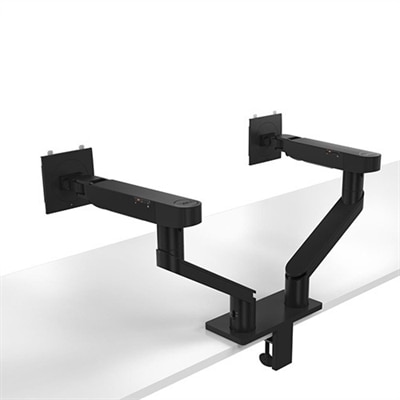
To keep your workspace organized with an additional monitor, consider using monitor arms or stands to free up desk space and achieve optimal viewing angles. Effective cable management solutions and thoughtful placement of accessories can help create a clutter-free environment, making your setup more comfortable and visually appealing.
Yes, a second monitor makes an excellent gift for students, remote workers, or anyone who spends extended periods on their computer. It supports multitasking, improves productivity, and can be especially helpful for online learning, creative projects, or managing multiple applications at once.
Add the products you would like to compare, and quickly determine which is best for your needs.