$169.99
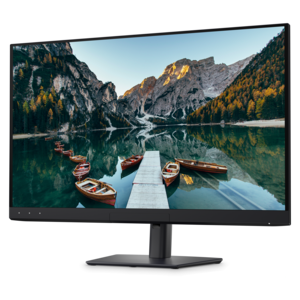
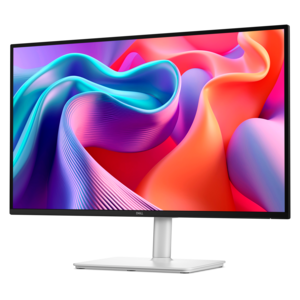
A QHD monitor with 144Hz refresh, built-in speakers, and TÜV 4-star eye-comfort certification.
Elevate your viewing experience with sharp monitors designed to deliver clarity and precision for work, gaming, and entertainment. Whether you’re setting up a professional workspace or enhancing your home office, these monitors offer the performance and reliability you need. Explore a wide selection of sharp monitors to find the perfect fit for your setup and enjoy crisp visuals every time you power on.
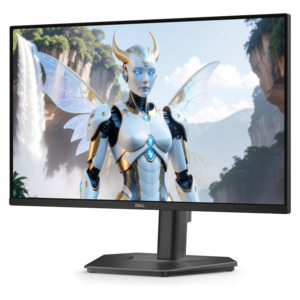
A QHD monitor with 144Hz refresh, built-in speakers, and TÜV 4-star eye-comfort certification.
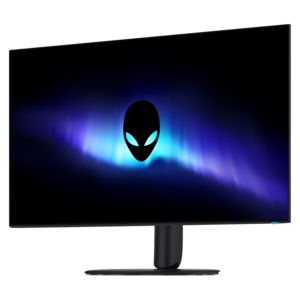
A 4K OLED gaming monitor delivering vibrant colors, sharp text, immersive HDR, and deep black levels.
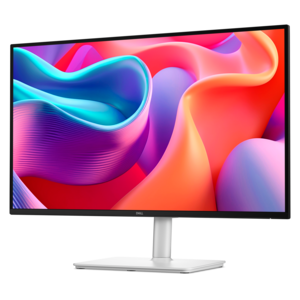
A color-critical 4K QD-OLED monitor with DisplayHDR True Black 500, anti-glare coating, and built-in colorimeter.
Sharp monitors can bring a cleaner, more comfortable view to the places where work, study, creativity and entertainment happen. A desktop monitor is more than a surface for displaying windows; it becomes the visual center of a workspace, helping spreadsheets feel less cramped, text look easier to read and images appear with greater depth and clarity. When comparing monitors, start with the screen size that fits your desk and your routine. Compact displays are useful in smaller offices, dorm rooms, bedrooms and shared work areas, while larger screens can make it easier to arrange several applications side by side without constantly switching between them. If your workspace is limited, explore Small Monitors for display options designed to make good use of a compact footprint. Resolution also matters: Full HD can provide a practical balance for everyday documents, web browsing and video calls, while higher resolutions can add finer detail for photo work, design projects, detailed charts and high-quality media. Panel type influences the viewing experience as well. IPS panels are often valued for broad viewing angles and consistent color, while VA panels can offer strong contrast that makes dark scenes and bold graphics stand out. A monitor with a matte or anti-glare finish can help reduce distracting reflections from windows and overhead lights, especially in a sunlit home office or a room with several light sources. For long sessions, look for features such as flicker-free operation and low blue light modes, which can make the screen feel more comfortable during extended reading, research or late-day tasks.
Ergonomics can make as much difference as resolution because a display that sits at the wrong height or angle can turn a productive afternoon into a tense one. Adjustable monitor stands may allow you to raise or lower the screen, tilt it toward you, swivel it for collaboration and rotate it into portrait orientation. Height adjustment is especially useful when a monitor is shared by people of different heights, while pivot support can be helpful for reviewing long documents, coding, browsing pages or working with layouts that are taller than they are wide. Place the top portion of the screen near eye level and position it far enough away that you can view the full display without leaning forward. A stable stand keeps the image steady when you type, and a VESA-compatible design can provide additional mounting flexibility when you want to free up desk space. Connectivity should match the way you work. HDMI and DisplayPort are common choices for connecting desktops and laptops, while USB-C can simplify a modern setup by carrying video, data and, on compatible systems, power through one cable. Built-in speakers can keep a desk uncluttered for calls, classes and casual listening, although dedicated speakers or headphones may be preferable for fuller sound. USB hubs can also make it easier to connect a keyboard, mouse, webcam or other accessories without reaching behind the computer every time. Before choosing, check the ports on your computer, the cables included with the display and whether the monitor supports the resolution and refresh rate you plan to use.
These monitors can serve a wide range of people, from a student organizing research across multiple windows to a remote professional moving between meetings, documents and project dashboards throughout the day. A home office user may appreciate an anti-glare panel and adjustable stand when the desk sits near a bright window, while a creative professional may prioritize color consistency, resolution and generous screen space for editing photographs, illustrations or video. Players often look for a higher refresh rate and responsive performance for fluid motion, while viewers who spend more time watching films or streaming programs may place greater emphasis on contrast, screen size and built-in audio. A second monitor can extend a laptop workspace, making it possible to keep email or a reference page open while working in another application. Two displays can also be useful for comparing documents, monitoring information or keeping a video call visible while taking notes. For a shared household, a well-chosen monitor can support schoolwork in the afternoon, personal projects in the evening and entertainment during the cooler months without taking over the room. Monitors can also make practical gifts for a college student, a remote worker setting up a first dedicated office or a family member refreshing an aging computer area. Consider the recipient’s computer, desk dimensions, typical applications and preferred viewing habits before selecting a size or feature set. The best fit is not always the largest screen; it is the display that complements the available space, connects easily to the devices already in use and remains comfortable through the tasks that fill an ordinary day. From focused office work to creative exploration and relaxed viewing, the right monitor can make digital activities feel more organized, vivid and natural.
Add the products you would like to compare, and quickly determine which is best for your needs.