$69.99
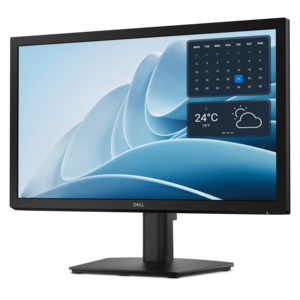
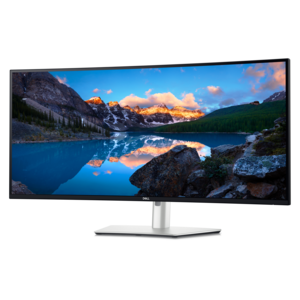
A smooth 100Hz monitor with TÜV Rheinland 3-star eye comfort certification for everyday productivity.
Discover the perfect blend of functionality and style with our selection of small monitors, designed to meet diverse needs while enhancing your workspace. Whether you're optimizing a home office, setting up a gaming station, or seeking a portable solution for on-the-go productivity, small monitors offer versatile options that fit seamlessly into any environment. With sleek designs and vibrant displays, these compact screens deliver impressive performance without compromising on space. Explore our range to find the ideal monitor that complements your lifestyle and elevates your digital experience.
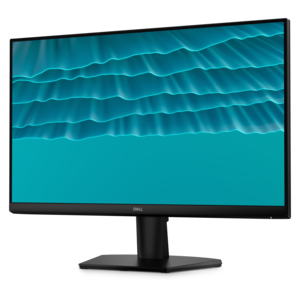
A smooth 100Hz monitor with TÜV Rheinland 3-star eye comfort certification for everyday productivity.
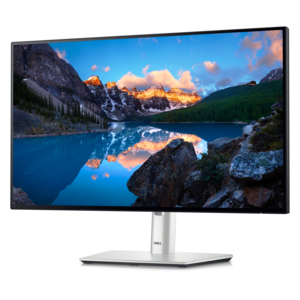
A productivity monitor offering 100Hz refresh and eye comfort solutions that reduce blue light emissions.
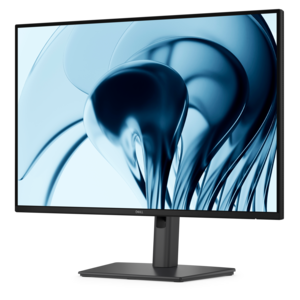
A crisp FHD monitor with smooth 144Hz visuals, built-in speakers, and TÜV 4-star eye comfort certification.
A TÜV-certified monitor offering 4-star eye comfort, enhanced productivity, and extensive connectivity.
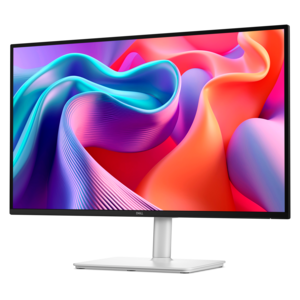
A productivity-focused 16:10 monitor with extensive connectivity, high refresh rate, and TÜV-certified four-star eye comfort.
Small monitors bring a practical balance of screen space and a compact footprint, making them well suited to desks, counters, work areas and entertainment spaces where every inch matters. A smaller display can help keep a workspace feeling open while still providing a comfortable view for documents, web pages, video calls, creative projects and everyday entertainment. It may fit neatly beside a laptop, tuck into a bedroom desk or sit on a narrow shelf in a shared home office. For many people, the appeal is less about having the largest possible screen and more about creating a setup that feels organized and easy to use. A compact monitor can serve as a primary display for a simple computer station or as a second screen for keeping email, reference material, calendars or messaging visible while another application occupies the main display. It can also be a thoughtful gift for a student setting up a study space, a remote worker refining a home office, a family member who enjoys digital hobbies or anyone making better use of a small room. During the warmer months and into the cooler months, flexible equipment can be especially useful as work and leisure spaces shift between rooms, with a compact display offering a convenient way to maintain a familiar setup without taking over the surroundings.
When comparing small monitors, begin with the dimensions of the area where the display will be placed, including room for the stand, cables and any accessories. Measuring the width and depth of a desk before choosing a screen can prevent a cramped arrangement, particularly when a keyboard, notebook, speakers or a laptop must share the same surface. Screen resolution also deserves attention. A sharper resolution can make text, menus and fine details easier to see, while a comfortable size and viewing distance help determine how much benefit that resolution provides. Consider the type of work the monitor will support as well. A display used for spreadsheets and writing may benefit from clear text and an adjustable stand, while one used for movies, casual gaming or photo projects may place greater importance on color, contrast, viewing angles and smooth motion. Refresh rate can affect how fluid movement appears, and response time may matter for fast-paced games, although these features are not equally important for every user. Brightness and an antiglare surface can help in rooms with windows or overhead lighting, while a low blue light mode or other comfort feature may be useful for long reading and work sessions. A display with a narrow frame can also make a small screen feel more spacious and help a multi-monitor arrangement look cohesive; explore Monitors With Thin Bezels when a streamlined appearance is part of the plan. The best choice is one that matches the available space, typical content and daily habits rather than simply offering the most specifications.
Connectivity and adjustability can shape the experience just as much as image quality. Check which video inputs are included and make sure they match the computer, laptop, game system or other source that will be connected. HDMI is common for many everyday devices, while other connections may support different computers or provide additional flexibility. Built-in audio, a headphone connection or integrated speakers can help reduce desktop clutter, though users who want fuller sound may prefer separate audio equipment. Cable placement is worth considering in a small workspace, since a well-routed connection can make the area feel calmer and leave more room for books, craft supplies or personal items. An adjustable stand can make it easier to position the screen at a comfortable height and angle, and a VESA-compatible design may offer additional mounting options when desk space is particularly limited. A small monitor can be placed in portrait orientation for long documents, coding, reading or messaging if its stand or mount supports that position. In a shared home, it can provide a dedicated screen for a child’s learning area, a kitchen recipe station or a guest workspace without requiring a large permanent setup. For gifting, compact dimensions make shipping, placement and setup less complicated, while versatile features allow the recipient to decide whether the display becomes part of a work area, a creative corner or an entertainment setup. With the right combination of size, clarity, connectivity and ergonomic flexibility, a small monitor can make a room feel more capable without making it feel crowded.
Add the products you would like to compare, and quickly determine which is best for your needs.