$119.99
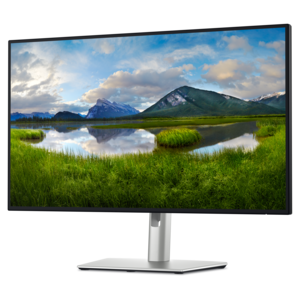
A 27-inch monitor with TÜV-certified eye comfort, 144Hz refresh rate, low blue light, and compact design.
Elevate your workspace or gaming setup with monitors with thin bezels, designed to maximize your screen space and deliver a sleek, modern look. Whether you’re seeking an immersive multi-monitor experience or simply want a stylish addition to your desk, these displays offer a streamlined design that complements any environment. Discover a variety of sizes and resolutions to find the perfect fit for productivity, entertainment, and everything in between.
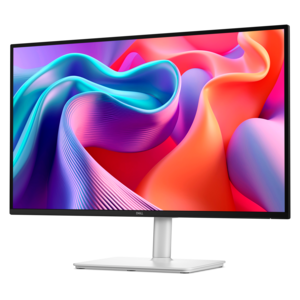
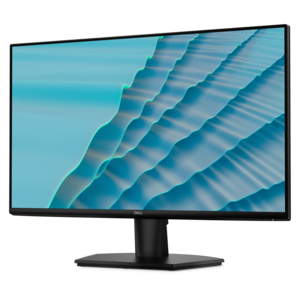
A 27-inch monitor with TÜV-certified eye comfort, 144Hz refresh rate, low blue light, and compact design.
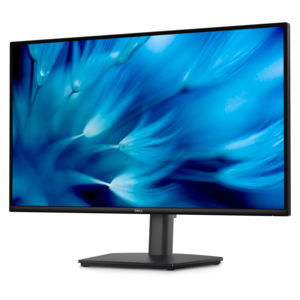
A QHD monitor with 144Hz refresh, built-in speakers, and TÜV 4-star eye-comfort certification.
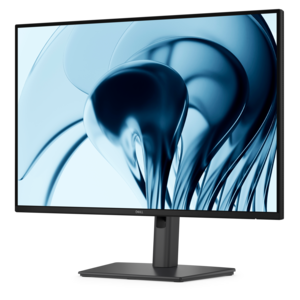
A height-adjustable QHD monitor certified by TÜV Rheinland for 3-star eye comfort and productive work.
A productivity-focused 16:10 monitor with extensive connectivity, high refresh rate, and TÜV-certified four-star eye comfort.
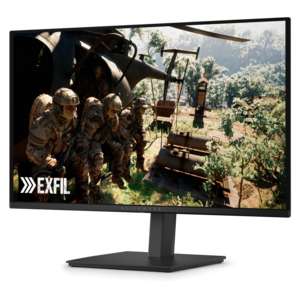
A QD-OLED gaming monitor delivering vibrant color, infinite contrast, and ultra-smooth 240Hz gameplay.
A 4K monitor with IPS Black, 3000:1 contrast, 120Hz refresh, ambient light sensing, and eye comfort.
Monitors with thin bezels bring a clean, modern look to a workspace while making more of the front surface available for viewing. The bezel is the outer frame surrounding the active display area, and a slimmer frame can make the screen feel more expansive without requiring a larger footprint on the desk. This design is especially useful in a two- or three-monitor arrangement, where thick borders can create prominent visual breaks between displays. With narrower edges, documents, timelines, spreadsheets, and creative canvases can appear to flow more naturally from one screen to the next. Many displays described as borderless or nearly borderless still have a small internal black margin that becomes visible when the screen is powered on, often measuring several millimeters. That detail is normal and worth keeping in mind when planning a seamless-looking setup. A thin bezel also complements contemporary desks, compact home offices, study areas, and entertainment spaces, pairing easily with simple stands, monitor arms, and uncluttered cable arrangements. For shoppers comparing display options, the frame is only one part of the design. Screen size, resolution, panel technology, brightness, contrast, viewing angles, refresh rate, response time, connectivity, and stand adjustability all influence the experience. A slim outer edge may improve appearance and multi-display continuity, but it does not automatically indicate stronger color accuracy, faster performance, or better image quality. Checking the complete specification helps match the display to the way it will be used, whether that means reading text for long stretches, editing photos and video, attending online classes, playing games, or keeping several applications visible at once.
Screen size and resolution should work together with the available desk space and the viewing distance. A compact display can be a practical choice for a bedroom desk, dorm room, reception area, or secondary workstation, while a larger screen may provide more comfortable room for detailed creative work, wide spreadsheets, or side-by-side windows. Shoppers who need a smaller footprint can explore Small Monitors for options suited to tighter spaces. Full HD resolution can provide a clear everyday picture on smaller and mid-sized screens, while 1440p adds extra detail and workspace on many larger displays. 4K resolution can be valuable for design, photography, video production, high-resolution documents, and anyone who prefers crisp text and fine image detail, though it may call for stronger computer graphics hardware in demanding applications and games. An IPS panel is often chosen for consistent color and broad viewing angles, which can help when more than one person is looking at the screen or when a monitor is positioned off-center. Other panel types may appeal to shoppers who prioritize deep contrast or rapid motion, so the best choice depends on the intended task. Refresh rate is another important specification: a standard rate can suit office work, browsing, and general productivity, while a higher rate can make scrolling, animation, and fast-moving games appear smoother. Built-in speakers may simplify a compact desk, but separate speakers or headphones can provide a fuller listening experience. Look for the connections needed for the computer and accessories, such as HDMI, DisplayPort, USB, or USB-C, and consider whether charging, audio, or device connectivity through the monitor would make the workspace easier to manage.
These displays can support many kinds of users. A remote worker may place email, a video meeting, and project documents across multiple thin-bezel screens, reducing the need to constantly switch between windows. A student can keep research material open beside notes or coursework, while a home creator may use one screen for a preview and another for editing tools. For gaming, a slim frame can reduce the interruption between displays in a wide setup, although graphics capability, refresh rate, response time, adaptive synchronization, and resolution deserve close attention. Creative professionals should review color coverage, calibration options, uniformity, and ergonomic adjustment alongside the bezel design. An adjustable stand with height, tilt, swivel, and pivot movement can make a noticeable difference during long sessions, helping position the top of the screen and viewing angle more comfortably. VESA compatibility may also be useful for mounting a display or creating a flexible multi-screen arrangement. During the cooler months, a thoughtfully chosen monitor can be a practical gift for someone setting up a study nook, improving a home office, expanding a gaming station, or beginning a photography and design hobby. It is helpful to consider the recipient’s computer, available connections, desk dimensions, and preferred activities before choosing a size or resolution. A monitor that looks striking on a large desk may feel oversized in a compact corner, while a smaller display can be easier to position and still provide a clear, productive workspace. Whether used alone or combined with additional screens, a thin-bezel monitor can bring a more open appearance, efficient window management, and a comfortable focal point to a wide range of everyday setups.
Add the products you would like to compare, and quickly determine which is best for your needs.