Data Domain: Boot loop after DDOS upgrade with BIOS capsule corrupted [JUNO - KOS]
Summary: Data Domains running on PowerEdge hardware enter a reboot loop during a DDOS upgrade - failing to upgrade BIOS firmware.
Αυτό το άρθρο ισχύει για
Αυτό το άρθρο δεν ισχύει για
Αυτό το άρθρο δεν συνδέεται με κάποιο συγκεκριμένο προϊόν.
Δεν προσδιορίζονται όλες οι εκδόσεις προϊόντων σε αυτό το άρθρο.
Instructions
Models Affected:
DDOS models that run on PowerEdge hardware with iDRAC.
- DD3300 | DD6400 | DD9400 | DD9900 and newer models
Symptom:
During DDOS upgrade, the system encounters a boot loop while trying to update the BIOS firmware. It says 'downloading the capsule' and then states that the capsule is corrupted.
Cause:
When iDRAC9 is running low on memory while updating the staged BIOS job, iDRAC SMA daemon is restarted while trying to process the BIOS file transfer.
iDRAC9 firmware version 6.00.30.00 corrects the memory handling to prevent this staged BIOS update failure condition.
Workaround:
- Remote flea drain on the system:
Data Domain: DD3300 6900 9400 9900 Platform Flea Drain BMC Reset Procedure
Important: Do not power off the system while is on this state:
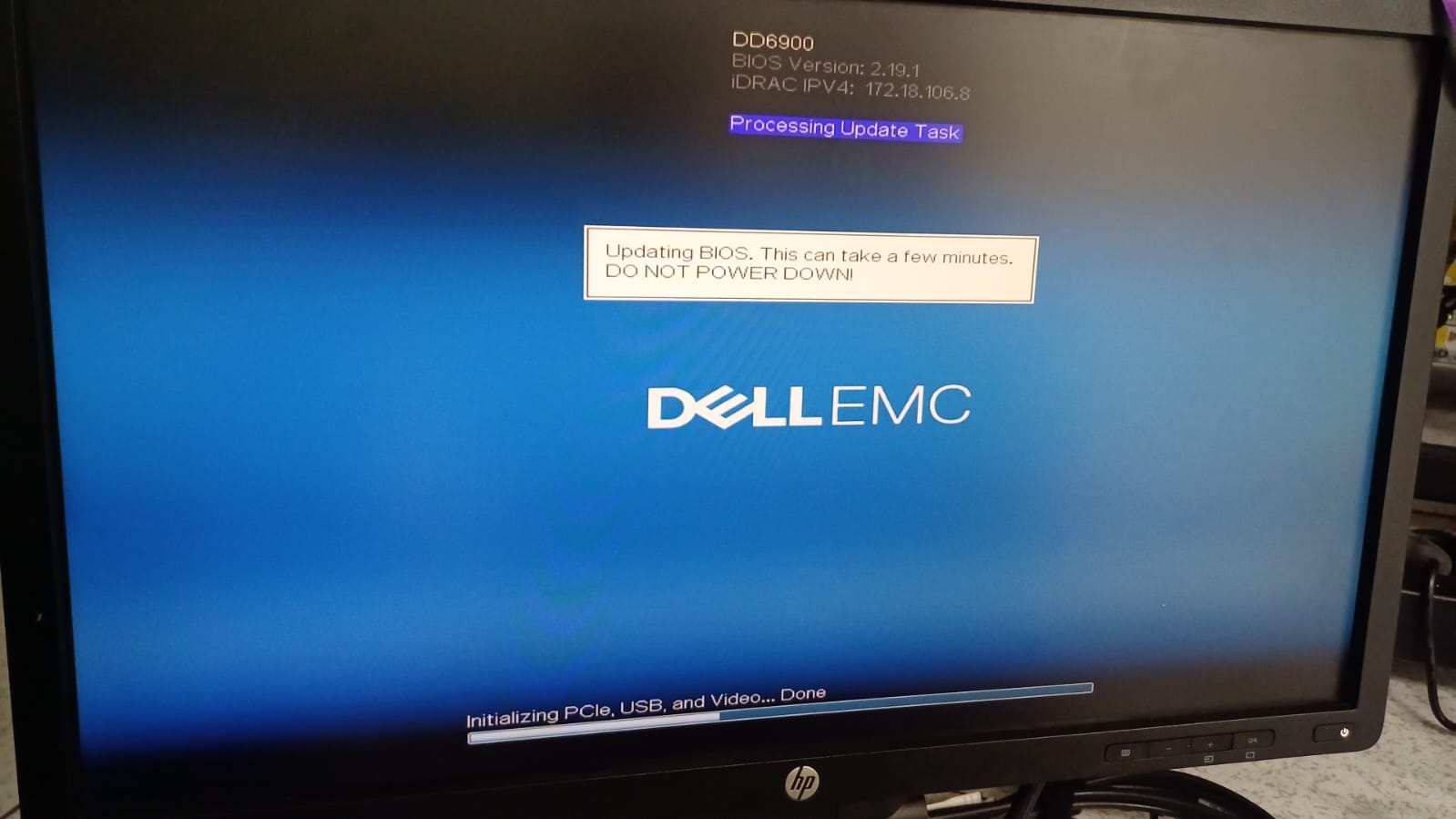
2. Alternatively, clear iDRAC job queue by connecting to iDRAC CLI using ssh and running these commands:
Note: Make sure to use root or another user with operator role.
racadm jobqueue delete --all
racadm jobqueue delete -i JID_CLEARALL_FORCE
racadm racreset
Επηρεαζόμενα προϊόντα
Data DomainΙδιότητες άρθρου
Article Number: 000220866
Article Type: How To
Τελευταία τροποποίηση: 14 Ιουλ 2025
Version: 4
Βρείτε απαντήσεις στις ερωτήσεις σας από άλλους χρήστες της Dell
Υπηρεσίες υποστήριξης
Ελέγξτε αν η συσκευή σας καλύπτεται από τις Υπηρεσίες υποστήριξης.