Precision 7960 Rack Encounters a Blue Screen Error When Reimaging
Summary: This article provides information about the Precision 7960 Rack Blue Screen error when reimaging.
Symptoms
The Precision 7960 Rack encounters a Blue Screen when booting from a USB drive or OS pre-installation environment through a Discrete graphics card.
The blue screen happens while installing or updating the Intel Chipset Device Software.
Cause
After the embedded video controller is set off, the Chipset Driver, which is trying to access the iDRAC embedded GFX Controller, could be timeout (PCH no response) and leads to a blue screen.
Resolution
When the end user wants to reimage (boot from a USB drive or OS pre-installation environment), it has to be done when Enabling Embedded Video Controller is Enabled. The end user can only get video output through the onboard VGA port, this is a design limitation.
Below is how to re-enable the Embedded video controller option:
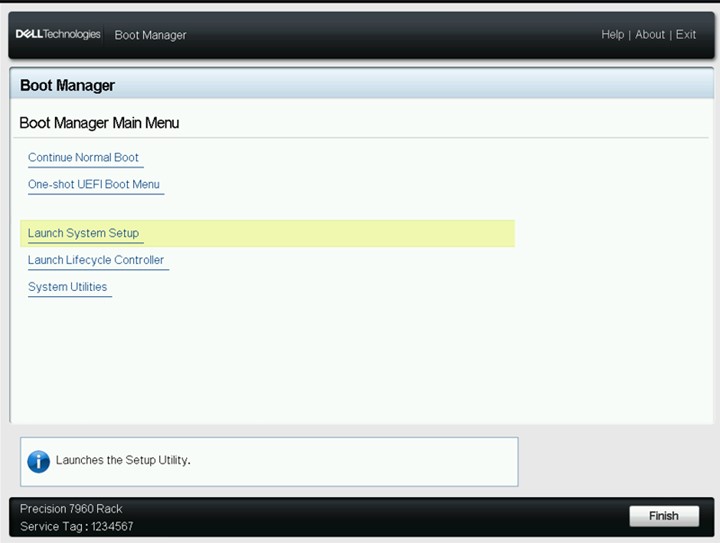
- Press F11 into Boot Manager and select Launch System Setup.
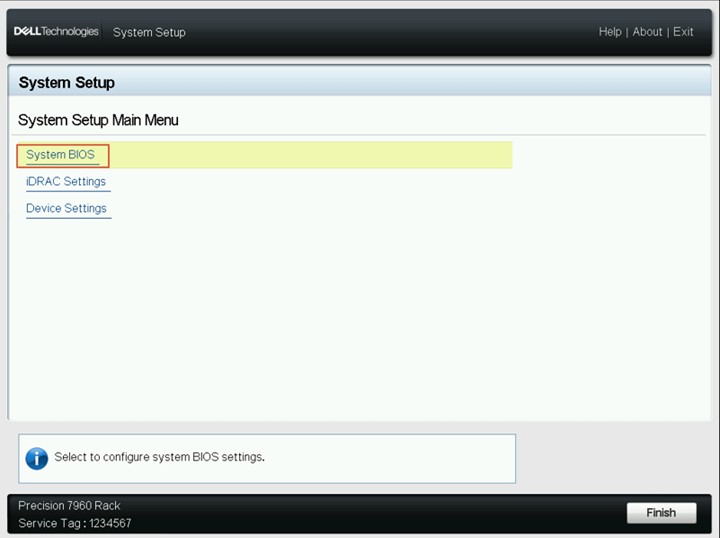
- Select System BIOS.
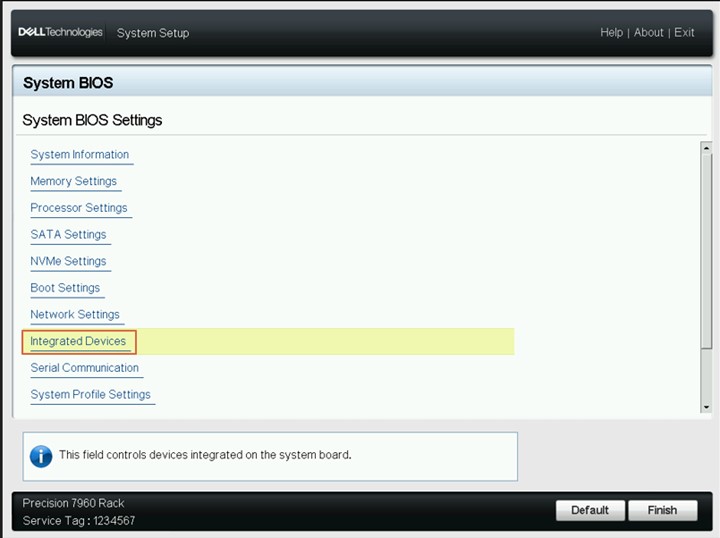
- Select integrated Device.
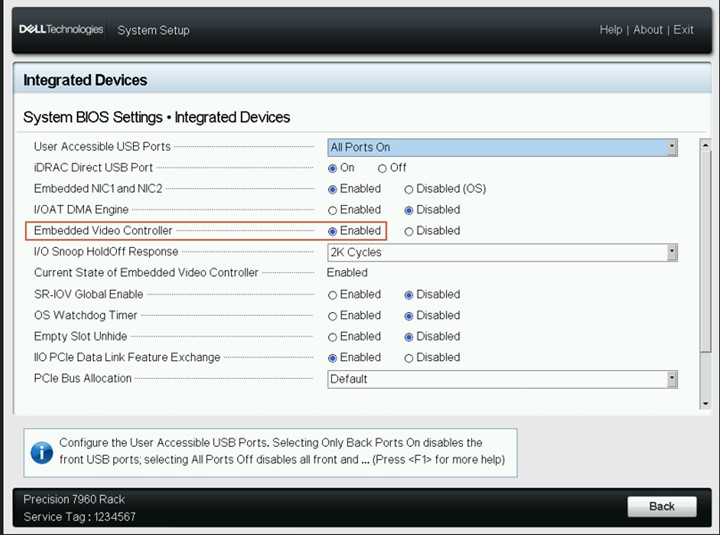
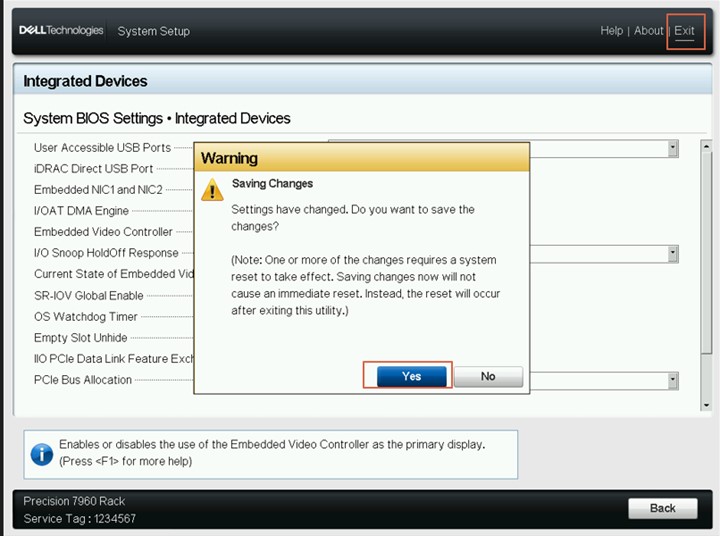
- Enabled Embedded Video Controller Option
- Click exit and select saving Yes.
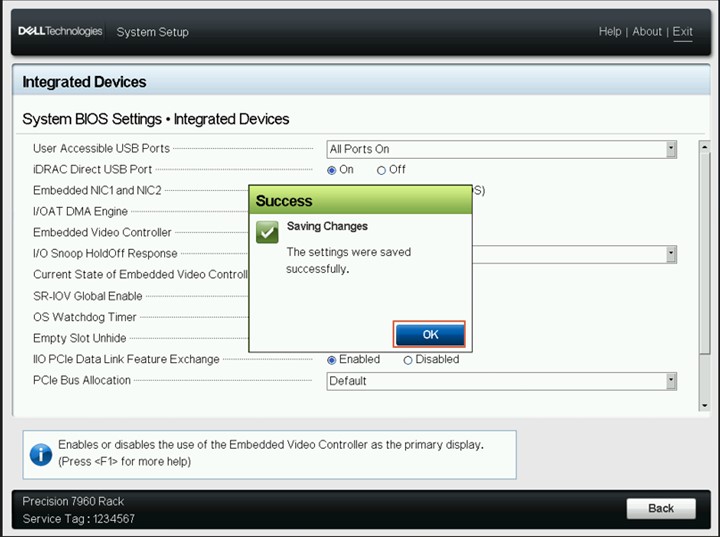
- Saving Changes Success click OK.
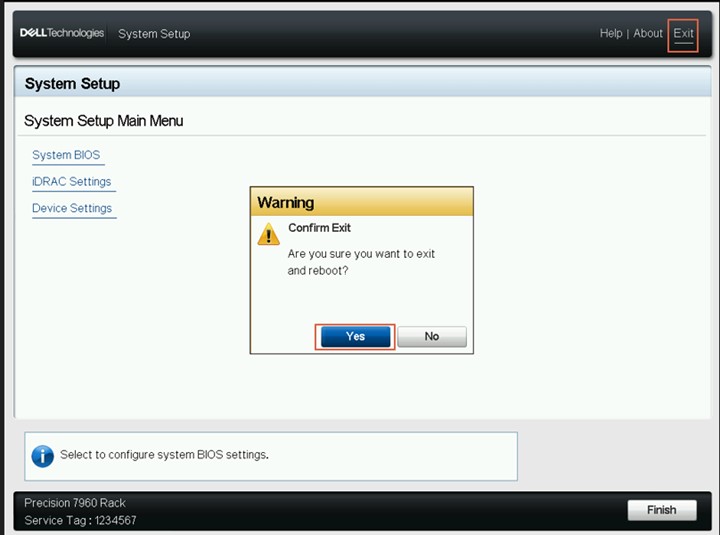
- Click exit reboot system choose Yes.
- Perform reimage(or boot to USB drive or OS pre-installation environment), and there is video output ONLY through the onboard VGA port.
- After Reimage, suggest the customer upgrade the video driver.
- Customers can disable the 'Embedded video controller" option and connect to a discrete graphics card for video output after the video driver for the discrete graphics card is up to date.