SupportAssist for Home PCs Closes When Changing Windows Contrast Theme
Summary: SupportAssist for Home PCs (versions 4.6.5 through 4.8.x) stop working and automatically closes if it is open while changing a Windows contrast theme.
This article applies to
This article does not apply to
This article is not tied to any specific product.
Not all product versions are identified in this article.
Symptoms
Changing the Windows contrast theme (from Windows Settings, Accessibility, and then Contrast) while SupportAssist for Home PCs is open causes SupportAssist for Home PCs to close. SupportAssist for Home PCs can be reopened, and it works with no issue.
Affected Platforms:
- SupportAssist for Home PCs
Affected Versions:
- v4.6.5 through 4.8.x
Cause
SupportAssist for Home PCs subscribes to the Windows event handle to react to theme changes. This creates an error that closes the SupportAssist for Home PCs user interface.
Resolution
The engineering department is working on a fix to be released in SupportAssist for Home PCs version 4.10 and later. The updated version of SupportAssist is posted to the computer’s support page once it is made available.
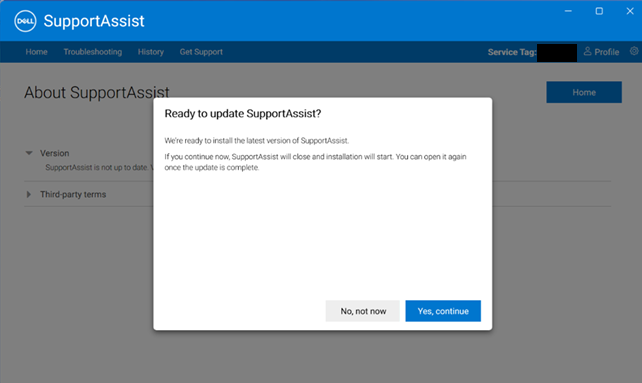
SupportAssist updates, once made available, may also be installed through SupportAssist.
- Connect to the Internet using a network cable or using Wi-Fi.
- Once prompted, click Yes, continue.
Note: Check the version of SupportAssist by going to Control Panel, Programs, Programs and Features, Settings, Apps, then Installed apps (Apps & features).
Affected Products
SupportAssist for Home PCsArticle Properties
Article Number: 000304989
Article Type: Solution
Last Modified: 07 Apr 2025
Version: 1
Find answers to your questions from other Dell users
Support Services
Check if your device is covered by Support Services.