What To Check If You Receive an Access Denied Message When Accessing a File on an Encrypted System
Summary: This article provides information about what to check first when an "Access Denied" error message is received when accessing a file.
This article applies to
This article does not apply to
This article is not tied to any specific product.
Not all product versions are identified in this article.
Symptoms
Affected Products:
- Dell Encryption
- Dell Data Protection | Encryption
Cause
Not Applicable
Resolution
Verify the following:
- Does the user have NTFS permissions to access the file?

- If it is determined the user has appropriate NTFS permissions on the file and our encryption product is suspect, then check the following:
Is the User Activated? This can be checked by noting the presence of a 16-character light blue alphanumeric Shield ID in the About section of the local encryption console.
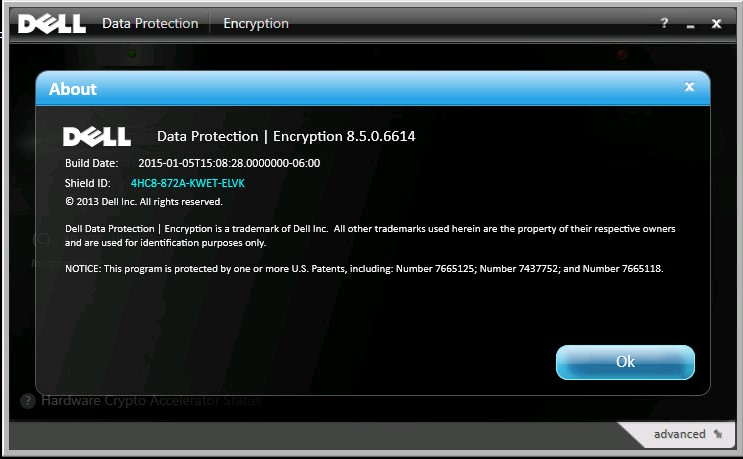
Figure 1: (English Only) Dell Data Protection | Encryption about screen
A nonactivated user has a blank Shield ID in older versions or red Encryption Client ID in the newer versions.
v8.16 and later:
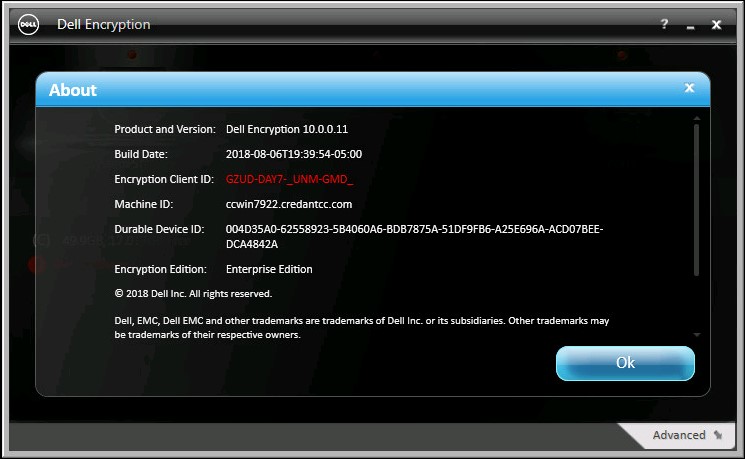
Figure 2: (English Only) Dell Encryption about screen
v8.15 and earlier:
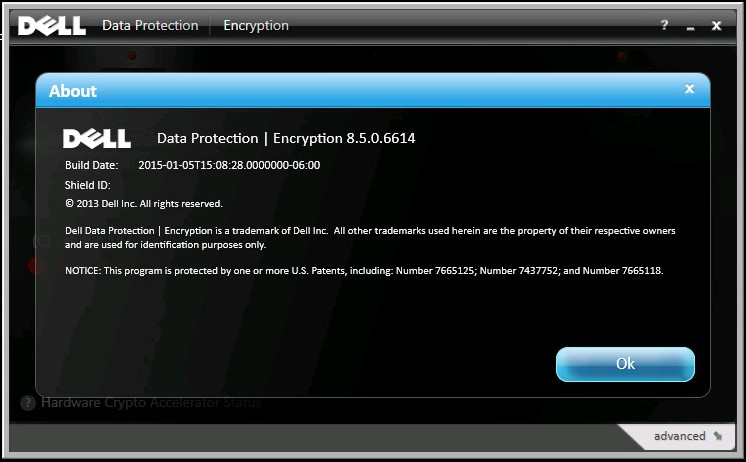
Figure 3: (English Only) Dell Data Protection | Encryption about screen
If the user is not activated consult the log file, at the location shown below, for activation issues.
Dell Encryption Enterprise Shield (formerly Dell Data Protection | Encryption Shield) Logs:
C:\ProgramData\Dell\Dell Data Protection\Encryption\CMGShield.log
Note: WSDeactivate.exe resolves most issues relating to loss of key access. If a user has successfully logged into the personal computer, but they are getting an Access Denied error while accessing data, it could be either the user is not activated, vault corruption on the machine or NTFS permissions.
WSDeactivate cannot fix NTFS permissions. Reference, How to run WSDeactivate on Dell Encryption Enterprise Shield \ Dell Data Protection Enterprise Edition Shield
To contact support, reference Dell Data Security International Support Phone Numbers.
Go to TechDirect to generate a technical support request online.
For additional insights and resources, join the Dell Security Community Forum.
Affected Products
Dell EncryptionArticle Properties
Article Number: 000175223
Article Type: Solution
Last Modified: 16 Jan 2024
Version: 10
Find answers to your questions from other Dell users
Support Services
Check if your device is covered by Support Services.