AppSync: PowerMax Array is not showing in UI when adding a new Storage System
Summary: The user's PowerMax Array was not showing in step 3 of the add storage system wizard, "Select PowerMax/VMAX3 Array".
Ez a cikk a következő(k)re vonatkozik:
Ez a cikk nem vonatkozik a következő(k)re:
Ez a cikk nem kapcsolódik egyetlen konkrét termékhez sem.
Ez a cikk nem azonosítja az összes termékverziót.
Symptoms
When attempting to add a PowerMax array to AppSync 4.0 for the first time, no arrays are available for selection.
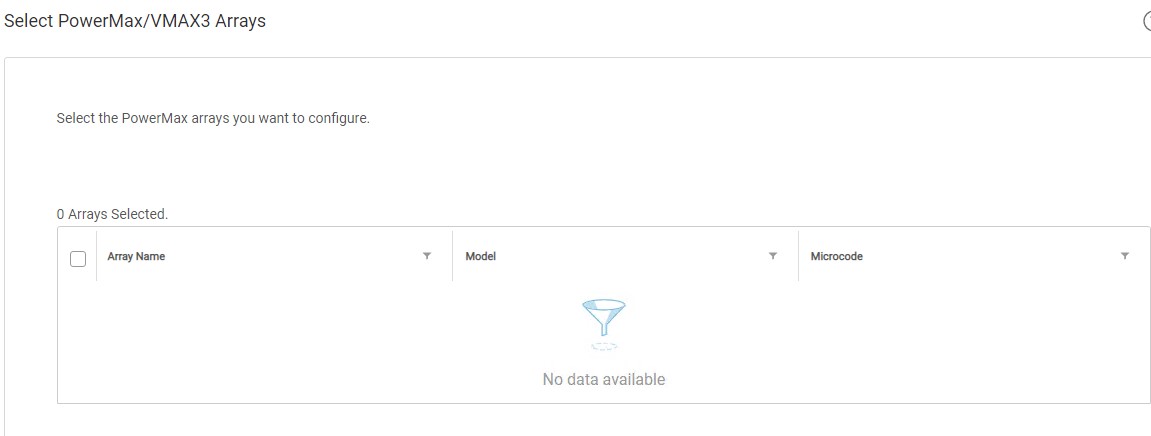
The user's PowerMax array is visible in the Unisphere for PowerMax (U4P) UI.
A standalone U4P host was in use.
Cause
The specific cause is unknown.
Resolution
Workaround:
Rebooting the U4P server resolved the issue this article addresses.
This workaround may be effective in certain environments. If the issue persists after rebooting the U4P service, please open a Service Request with Dell EMC technical support.
Rebooting the U4P server resolved the issue this article addresses.
This workaround may be effective in certain environments. If the issue persists after rebooting the U4P service, please open a Service Request with Dell EMC technical support.
Additional Information
This KB is relevant for AppSync versions 4.0 and upwards only.
AppSync 4.0 uses Unisphere for PowerMax to communicate with VMAX3 and PowerMax arrays.
AppSync 4.0 uses Unisphere for PowerMax to communicate with VMAX3 and PowerMax arrays.
Érintett termékek
AppSyncTermékek
AppSyncTermék tulajdonságai
Article Number: 000170231
Article Type: Solution
Utoljára módosítva: 19 szept. 2025
Version: 3
Választ kaphat kérdéseire más Dell-felhasználóktól
Támogatási szolgáltatások
Ellenőrizze, hogy a készüléke rendelkezik-e támogatási szolgáltatással.