AppSync: PowerMax Array is not showing in UI when adding a new Storage System
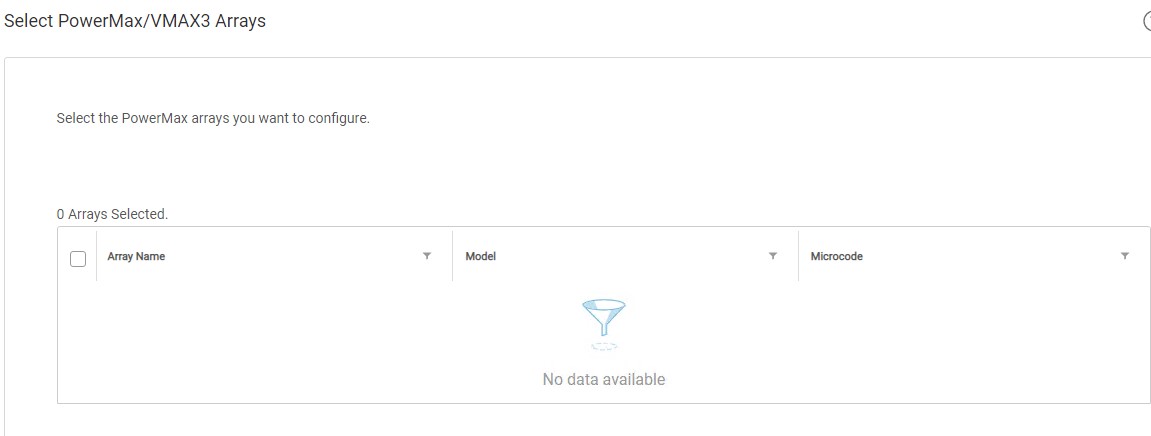
摘要: The user's PowerMax Array was not showing in step 3 of the add storage system wizard, "Select PowerMax/VMAX3 Array".
本文适用于
本文不适用于
本文并非针对某种特定的产品。
本文并非包含所有产品版本。
症状
When attempting to add a PowerMax array to AppSync 4.0 for the first time, no arrays are available for selection.
The user's PowerMax array is visible in the Unisphere for PowerMax (U4P) UI.
A standalone U4P host was in use.
原因
The specific cause is unknown.
解决方案
Workaround:
Rebooting the U4P server resolved the issue this article addresses.
This workaround may be effective in certain environments. If the issue persists after rebooting the U4P service, please open a Service Request with Dell EMC technical support.
Rebooting the U4P server resolved the issue this article addresses.
This workaround may be effective in certain environments. If the issue persists after rebooting the U4P service, please open a Service Request with Dell EMC technical support.
其他信息
This KB is relevant for AppSync versions 4.0 and upwards only.
AppSync 4.0 uses Unisphere for PowerMax to communicate with VMAX3 and PowerMax arrays.
AppSync 4.0 uses Unisphere for PowerMax to communicate with VMAX3 and PowerMax arrays.
受影响的产品
AppSync产品
AppSync文章属性
文章编号: 000170231
文章类型: Solution
上次修改时间: 19 9月 2025
版本: 3
从其他戴尔用户那里查找问题的答案
支持服务
检查您的设备是否在支持服务涵盖的范围内。