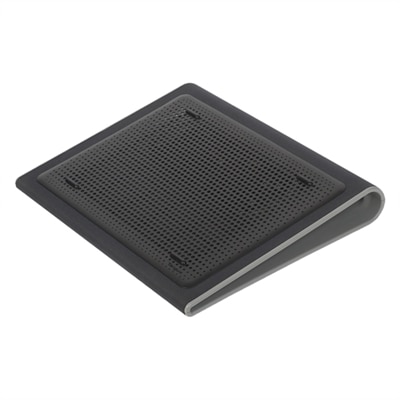
Best Laptop Coolers of 2026 For Students

According To Customer Reviews

Looking for the best laptop coolers to keep your device running smoothly during those intense study sessions? Look no further! Our curated list of top-rated laptop coolers, based on user reviews, will help you find the perfect cooling solution to prevent overheating and maintain optimal performance for your laptop. Whether you're a student constantly on the go or studying from the comfort of your dorm room, these highly recommended laptop coolers are sure to enhance your computing experience. Say goodbye to overheating issues and hello to improved productivity with these top-rated laptop cooling options!

What to Look for in Laptop Coolers for Students

Choosing the right laptop cooler can help students keep their devices running efficiently during long study sessions and classes.

1. Cooling Performance

Citrus catapult arrow

Look for a laptop cooler with efficient airflow and powerful fans to effectively reduce your laptop’s temperature, especially during intensive tasks like gaming or video editing.

2. Portability and Size

Citrus catapult arrow

A lightweight and compact design is ideal for students who need to carry their cooler between home, campus, and libraries. Make sure it fits your laptop size for optimal coverage.

3. Noise Level

Citrus catapult arrow

Opt for coolers with quiet fans so you can study without distractions. Check product specifications or user reviews to ensure the noise output is minimal.

4. Adjustability and Ergonomics

Citrus catapult arrow

Some coolers offer adjustable height settings or ergonomic angles, which can help improve typing comfort and posture during extended use.

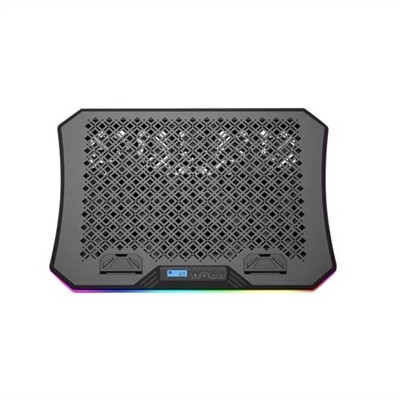
  1. 1

    Aluratek Ergonomic USB Laptop Cooling Pad with RGB Lights

    An ergonomic cooling pad with RGB lights, adjustable angles, and three large fans for optimal airflow.
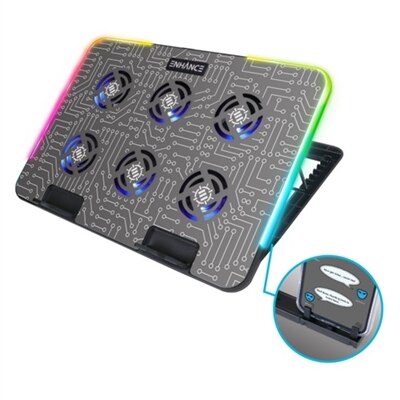
    $39.99
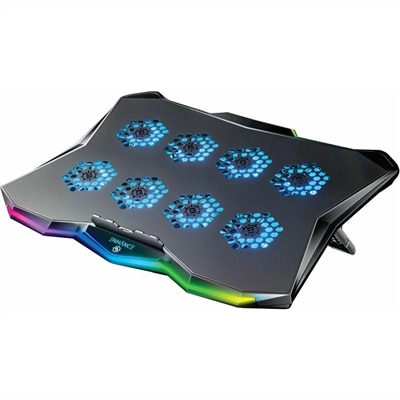
  2. 2

    ENHANCE Voltaic 2 Laptop Cooling Stand

    A metal cooling stand with 6 ultra-quiet LED fans and customizable RGB lighting for optimal airflow.
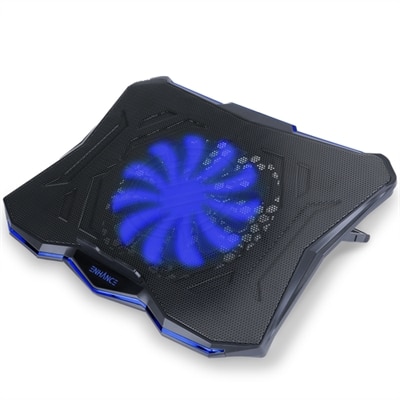
    $39.99
  3. 3

    Enhance Cryogen 5 Laptop Cooling Pad (Blue)

    A versatile cooling pad with an ultra-quiet LED fan, ergonomic design, and dual USB ports.
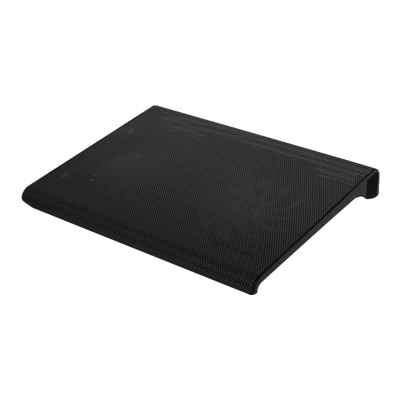
    $29.99
  4. 4

    Aluratek Slim USB Laptop Cooling Pad (Black)

    A black, slim cooling pad with dual quiet fans and metal mesh for optimal laptop airflow.
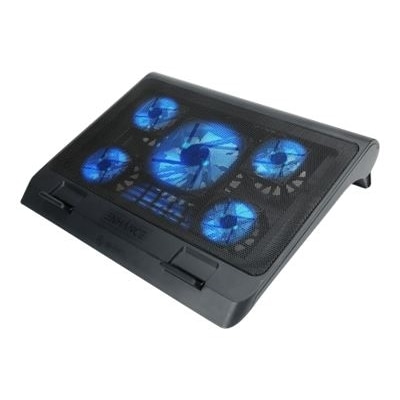
    $19.99
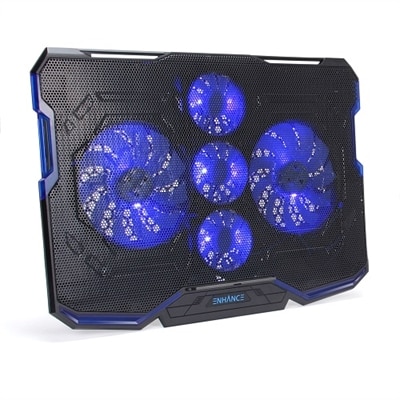
  5. 5

    Enhance Laptop Cooling Stand with 5 LED Cooling Fans & Dual USB Ports - Blue

    A versatile laptop fan with ultra-quiet LED fans, metal mesh surface, and adjustable height settings.
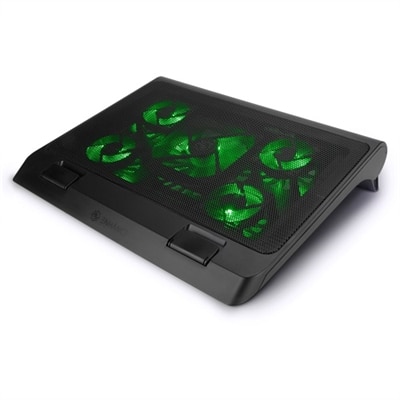
    $34.99
  6. 6

    Enhance Cryogen 5 Laptop Cooling Pad (Green)

    A green cooling pad with an ultra-quiet LED fan, dual USB ports, and 7 adjustable height settings.

    $29.99
  7. 7

    Enhance Cryogen ENGXC20100BLWS Cooling Pad

    A black and blue cooling pad with five ultra-quiet fans, LED lighting, and adjustable stand.

    $39.99
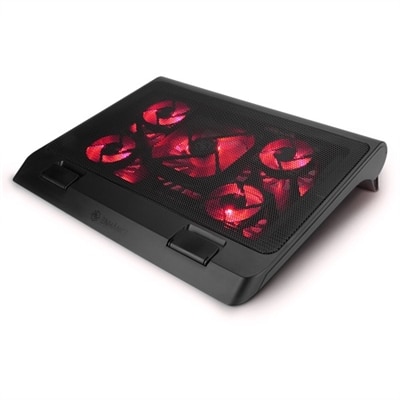
  8. 8

    ENHANCE Gaming Laptop Cooling Stand with 5 LED Cooling Fans & Dual USB Ports

    A gaming laptop cooling stand with 5 ultra-quiet fans, adjustable height, and red LED lights.

    $34.99
  9. 9

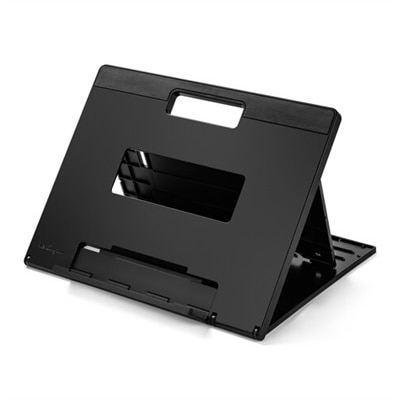
    Kensington SmartFit Easy Riser Laptop Cooling Stand - Black

    A black adjustable laptop stand with ergonomic design, offering up to 50-degree tilt and enhanced cooling.

    $36.99
  10. 10

    Enhance Laptop Cooling Stand with 5 LED Cooling Fans & Dual USB Ports - Green

    A gaming laptop cooling stand with 5 ultra-quiet fans, green LED lights, and dual USB ports.
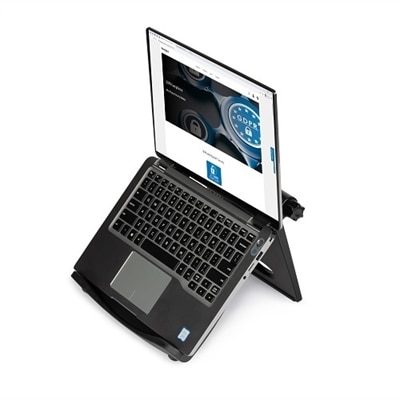
    $34.99

Best Laptop Coolers For Students

FAQs:

Students should consider laptop coolers with adjustable fan speeds, lightweight and portable designs, quiet operation, and compatibility with various laptop sizes. Additional features like built-in USB hubs or ergonomic stands can also enhance usability during long study sessions.

Laptop coolers help dissipate heat generated by the device, preventing overheating. This can lead to more consistent performance, reduced risk of thermal throttling, and increased comfort during extended use—ideal for students working on assignments or attending online classes.

For students on the go, slim and lightweight laptop coolers are ideal. Models that are USB-powered and easily fit into backpacks offer convenience without adding bulk, making them perfect for use in libraries, cafes, or classrooms.

Yes, by maintaining lower operating temperatures, a laptop cooler can reduce wear on internal components caused by excessive heat. This may help prolong the overall lifespan of the laptop, which is especially beneficial for students relying on their devices throughout their academic years.

Most laptop coolers require minimal maintenance. Regularly cleaning dust from the fans and vents ensures optimal airflow and performance. It's also important to check cables and connections periodically to ensure reliable operation.

Best Sellers

Enhance Cryogen 5 Laptop Cooling Pad (Blue)
ENHANCE C5 Laptop Cooling Stand. The C5 comes equipped with 1 ultra-quiet LED fan that produces an alluring blue light and provides superior airflow while maintaining a noise-free environment. The lightweight and slim design lets you use the cooling stand in a stationary position or take it with you on the go. Its metal mesh surface helps increase airflow and pull away excess heat from the bottom of your laptop. 7 adjustable height settings provide you with multiple viewing positions.
$29.99
ENHANCE Voltaic 2 Laptop Cooling Stand
Designed to minimize the overheating that can occur with laptop computers, the Voltaic 2 comes equipped with 6 ultra-quiet LED fans that produce an alluring blue light and provides superior airflow while maintaining a noise-free environment. The metal top helps to disperse heat better than other cooling pads. The scroll wheel allows you to tune the power of the LED lights and fans and the cooling pad also comes with RGB lighting and 10 different color modes.
$39.99
Aluratek Ergonomic USB Laptop Cooling Pad with RGB Lights
Aluratek's Ergonomic USB Laptop Cooling Pad with RGB Lights is a great solution to cool your laptop while providing an ergonomic working surface. We all know that excessive heat harms the performance of any electronic device. Extend the life and functionality of your laptop by providing a constant even flow of cool air with three large fans to keep your system from overheating.The cooling pad supports laptops up to 19 inches in width. Connect the cooling table to your laptop with the included USB cable. The cooling pad is USB bus powered with low power consumption so no need for an external power adapter.ACPRGB01F is lightweight and durable while keeping a low profile. The pad features adjustable height control with 7 different surface angles, adjustable fan speed and RGB light controls so you can create a customizable work station for home, school, or the office.Work In ComfortThe cooling pad is 16.25" in length and supports all laptops and tablets up to 19 inches wide. Create a comfortable and ergonomic workspace wherever you go. Choose between 7 angled working surfaces (Up to 30 degrees). Two guards extend out to give your laptop a sturdy resting place. Triple The Cooling Three large 4.5 inch (12.7 cm) diameter fans and a metal mesh surface allow for excellent airflow. The fans quietly create a continuous and evenly dispersed flow of cool air to quickly dissipate heat that is generated by your laptop.Portable DesignStanding at only 1.25 inches tall and weighing only 2 pounds, the cooling pad is designed to be durable, thin and lightweight, making it extremely portable.Customizable ControlsThe pad features push button controls to easily control ON/OFF, the speed of the fans and to adjust the RGB lighting with up to 10 different color and pattern choices.Smartphone CradleKeep your smartphone close by and propped up by utilizing the optional smartphone cradle that easily attaches to the side of the pad. Tucks away under the frame when not in use.
$39.99
Aluratek Slim USB Laptop Cooling Pad (Black)
Aluratek's Slim USB Laptop Cooling Pad is a great solution to cool your laptop while providing a comfortable angled working surface. We all know that excessive heat harms the performance of any electronic device. Extend the life and functionality of your laptop or ultrabook by providing a constant even flow of cool air to keep your system from overheating.The laptop cooling pad supports MacBook Pro, MacBook Air, Chromebook, Ultrabook, netbooks and all laptops up to 17 inches. The cooling pad is equipped with dual ultra-quiet fans that spin at 800 RPM to push out a large amount of cool air. The metal mesh surface is designed to optimize airflow and helps to quickly dissipate heat that is generated by your laptop.The cooling pad is designed to be slim and lightweight while keeping its durability. You will love the blue LEDs that illuminate the entire surface of the cooling pad. The angled surface creates an ideal viewing and ergonomic typing angle. Connect the pad to your laptop with the attached USB cable which includes a USB host port so you don't lose a USB port on your laptop. The cooling pad is USB bus powered with low power consumption so no need for an external power adapter. The USB cable tucks neatly underneath the pad for easy portability.Whether you're at home, school, or work, the Slim USB Laptop Cooling Pad will provide your laptop with the airflow needed to keep your system running at its best.Dual Cooling Performance Features two large 5 inch (12.7 cm) diameter fans that generates an abundance of air to pass through the pad's metal mesh surface to cool your laptop's heated chassis. The fans produce very little noise while spinning at 800 RPM.Portable Design Standing at 2 inches tall and weighing only 1.4 pounds, the cooling pad is designed to be both thin and lightweight, making it easy to take with you on the go. The USB cable tucks neatly underneath for easy cable management. The sturdy construction of the pad allows for a comfortable angled working surface.Optimal Airflow The metal mesh surface allows for excellent airflow while enhancing cooling performance. It creates a continuous and evenly dispersed flow of cool air beneath your laptop to displace the heat generated by your system.
$19.99
Enhance Cryogen ENGXC20100BLWS Cooling Pad
ENHANCE Cryogen Gaming Laptop Cooling Pad - Fits up to 17 inch Computer - Adjustable Laptop Cooling Stand with 5 Ultra Quiet Cooler Fans , 2 USB Ports and LED Lighting - Slim Portable Design 2500 RPM
$39.99
ENHANCE Gaming Laptop Cooling Stand with 5 LED Cooling Fans & Dual USB Ports
ENHANCE Enhance GX-C1 Laptop Cooling PadENHANCE GX-C1 Laptop Cooling Stand. The GX-C1 comes equipped with 5 ultra-quiet LED fans that produce an alluring red light and provide superior airflow while maintaining a noise-free environment. The lightweight and versatile design lets you use the cooling stand in a stationary position or take it with you on the go. Its metal mesh surface helps increase airflow and pull away excess heat from the bottom of your laptop. 3 adjustable height settings provide you with multiple viewing positions.GX-C1 Laptop Cooling StandIt's Cool. That's a phrase often said, but when we're talking about laptop gaming performance, "It's cool" is a goal we all hope to achieve. The GX-C1 laptop cooling stand helps achieve that goal while maintaining a sleek aesthetic and providing a flow of cool air to help mitigate thermal buildup and serve as a portable stand when used in bed or on the couch.So kick back, relax, and game on.Because with ENHANCE, It's Cool. Fits up to 17 inch Laptops 1 x 1264 RPM Fan & 4 x 2630 RPM Fans 3 Adjustable Height Settings 2 x USB 2.0 Ports Brilliant Red LED Lighting Laptop Stops to Hold PC in Place
$34.99
Targus Chill Mat Cooling Stand - TAA Compliant
The 17" Dual Fan Chill Mat provides a comfortable and ergonomic work surface to keep you and your laptop cool. The chill mat rests on your lap and disperses heat, using dual fans to provide ventilation which can be obstructed if the laptop is used on a pillow or comforter. Laptop overheating is actually quite common, and it can be caused by dust buildup in the air vents or poor airflow to the internal components. However, outdated software, demanding applications, and overuse can also lead to an overheated laptop. So what's the best way to prevent a laptop from overheating? Invest in a cooling tray for the laptop.This chill pad for a laptop is effective and so easy to use. Simply plug the USB connector into the laptop to activate cooling. The ergonomic tilt makes typing easy, while the soft neoprene material provides cushioned comfort on your lap. The open design allows fans to run quietly and stimulates constant airflow. Four rubber stops on the face of the chill mat prevent the laptop from slipping and makes using your laptop an enjoyable experience.Ready to turn up the productivity in your computer? Learn more about investing in a cool mat for laptop like the The 17" Dual Fan Chill Mat in the video below.
$49.99
Kensington SmartFit Easy Riser Laptop Cooling Stand - Black
Laptop cooling stand features the SmartFit system that allows you to dial in your ideal height setting using the color-coded fitting chart with up to a 50-degree tilt angle so you can make a fast adjustment in two easy steps. Padded inserts provide nonslip stability for any 12" to 17" laptop to keep it firmly and safely in place while you work. Raised construction offers increased air circulation to dissipate heat buildup and keep your laptop cooler. Highly portable design folds flat to save space in your bag when you're traveling on long or short trips.
$36.99

Add the products you would like to compare, and quickly determine which is best for your needs.
Add the products you would like to compare, and quickly determine which is best for your needs.