$4802.00
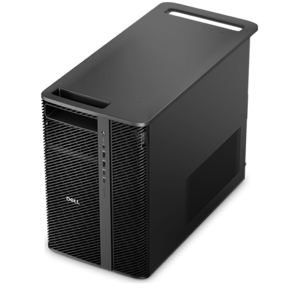
A scalable tower workstation delivering reliable, outstanding performance for demanding multi-threaded applications.
Hardware for virtualization empowers users to create flexible, efficient computing environments that support multiple operating systems and applications on a single device. Whether you are streamlining workflows, increasing productivity, or managing resources more effectively, choosing the right hardware for virtualization is essential. Explore a wide range of laptops, desktops, monitors, and accessories designed to help you get the most out of your virtualized workspace. Find solutions that align with your needs and enhance your overall computing experience.
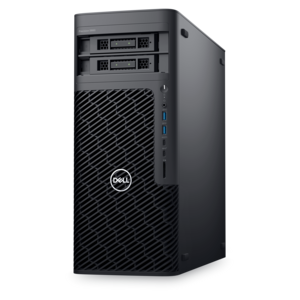
A scalable tower workstation delivering reliable, outstanding performance for demanding multi-threaded applications.
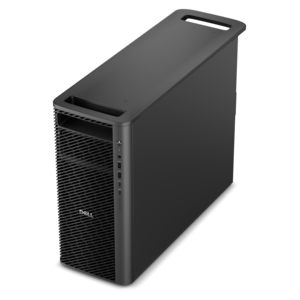
A scalable, high-performance workstation designed to handle critical professional tasks and evolving workloads.
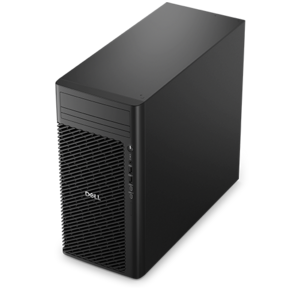
A scalable professional desktop delivering elite computing power with massive expandability.
Hardware for virtualization is the physical computing equipment that supports running multiple isolated operating systems on a single computer. Software called a hypervisor creates and manages these virtual machines, assigning each a portion of the computer’s processing power, memory, and other resources. For everyday users, the relevant hardware includes laptops and desktops with compatible processors, sufficient memory, and cooling designed for the intended workload. A virtual machine can provide a separate environment for testing an application, practicing operating system administration, or using software that requires a different operating system from the one on the physical computer. A software developer might keep a clean testing environment beside a familiar desktop, while a student might use a virtual machine to complete technical coursework without replacing the computer’s main operating system. Hardware-assisted virtualization depends on processor capabilities and platform support, and it may also need to be enabled in the computer’s BIOS or UEFI firmware settings. Processor support alone does not guarantee that every hypervisor or guest operating system will work; compatibility also depends on the host operating system, software requirements, and processor architecture. The relationship between those components is central to Virtualization Technology and helps explain why two computers with similar everyday performance can behave differently under virtualized workloads. Hardware for virtualization is therefore best understood in terms of the work it needs to support rather than a single specification. Running one lightweight guest operating system for an occasional class assignment places different demands on a computer than keeping several development environments active throughout a workday. The physical computer still needs resources for its own operating system, browser, communication tools, and background tasks. A balanced configuration leaves room for those activities instead of committing nearly all available capacity to virtual machines. That balance matters most during ordinary moments: joining a video meeting while a test environment starts, switching between documentation and an application build, or leaving a practice environment open while finishing a report.
Processor capability and memory capacity are two of the most important considerations when comparing laptops and desktops for virtual machines. Multiple processor cores can help a computer handle concurrent tasks, but assigning more virtual processors to a guest does not automatically make it faster. The hypervisor schedules work across the physical processor, and the host still needs enough capacity to remain responsive. Sustained performance matters as much as short bursts of speed when a workload involves repeated builds, lengthy tests, or several active guest environments. Cooling design, power settings, and the computer’s physical size can all influence how consistently it performs during those sessions. Memory requirements likewise depend on the operating systems and applications running at the same time. A guest environment needs memory for its own tasks, while the host requires a separate share; insufficient capacity can lead to noticeable delays when moving between windows or opening applications. Published requirements for the chosen hypervisor and guest software provide a useful baseline, although minimum requirements do not necessarily describe a comfortable multitasking experience. Expandable memory can offer flexibility as coursework or development projects become more demanding, whereas fixed-memory designs make the original configuration more consequential. Graphics requirements deserve a separate look. Text-based exercises and routine application testing generally have different needs from graphics-intensive design software or demanding visual simulations. A powerful graphics processor does not necessarily become directly accessible inside a virtual machine, because advanced graphics features depend on the hypervisor, operating systems, and supported configuration. Peripheral access can vary for similar reasons, particularly when a guest application needs a specialized USB device. These distinctions make intended use more informative than broad performance labels. For someone learning a second operating system, dependable responsiveness and straightforward compatibility may matter most. For someone testing software across multiple environments, additional processing and memory headroom may be more useful. Hardware supports those environments, but it does not remove software licensing requirements or make every application suitable for virtualization.
The right physical format makes virtualization hardware easier to live with beyond the specifications. A laptop suits someone who moves between a classroom, a home desk, and a shared workspace, keeping practice environments on the same computer throughout the day. Screen size, keyboard comfort, carrying weight, and chassis construction all affect that experience. Metal and reinforced polymer enclosures offer different combinations of weight, rigidity, and surface feel, but material alone does not establish durability; hinge construction, handling, and overall design matter too. Sustained virtual machine activity can increase power use and cooling noise, so battery expectations should reflect the workload rather than light browsing alone. A desktop is often a natural fit for a permanent workspace where portability is less important and there is room for a larger enclosure. Depending on its design, that format may offer more accessible components and greater flexibility for later upgrades. Monitors and accessories contribute to practical comfort without changing the underlying virtualization capability. A larger display can keep a guest desktop, reference material, and the host’s tools visible together, reducing the constant shuffling of overlapping windows. An external keyboard and mouse can make long sessions more comfortable, while an adjustable monitor position helps keep text at a readable height. Connection compatibility remains important when pairing a computer with displays, docks, or input devices, especially if those devices must work within a guest environment. Routine care supports dependable use: clear ventilation openings, a stable work surface, and cleaning consistent with the manufacturer’s recommendations help protect the physical system. A laptop running demanding tasks belongs on a firm surface rather than a blanket that can obstruct airflow. Virtual machines also require thoughtful maintenance, including appropriate software updates and backups of important work. Their separation is useful for testing, but it is not an absolute security boundary or a substitute for protecting the host. For students, developers, technical learners, and professionals with compatible specialized applications, well-matched hardware makes separate computing environments a practical part of an everyday workspace.
Add the products you would like to compare, and quickly determine which is best for your needs.