$3978.00
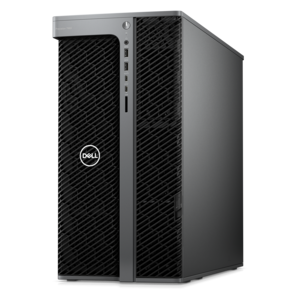
A high-performance desktop combining Intel Xeon 6 processors and advanced graphics for demanding professional workloads.
Virtualization processors are essential for powering efficient, flexible, and scalable computing environments. Designed to support multiple virtual machines on a single physical system, these advanced processors help businesses and individuals maximize performance while optimizing resource utilization. Explore a wide range of virtualization processors to find the ideal solution for your data center, cloud infrastructure, or personal workstation needs.
A high-performance desktop combining Intel Xeon 6 processors and advanced graphics for demanding professional workloads.
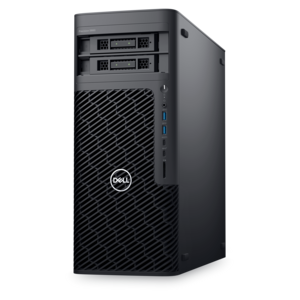
A scalable tower workstation with professional graphics and up to a 56-core Intel Xeon processor.
Virtualization processors are designed to help one physical computer run multiple virtual machines at the same time. Rather than dedicating an entire computer to every operating system or software environment, a hypervisor creates separate virtual spaces and assigns each one a portion of the processor’s available resources. These virtual machines can run independently, with their own operating systems, applications and settings, while sharing the same underlying hardware. The processor switches rapidly among virtual tasks, making several environments feel active at once. Hardware-assisted virtualization extensions built into many modern CPUs help the hypervisor manage those transitions more efficiently and maintain stronger separation between virtual machines. This makes virtualization processors useful for software developers testing applications across operating systems, technology students building practice labs, IT professionals evaluating configurations, and home users who want to explore another platform without replacing their primary computer. A capable processor can also make everyday multitasking feel more fluid when demanding work takes place alongside email, web research, creative applications or communication tools. When browsing a list of virtualization processors, begin by considering how many virtual machines you expect to run and what each environment will do. A lightweight test installation has very different needs from several active development environments, a virtual desktop used for design work or a collection of systems running background services. More processor cores and threads can provide additional room for simultaneous workloads, while strong single-thread performance can help individual applications respond quickly. Keep in mind that virtualization does not create unlimited processing power: the physical CPU still supplies every vCPU, and assigning too many vCPUs can cause contention rather than improving performance.
Clock speed, core count and thread count are only part of the purchase decision. Cache capacity can help the processor handle frequently used instructions and data, while support for the right memory type and sufficient system RAM can have a noticeable effect on the overall experience. Each virtual machine requires memory in addition to the resources used by the host operating system, so a computer intended for virtualization should have enough RAM to leave comfortable headroom for both. Check motherboard compatibility, socket requirements, firmware support and power characteristics before choosing a processor, particularly when upgrading an existing desktop or workstation. A processor may offer excellent virtualization features but still be unsuitable for a system that cannot provide the correct socket, cooling solution or power delivery. It is also worth confirming that the preferred hypervisor and operating systems support the processor’s hardware virtualization extensions. These features may appear in firmware settings under names such as CPU virtualization, hardware virtualization or a similar option, and they sometimes need to be enabled before a hypervisor can use them. Security deserves equal attention. Look for processors and platforms that support modern protections for isolating virtual machines, controlling privileged operations and reducing the risk that activity in one environment affects another. Compatibility with the host operating system, virtualization software and required drivers can save considerable time during setup. For shoppers comparing professional-grade options, the selection of Xeon E5 Processors can provide a useful point of reference when evaluating specifications for sustained, multi-environment workloads. Always compare the complete system rather than focusing on a single number, since cooling, memory, storage performance and firmware settings all contribute to how smoothly virtual machines operate.
The best virtualization processor depends on the person using it and the environments they plan to create. A developer may value enough cores to keep a test environment running while compiling code and reviewing documentation. A student or career learner might use virtualization to build a small practice lab, take snapshots before making changes and return to a clean configuration when an experiment goes wrong. A photographer, designer or content creator could use a virtual machine to access specialized software while keeping their main workspace separate and organized. Families may use virtualization to provide a controlled environment for learning or to run older applications without changing the primary computer. It can even be a thoughtful gift for a technically minded relative, home-lab enthusiast or aspiring programmer, although processor upgrades are best purchased with the recipient’s existing computer specifications in hand. Before ordering, review the operating system requirements, confirm the number of cores and threads, estimate the memory each virtual machine will need and consider whether the computer’s cooling system is prepared for extended workloads. If several environments will be active for long periods, prioritize sustained performance and dependable thermal behavior instead of relying only on peak speed. If virtualization will be occasional, a balanced processor may offer better value while still handling testing, browsing and everyday productivity. Once installed, divide resources conservatively, monitor processor and memory usage, and increase allocations only when the workload calls for them. This approach helps keep the host responsive and prevents one virtual machine from using more than its fair share. With the right processor and a compatible computer, virtualization can turn a single desktop into a flexible collection of workspaces for learning, testing, productivity and experimentation throughout the changing seasons.
Add the products you would like to compare, and quickly determine which is best for your needs.